



Global Product Sorting
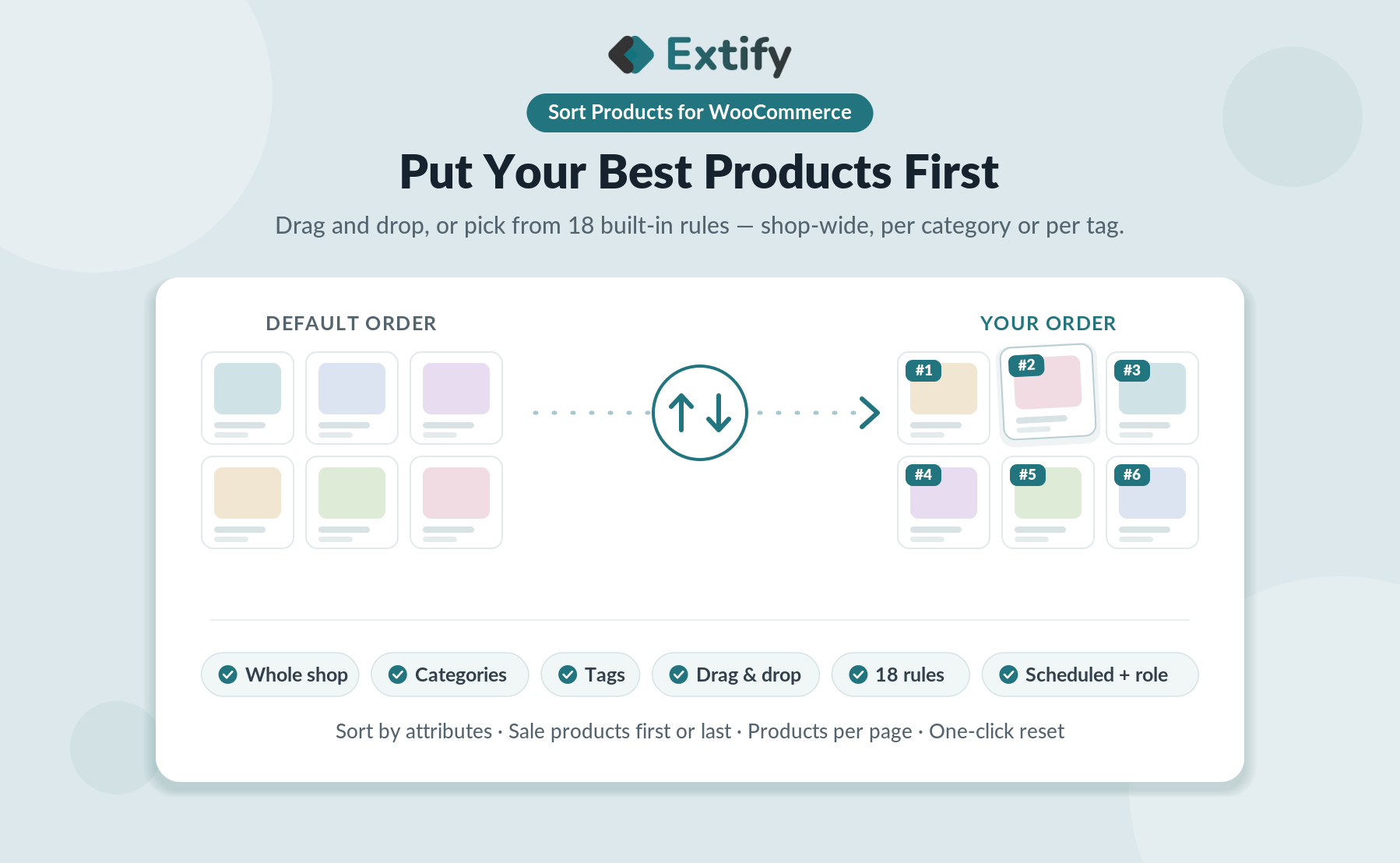
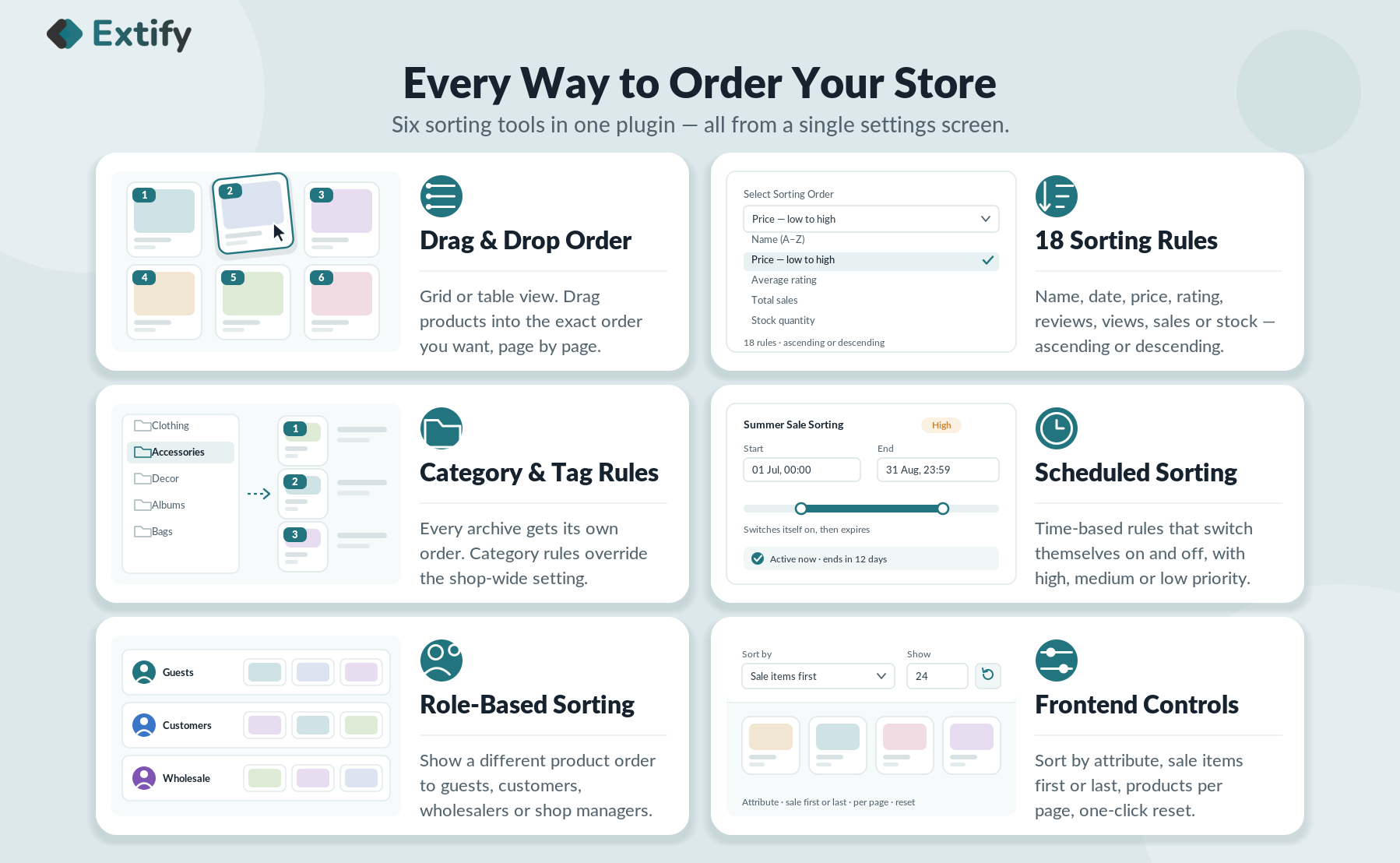
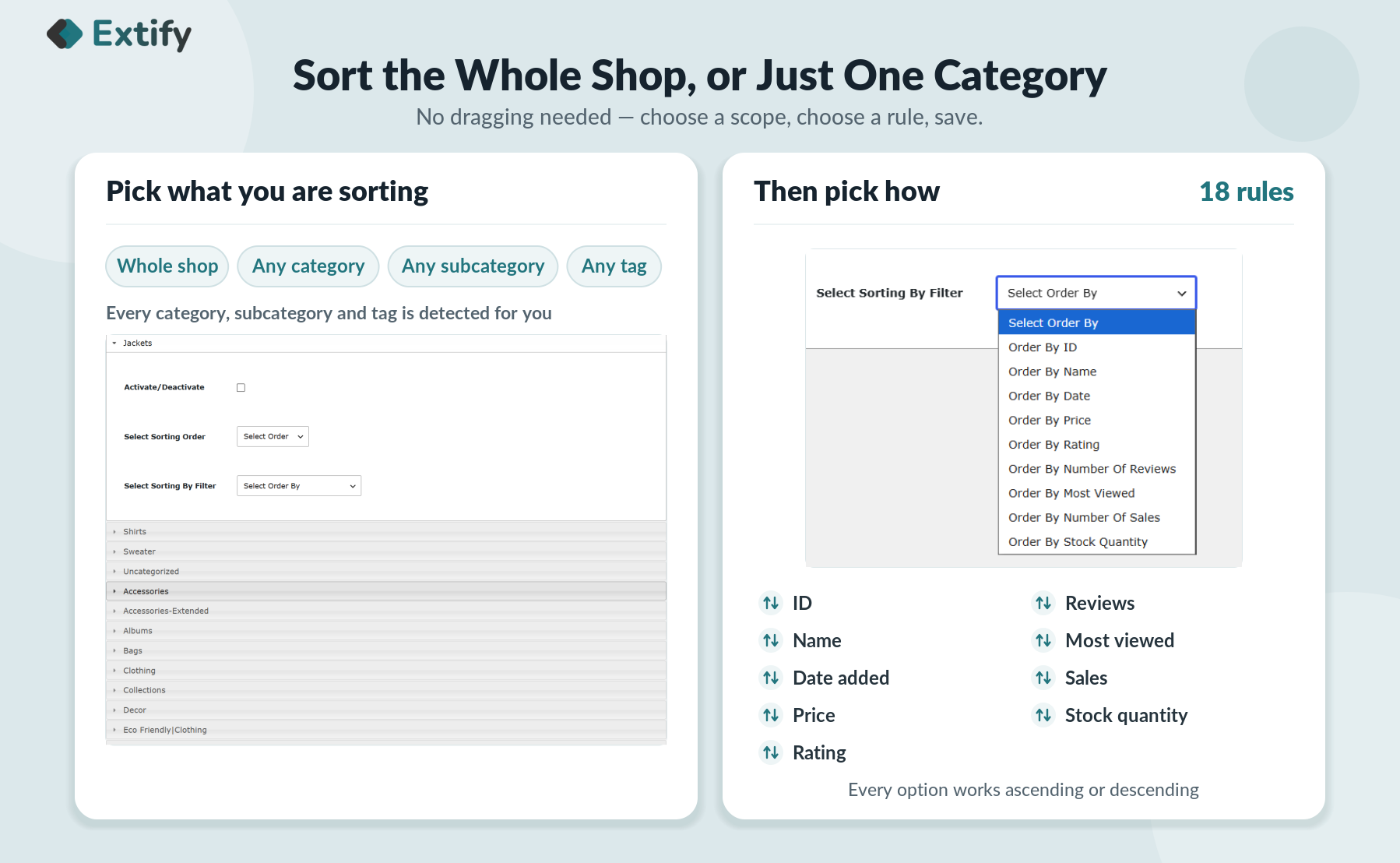
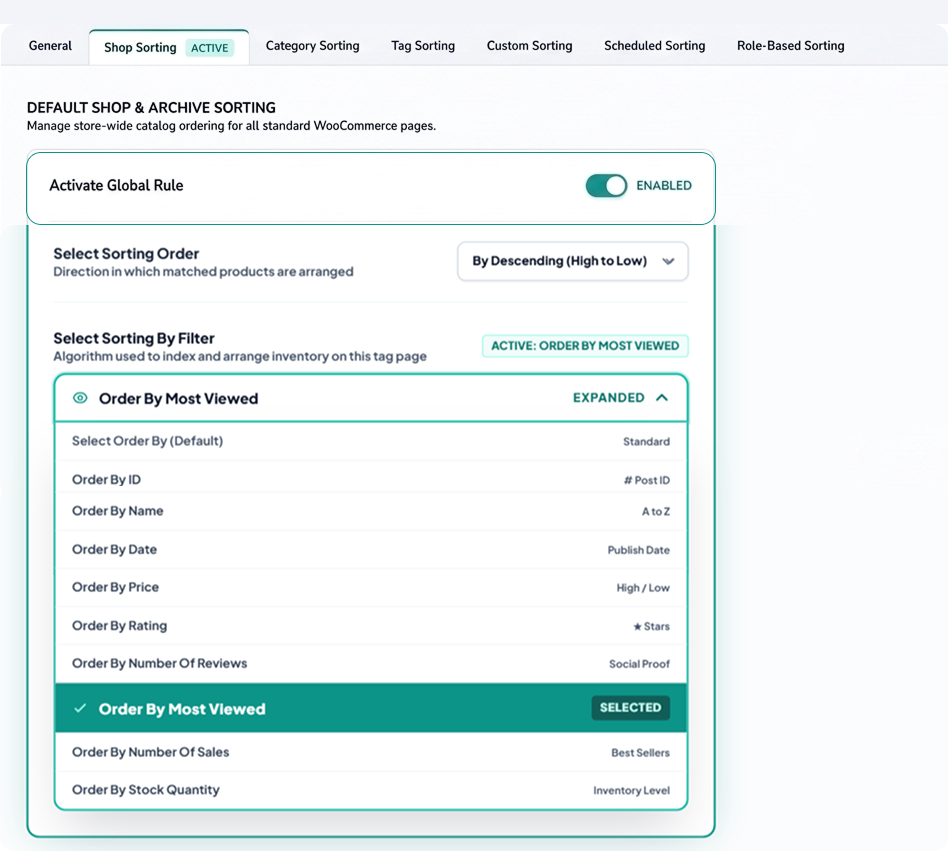
Apply a single sorting rule across your entire store in seconds. Effortlessly order your entire catalog by price, popularity, date, or ratings without manually editing individual categories.
-
Catalog-Wide Control: Set a default order for all products at once.
-
Smart Overrides: Specific category and drag-and-drop rules automatically take precedence.
-
Instant Direction: Choose ascending or descending order to highlight high-value or new items immediately.
Category & Subcategory Sorting
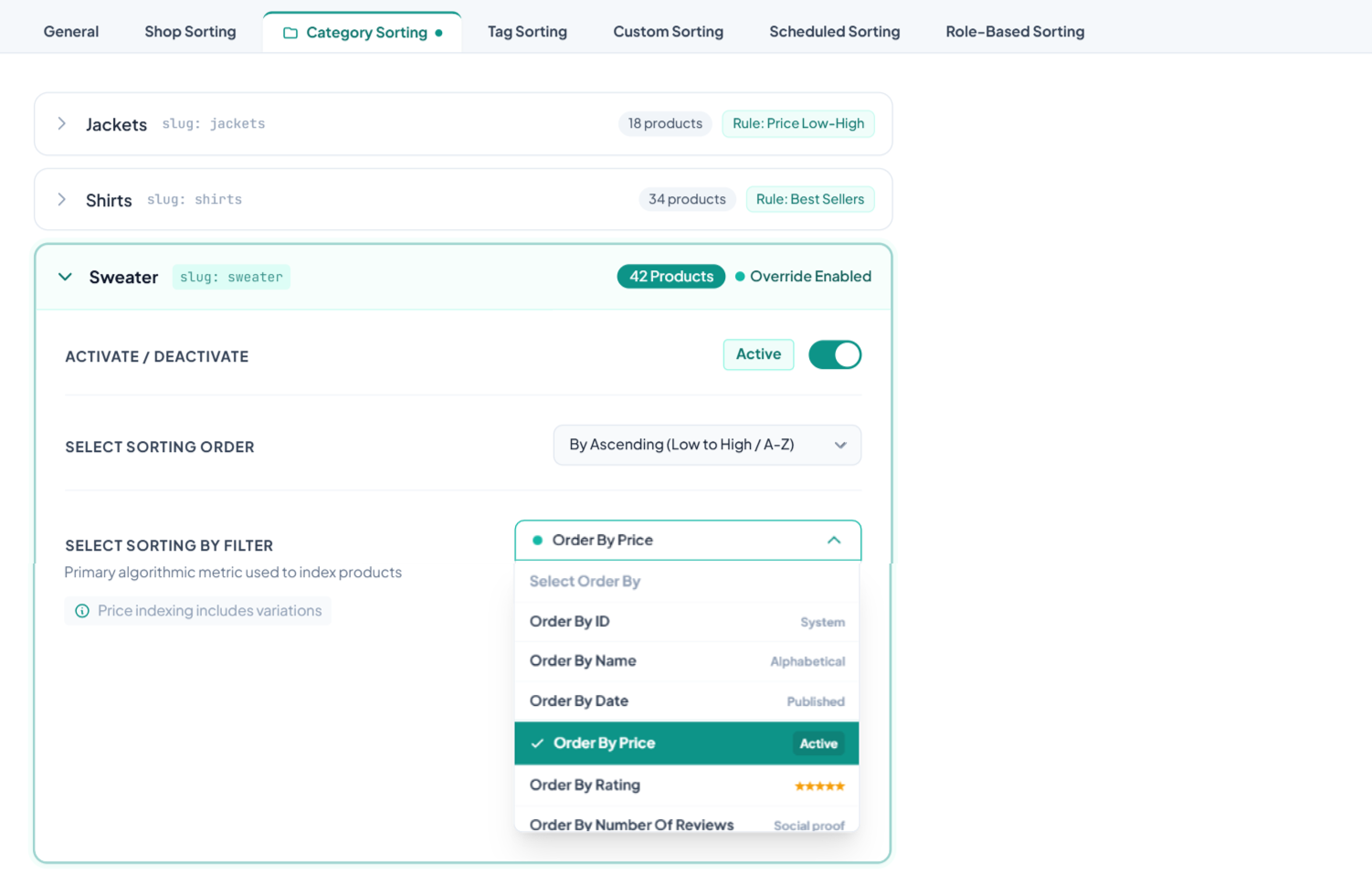
Take full control of how products appear inside specific categories and subcategories. Tailor the display order for each product group to highlight seasonal items, bestsellers, or promotional stock.
-
Targeted Rules: Set unique sorting criteria (price, ratings, date, or popularity) per category.
-
Granular Control: Easily configure subcategories independently from their parent categories.
-
Global Override: Automatically replaces the store-wide default sorting for maximum flexibility.
Tag Sorting
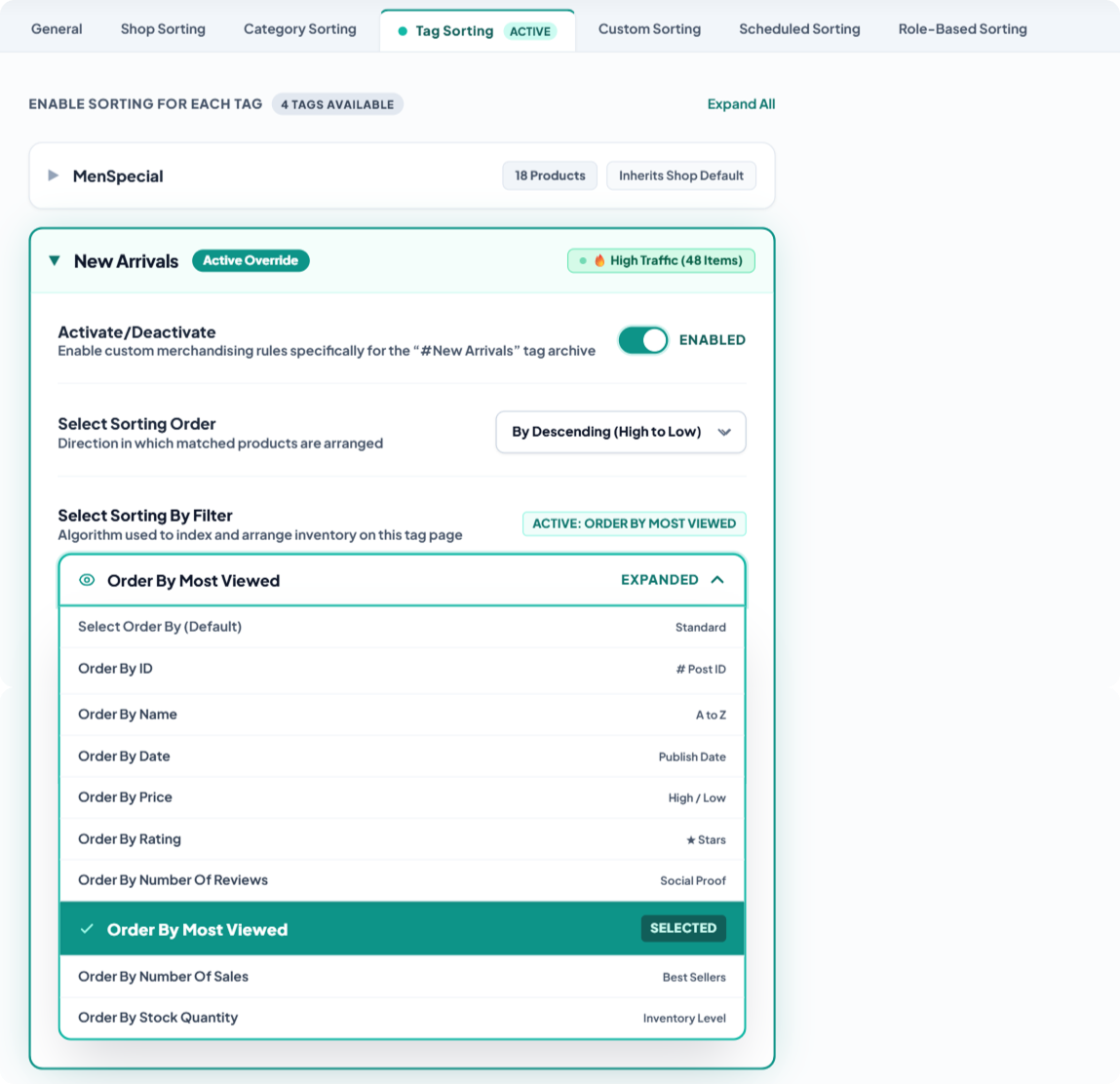
Customize product arrangements on tag archive pages to match specific campaigns, themes, or promotions. Organize tagged items independently without affecting your main category layouts.
-
Dedicated Tag Rules: Apply unique sorting criteria (price, popularity, newest) to individual tags.
-
Campaign-Focused: Easily showcase high-priority items on promotional tag pages like On Sale or Summer Collection.
-
Seamless Override: Automatically takes precedence over global shop settings for target tag archives.
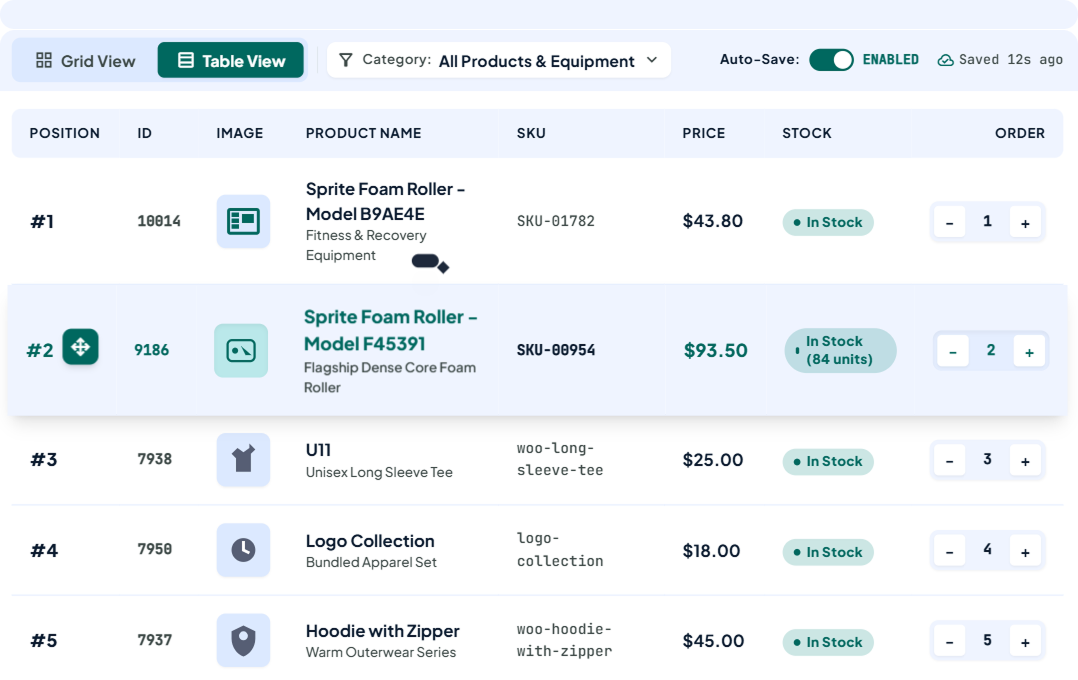
Custom Sorting with Drag & Drop
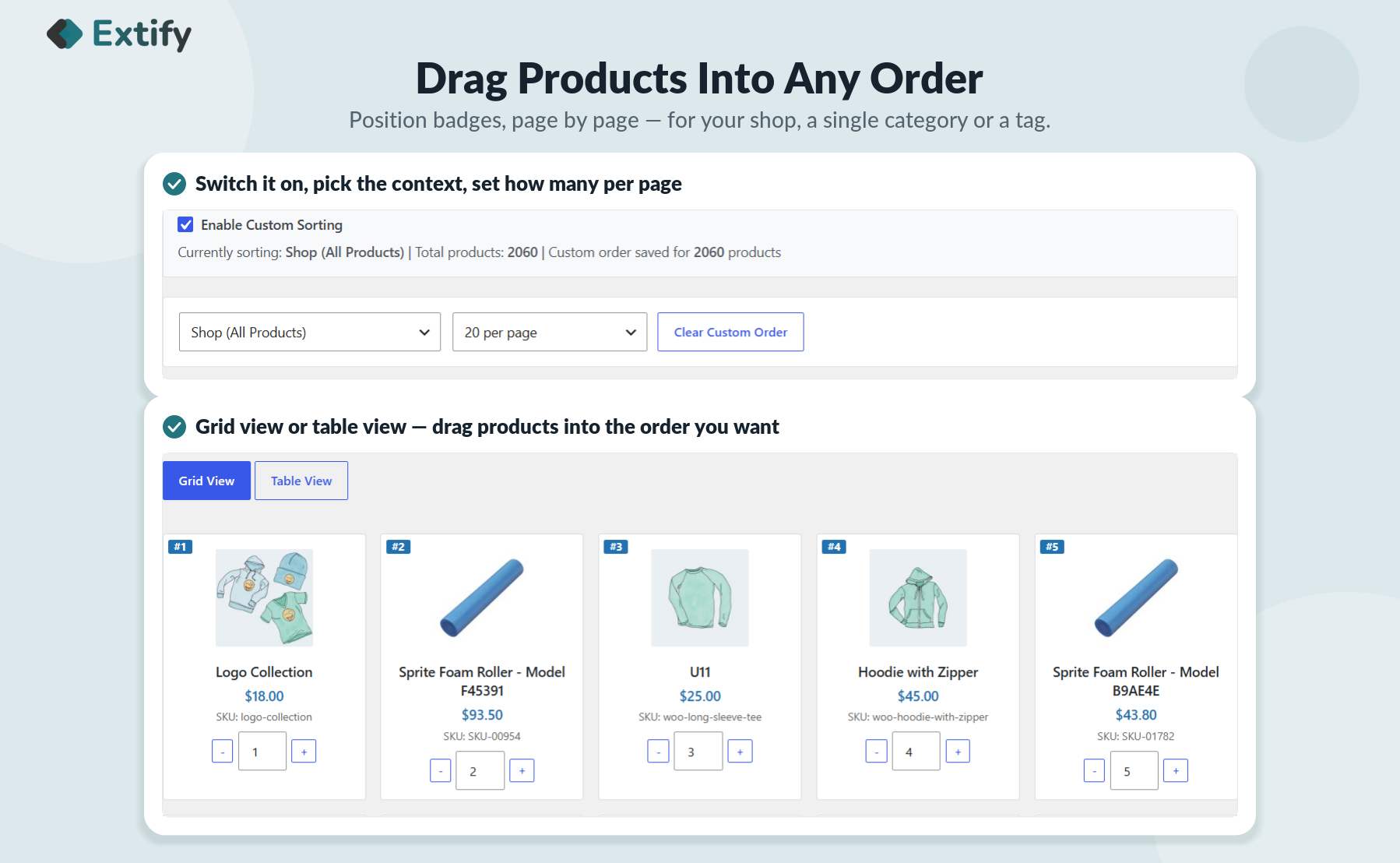
Handpick the exact position of every product using a visual grid builder. Simply drag and drop items into place to curate the ultimate layout for your shop, category, and tag pages.
-
Effortless Visual Grid: Reorder items in real-time with zero coding required.
-
Precision Placement: Pin featured, high-margin, or trending items right at the top.
-
Large Catalog Ready: Easily adjust the admin grid view limit to sort dozens of items on a single screen without changing pages.
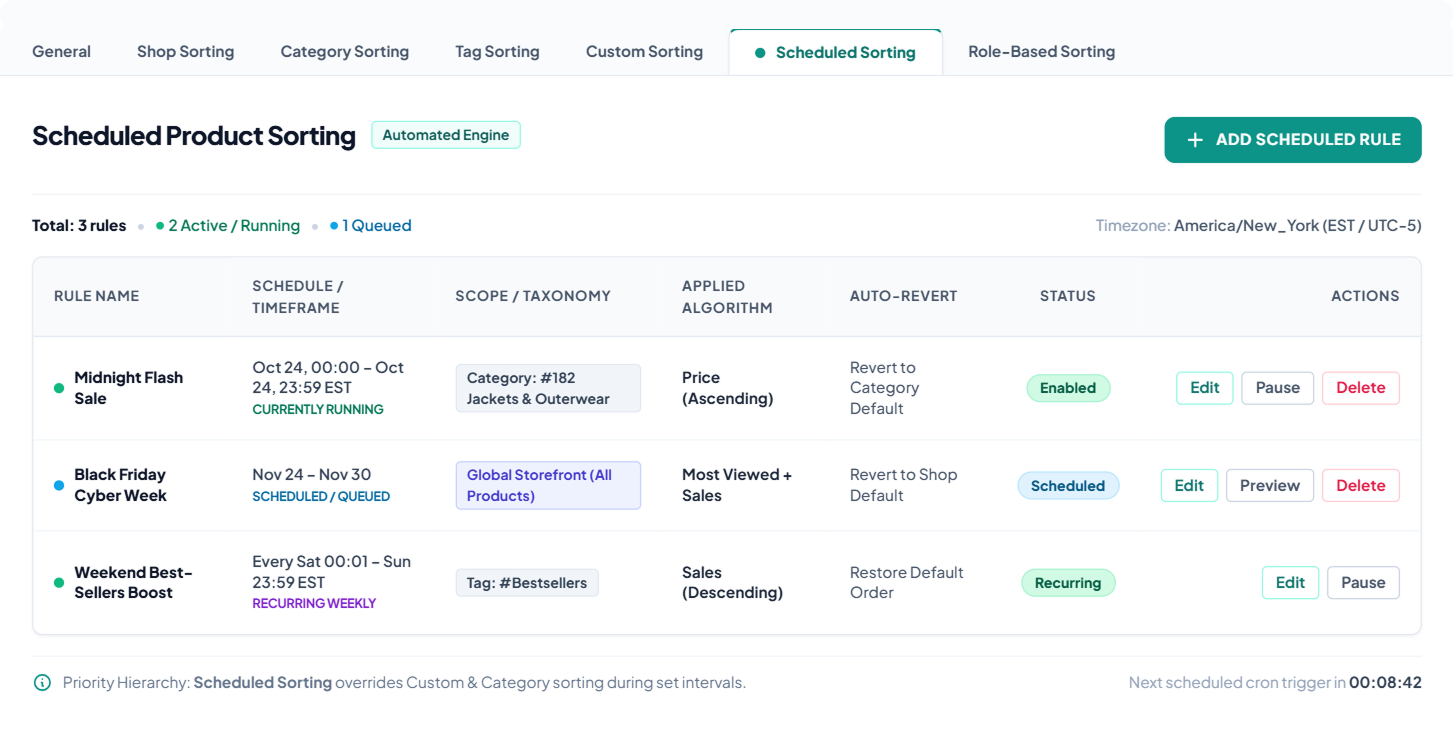
Automated Time-Based Sorting
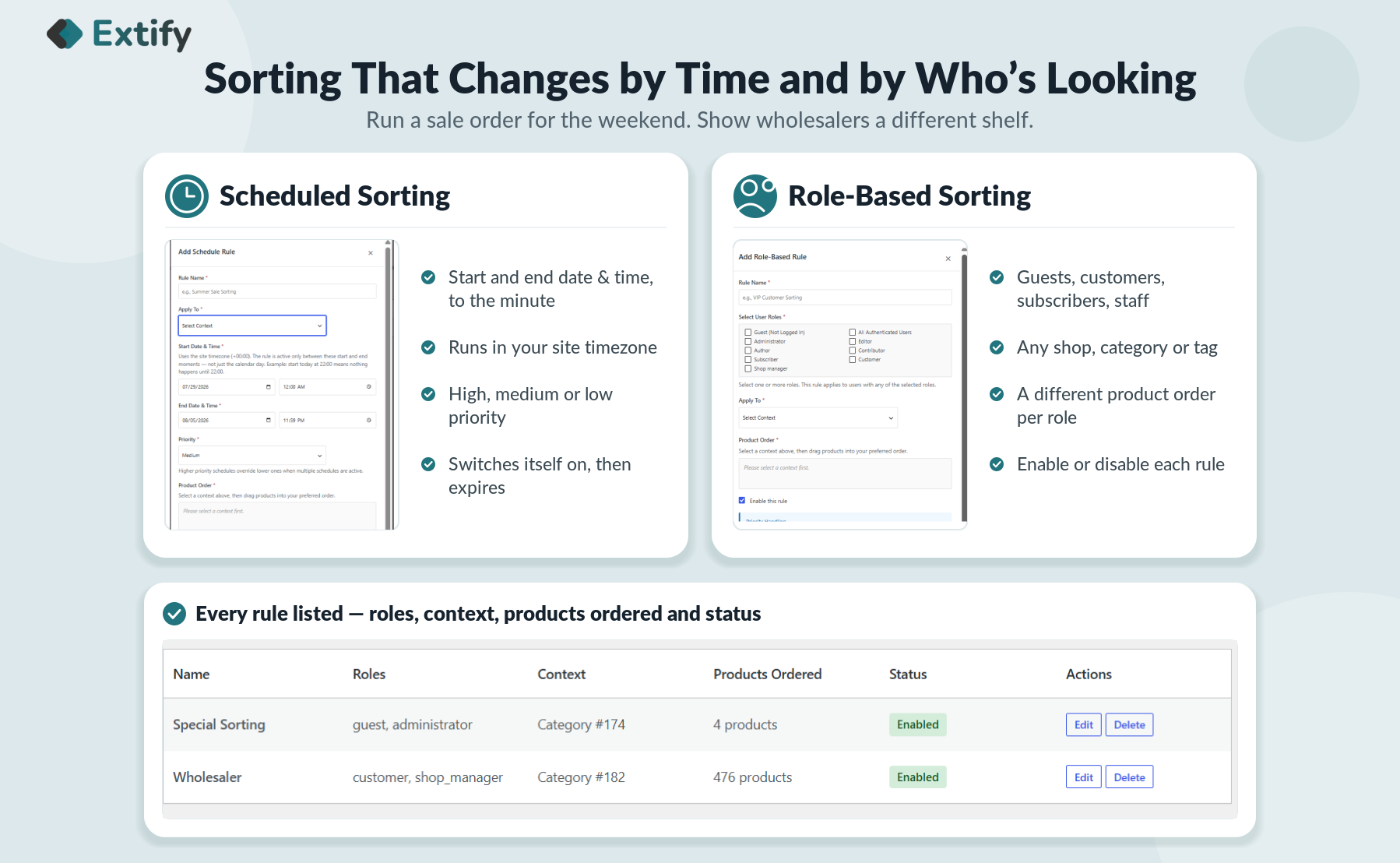
Schedule custom product arrangements to run automatically during specific dates, times, or promotional events. Set your start and end times to run flash sales, seasonal campaigns, or product drops without manual intervention.
-
Set & Forget Scheduling: Define precise start and expiration times for your sorting rules to activate automatically.
-
Event-Driven Merchandising: Highlight limited-time offers, holiday inventory, or new releases during peak sales windows.
-
Seamless Reversion: Products automatically revert to their default sorting order once the scheduled campaign ends.
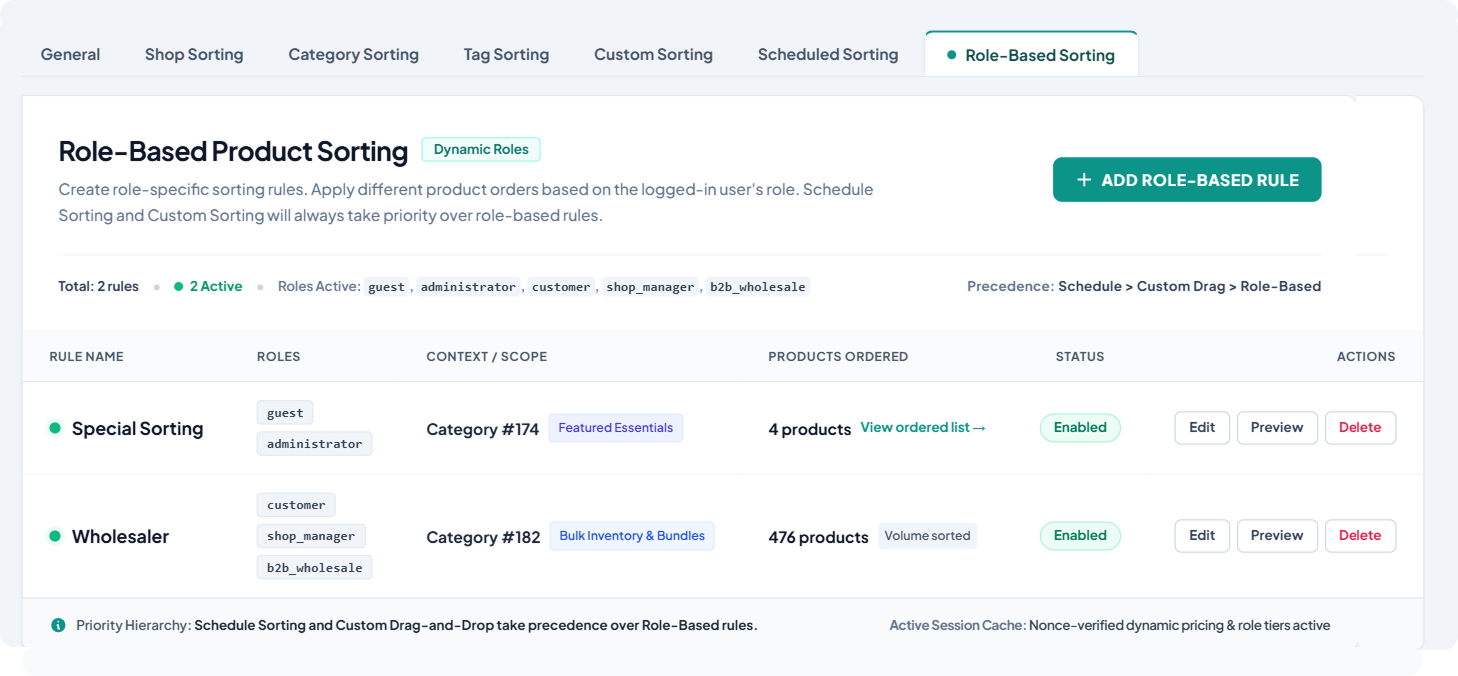
Role-Based Product Sorting
Customize product display arrangements based on who is browsing your store. Deliver personalized catalog experiences by setting unique sorting rules for Wholesale customers, VIP members, B2B buyers, or Guest users.
-
Targeted Customer Experiences: Automatically display high-volume, bulk, or premium products first to specific user roles.
-
B2B & Wholesale Optimization: Prioritize trade-specific inventory or volume-discounted items for logged-in business accounts.
-
Smart Dynamic Ordering: Seamlessly adapt page layouts based on the visitor's account type without affecting standard retail shoppers.
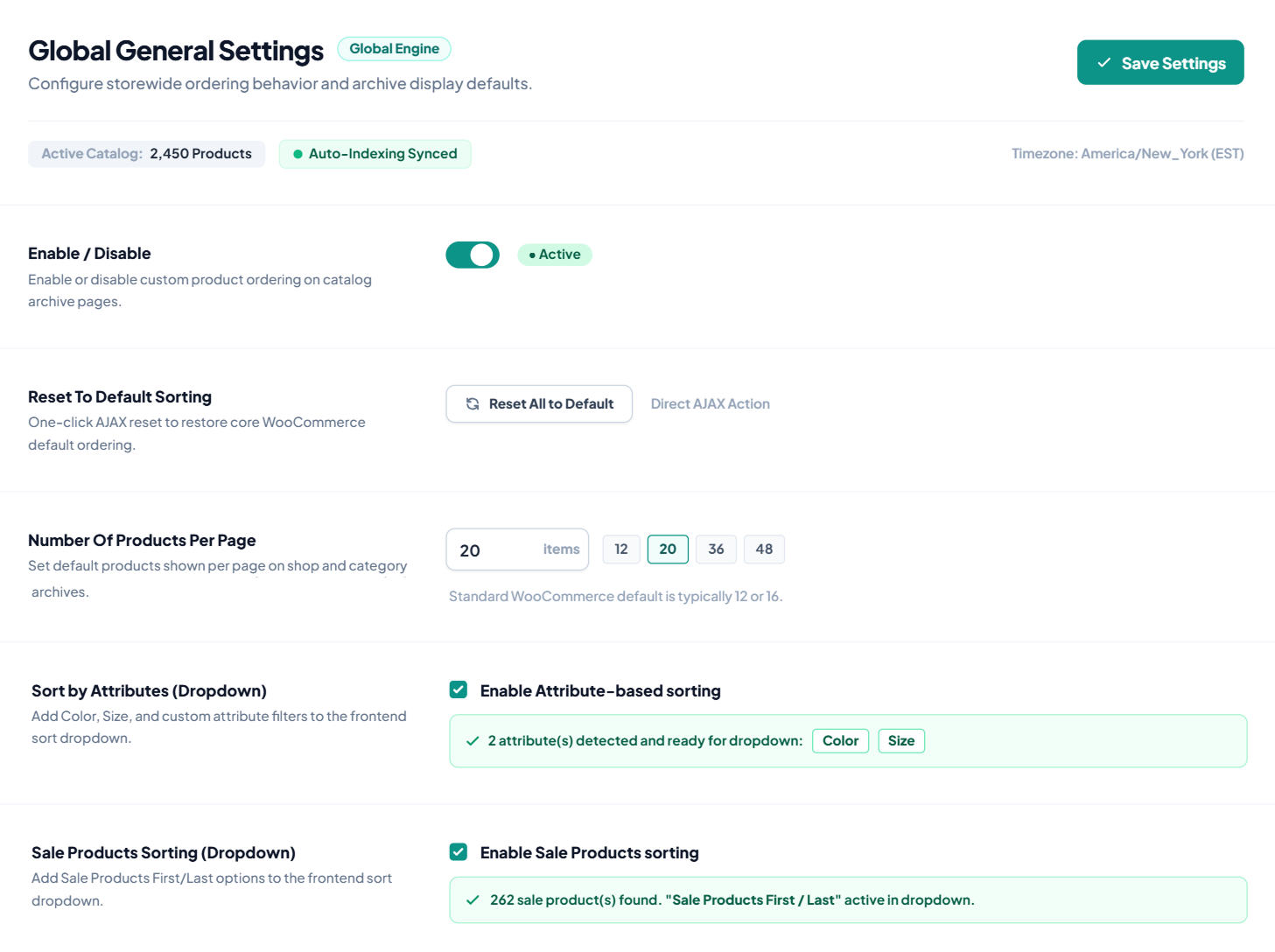
Flexible Front-End Controls
- Automatic Detection: Automatically detects categories, subcategories, and tags for easy custom sorting.
- Restore Default Sorting: Reset your product order to WooCommerce's default sorting with one click.
- Products Per Page: Choose the number of products displayed on each page.
- Sort by Attributes: Let customers sort products by color, size, brand, and more.
- Sale Products Sorting: Let customers choose Sale First or Sale Last from the frontend.
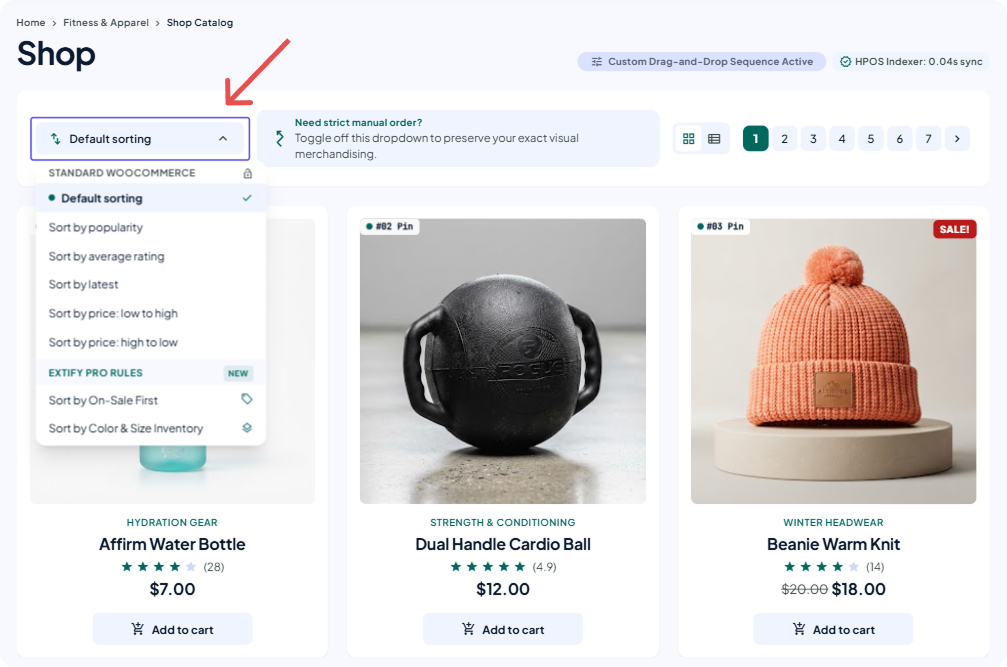
Hide the WooCommerce Sorting Dropdown
Remove the default WooCommerce frontend sorting dropdown to present a clean, distraction-free store layout. Lock in your custom product arrangements so shoppers view your catalog exactly as you curated it.
-
Fixed Brand Curation: Keep high-priority products at the top without visitors altering the page layout.
-
Streamlined UI: Eliminate visual clutter from shop, category, and tag archive pages.
-
Instant Toggle: Turn the frontend sorting dropdown on or off with a simple checkbox in settings.

30 Day Money Back Guarantee

Trusted by 5000+ Users






Their customer service is always ready to assist with any questions or issues. It’s rare to find a company that offers both reliable products and dependable support. Thank you
This plugin helped me a lot specially the custom sorting for each tag that is not available in default WooCommerce settings.
Customer support is super fast! And the plugin is really nice, its work perfectly.
Superb plugin! The “sort by products in stock” feature has made stock management so much easier for me, and the custom sorting feature for each category, subcategory, and tags has greatly improved product management. Highly recommended
Good plugin. Recommended