
Product Attachments for WooCommerce
Add downloadable and viewable files to products. Customize display, manage access, and enhance customer experience with manuals, guides, and more.
Product Attachments for WooCommerce is also available on WooCommerce Official Marketplace
Multi-File Support
Flexible Display
Access Rules
Secure & Fast
Features Overview
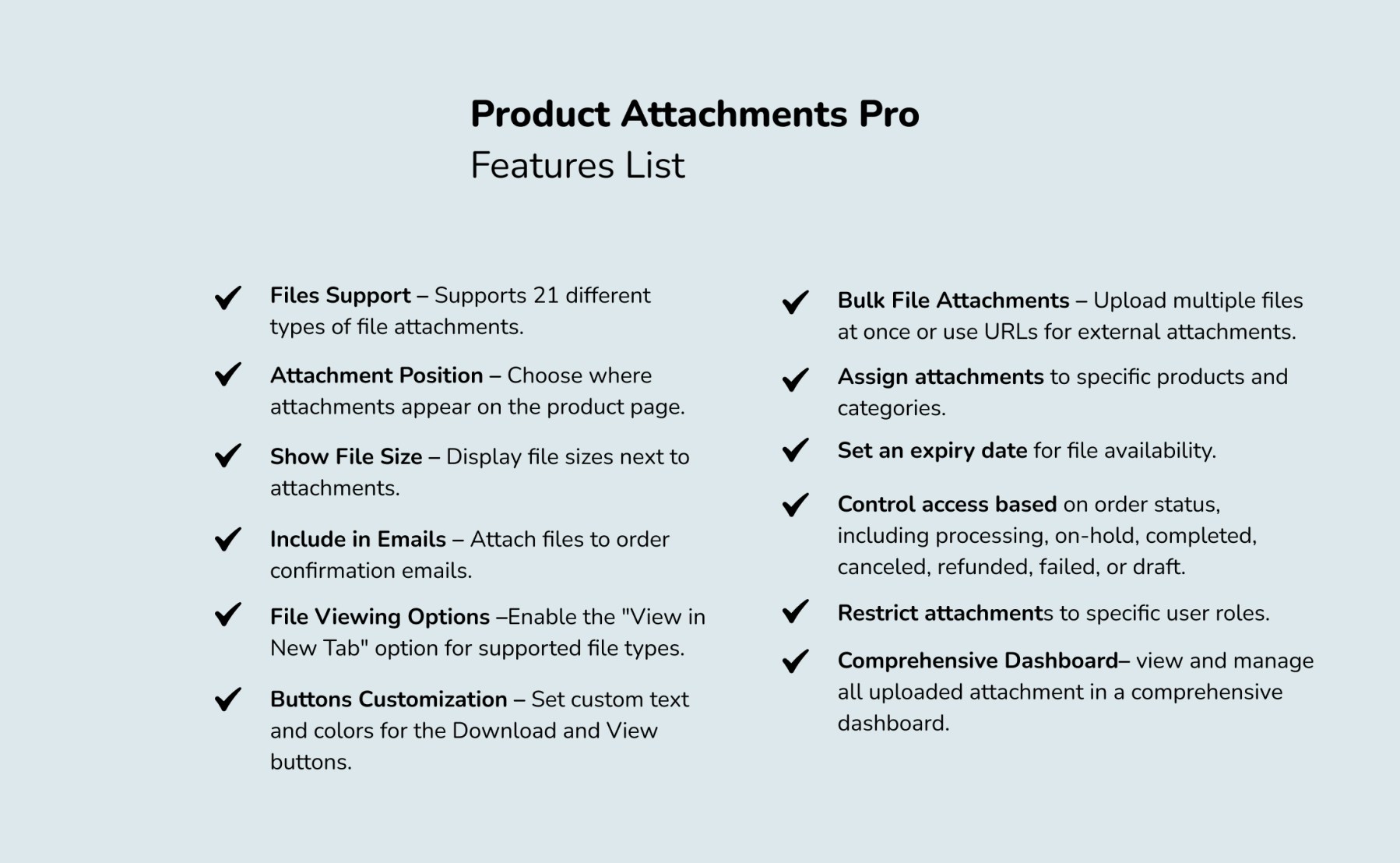
- Customizable Tab
Set a custom title for the attachments tab to match your branding. - Attachment Position
Choose where attachments appear on the product page. - File Size Display
Show file sizes to help customers make informed download decisions. - Include in Emails
Attach files to order confirmation emails for easy post-purchase access. - Multi-Format File Upload
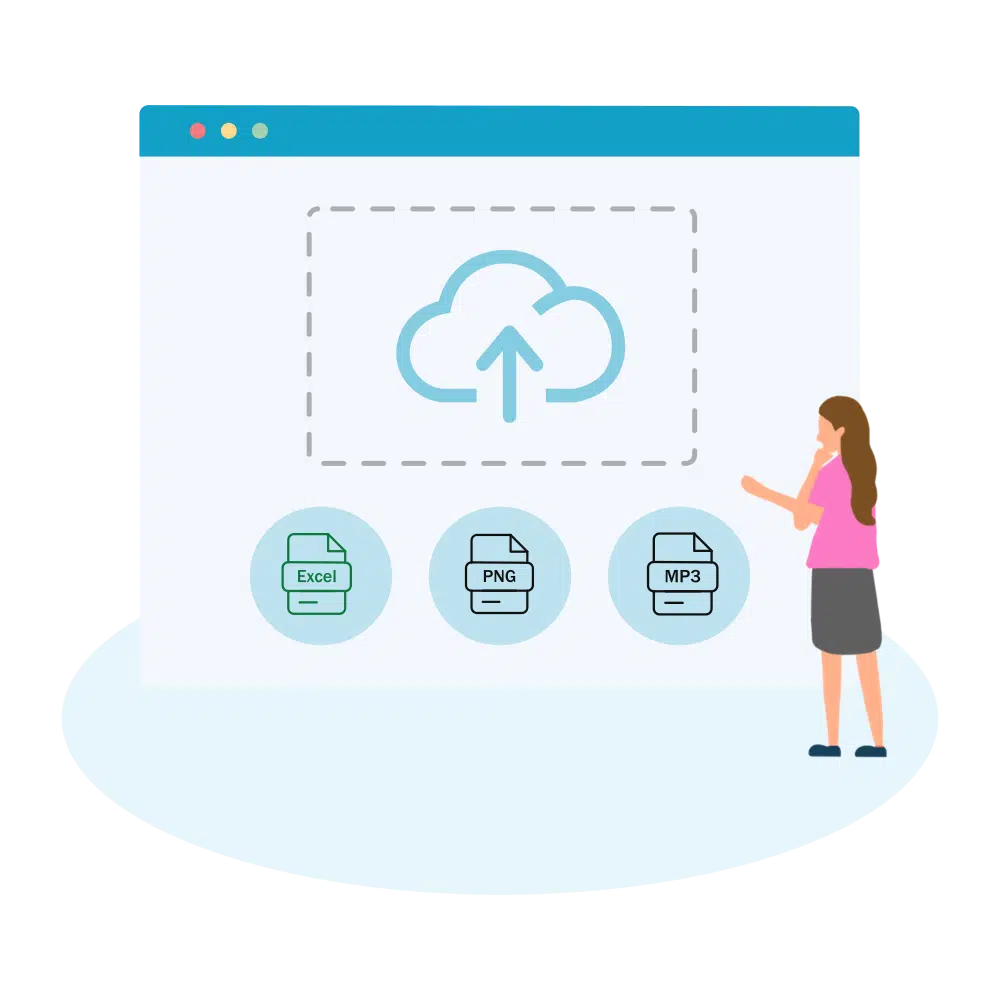
Upload PDFs, Office docs, images, audio, video, and ZIP archives with broad file format compatibility.
- View in New Tab
Enable new tab viewing for supported file types, including PDFs, images, media files, and HTML. - Customizable Buttons
Edit download and view button text. - Appearance Settings
Adjust button background and text colors to match your store’s design. - Bulk Uploads & URLs
Upload multiple files simultaneously or use external URLs. - Assign to Products & Categories
Attach files to individual products or entire categories. - File Expiry Dates
Set expiration dates to control how long files remain accessible. - Order Status-Based Access
Such as processing, on-hold, completed, canceled, refunded, or failed. - Role-Based Access
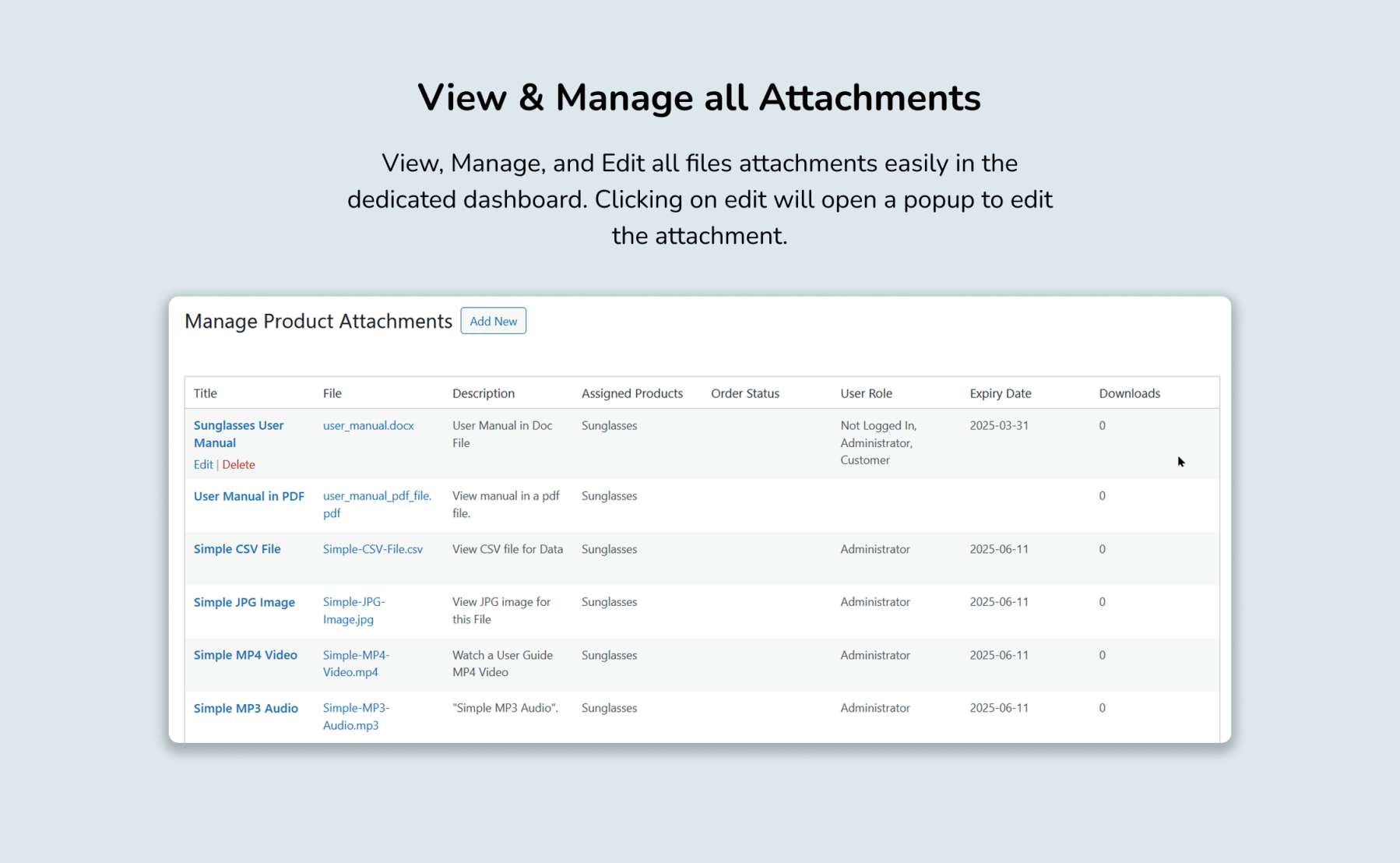
Limit file availability to specific user roles for greater control. - Centralized Management
View and manage all uploaded attachments from an intuitive backend dashboard. - Quick Overview
Easily track assigned files, expiration dates, and access settings.
Detailed Features

Flexible Attachment Display
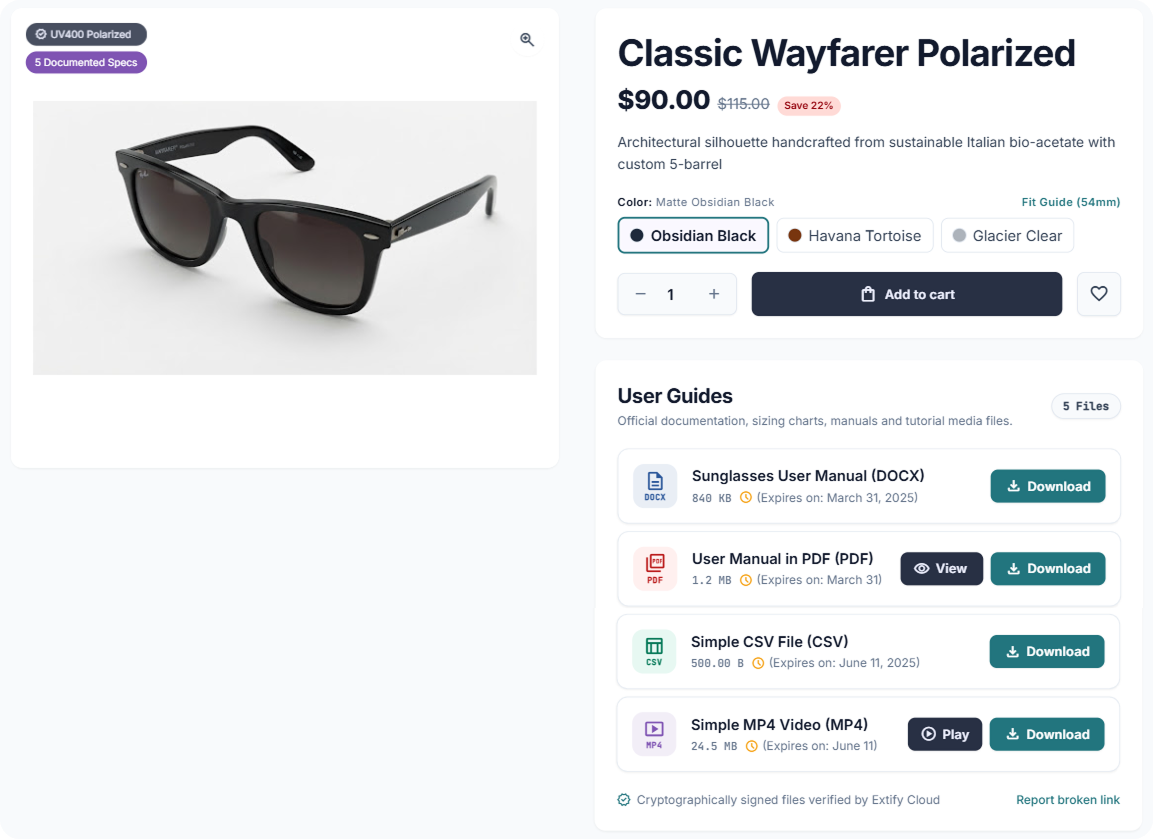
Provide direct access to essential product files and external resources right on your product pages.
-
Unlimited Attachments: Add as many files or external URLs as you need per product.
-
View or Download: Let customers download files or view them directly in a new tab.
-
File Details & Expiry: Automatically display file sizes and set time-limited expiration dates.
-
Role-Based Access: Restrict attachment visibility to specific user roles or customer tiers.
- Email Integration – Automatically include attachments in order confirmation emails for seamless post-purchase access.
Flexible Display
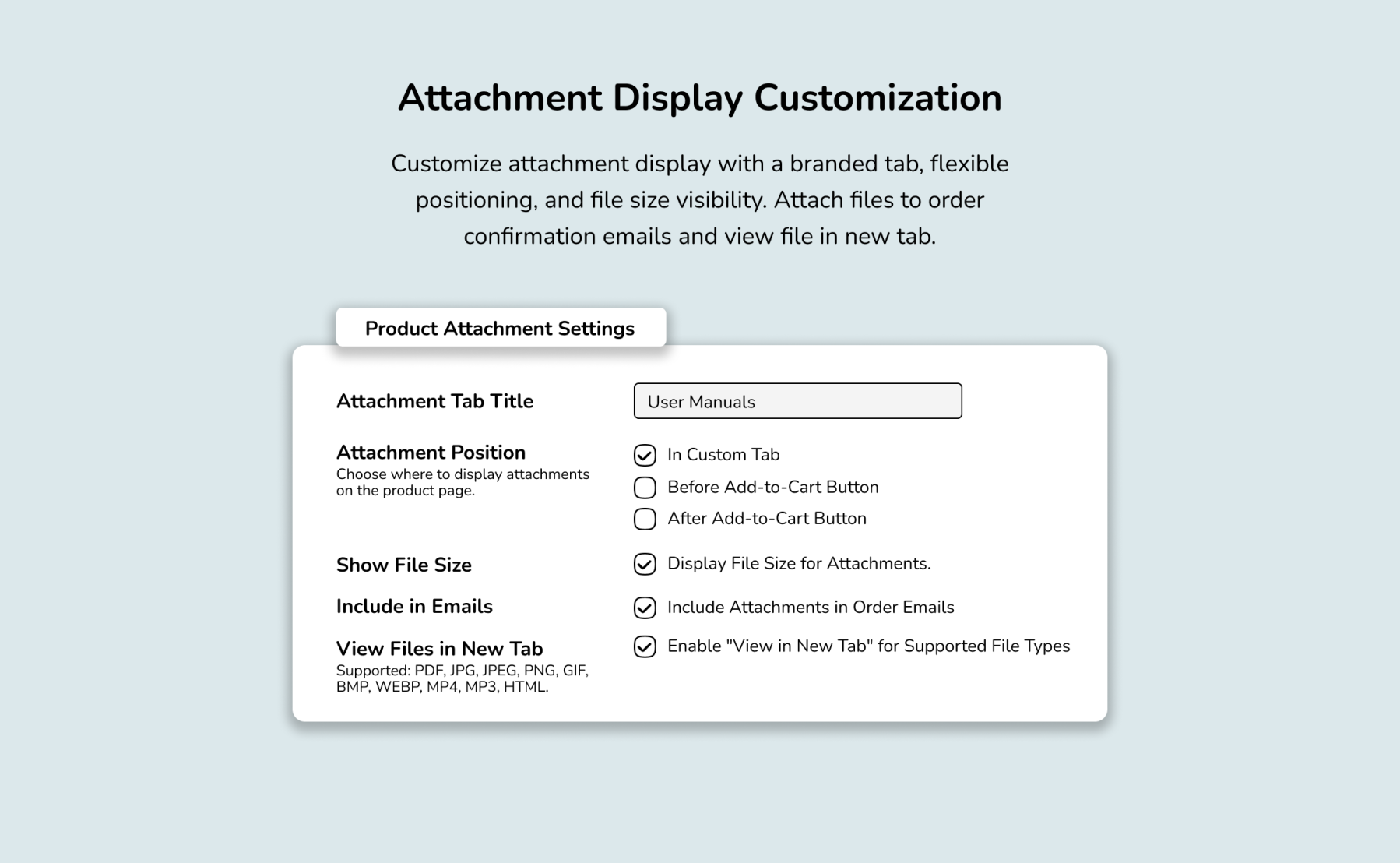
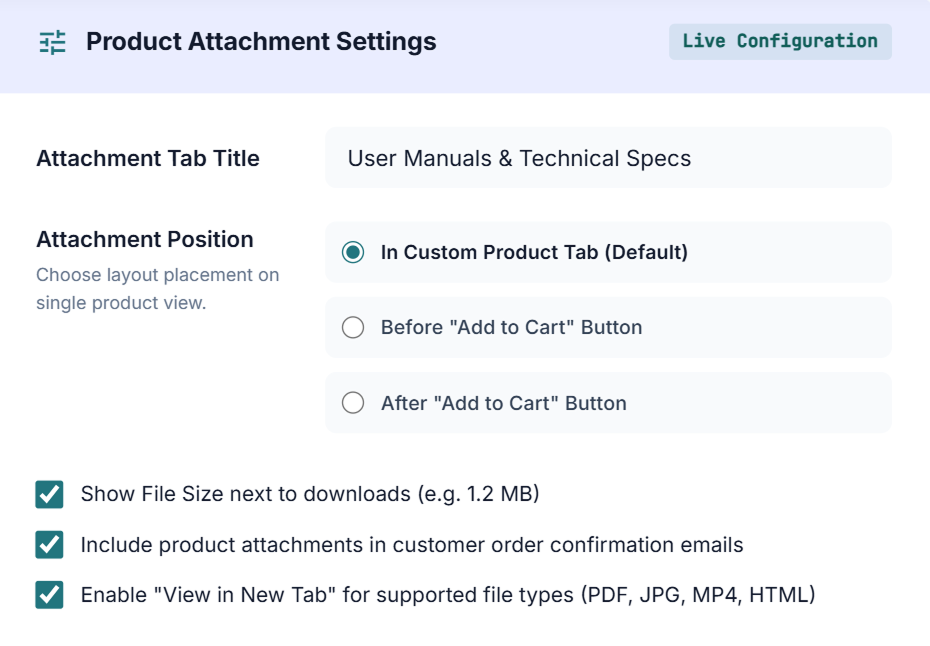
Easily control how attachments look and behave on your product page and in order emails.
-
Custom Tab Title: Define a custom label (e.g., "User Manuals & Technical Specs") for your frontend attachments section.
-
Flexible Layout Positions: Display attachments inside a dedicated product tab, or place them directly Before or After the "Add to Cart" button.
-
File Details & Email Delivery:
-
Show file sizes next to download links (e.g., 1.2 MB).
-
Automatically attach product files to customer order confirmation emails.
-
Enable "View in New Tab" for supported media types (PDF, JPG, MP4, HTML).
-
Supported File Types
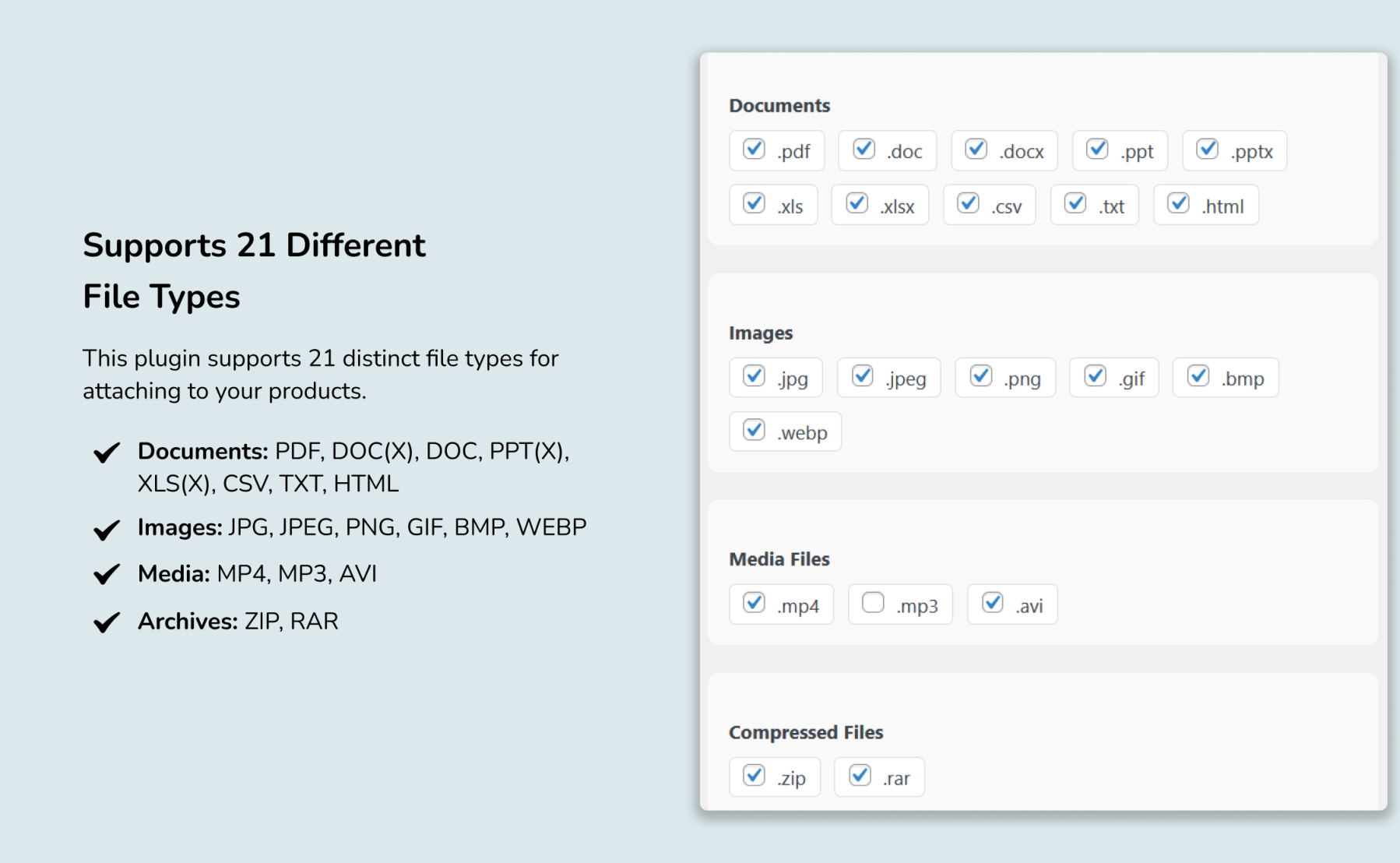
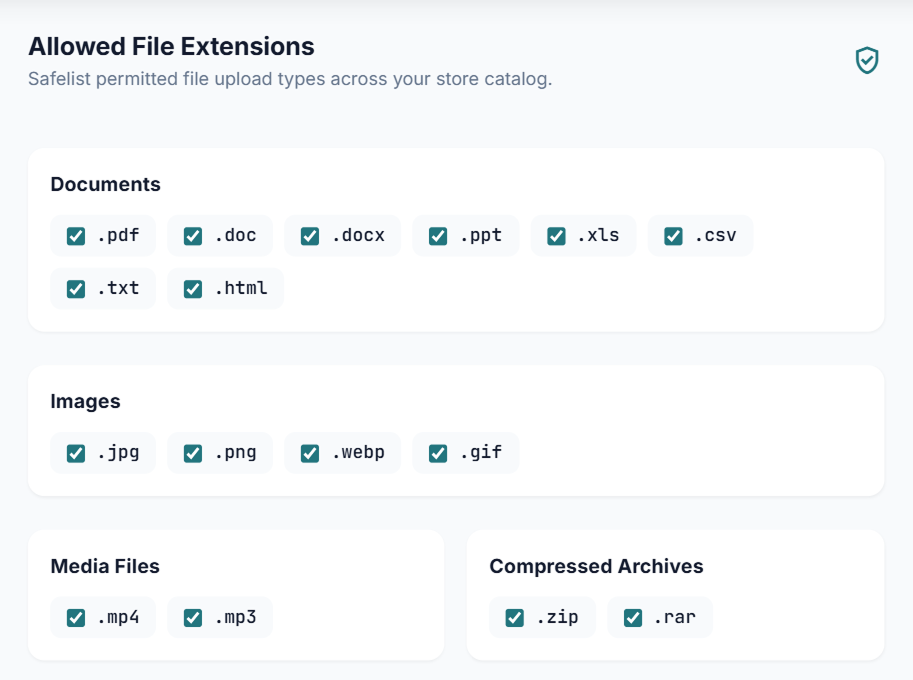
This plugin supports a wide range of file formats across multiple categories:
- Documents: PDF, DOC, DOCX, PPT, PPTX, XLS, XLSX, CSV, TXT, HTML
- Images: JPG, JPEG, PNG, GIF, BMP, WEBP
- Media Files: MP4, MP3, AVI
- Compressed Files: ZIP, RAR
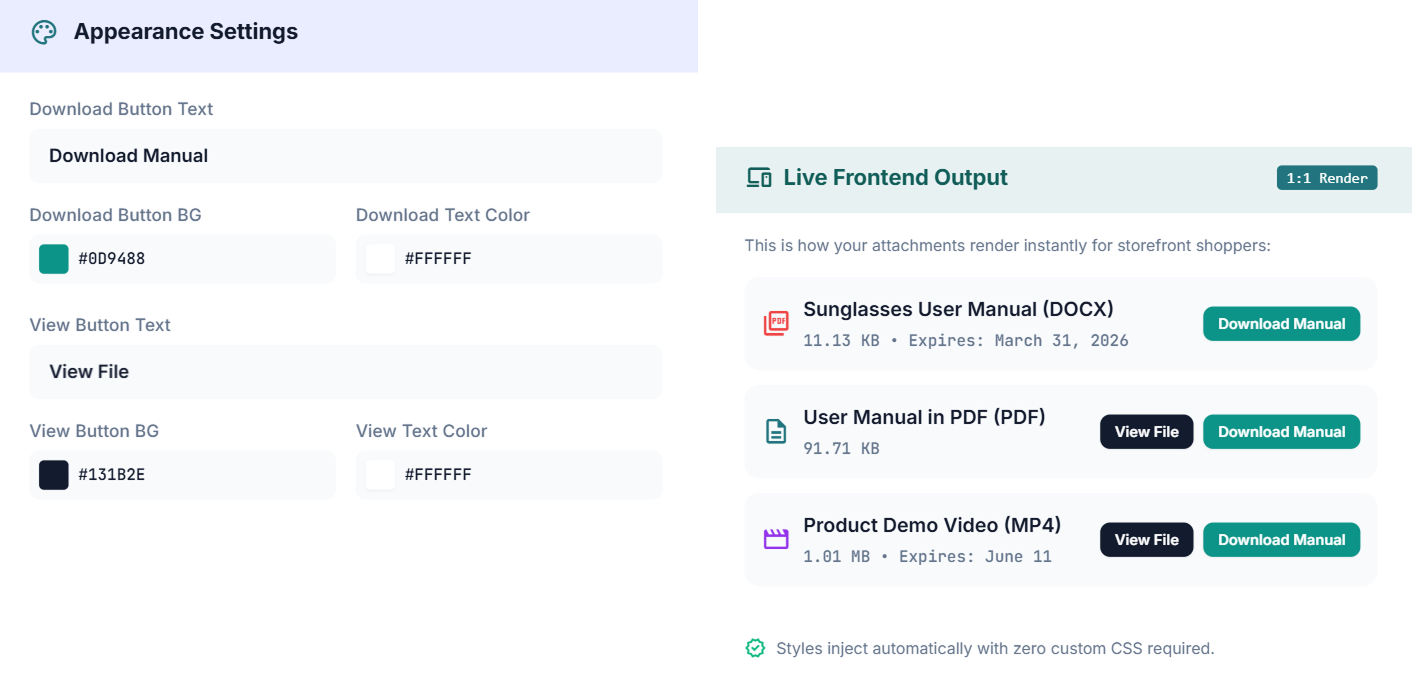
Button Customization
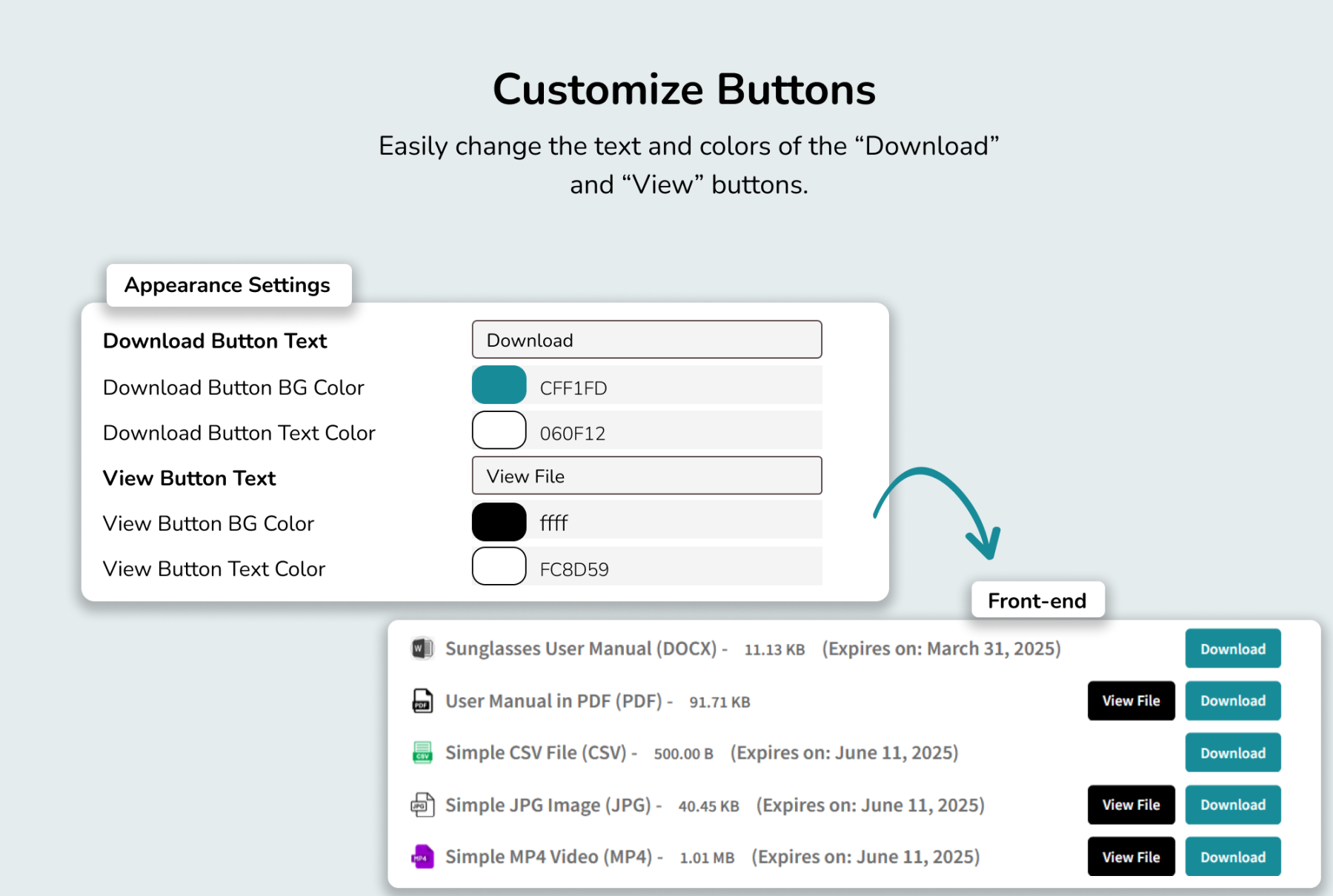
Tailor your download and view buttons to seamlessly align with your store's branding and call-to-action strategy.
-
Custom Button Text: Personalize action labels to display tailored text (e.g., "Download Guide", "View Spec Sheet").
-
Color Customization: Adjust button background and text colors to match your brand's style and improve visual prominence
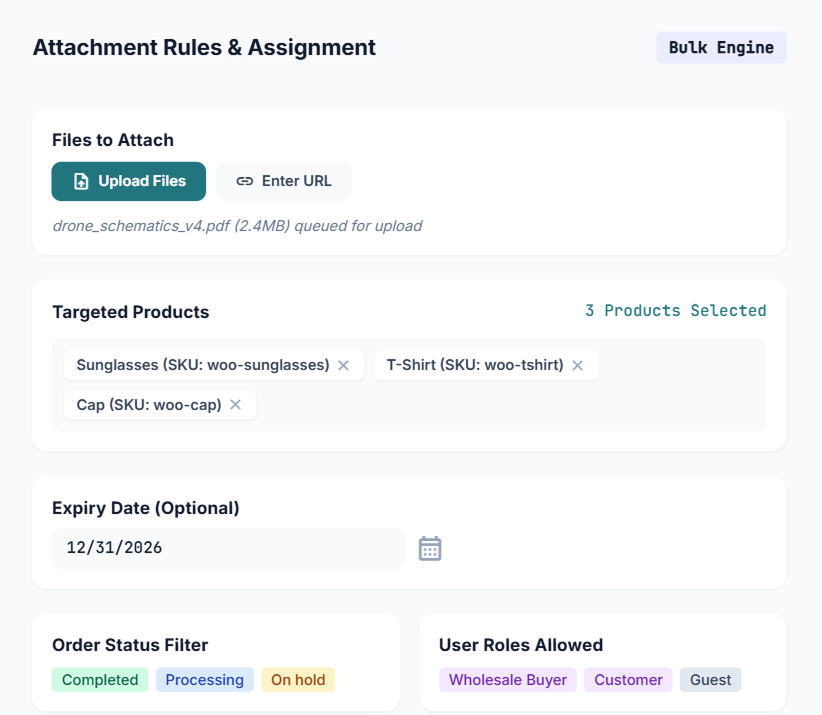
Bulk File Attachments & Access Control
Manage attachments efficiently across your catalog while maintaining total control over who can access them.
-
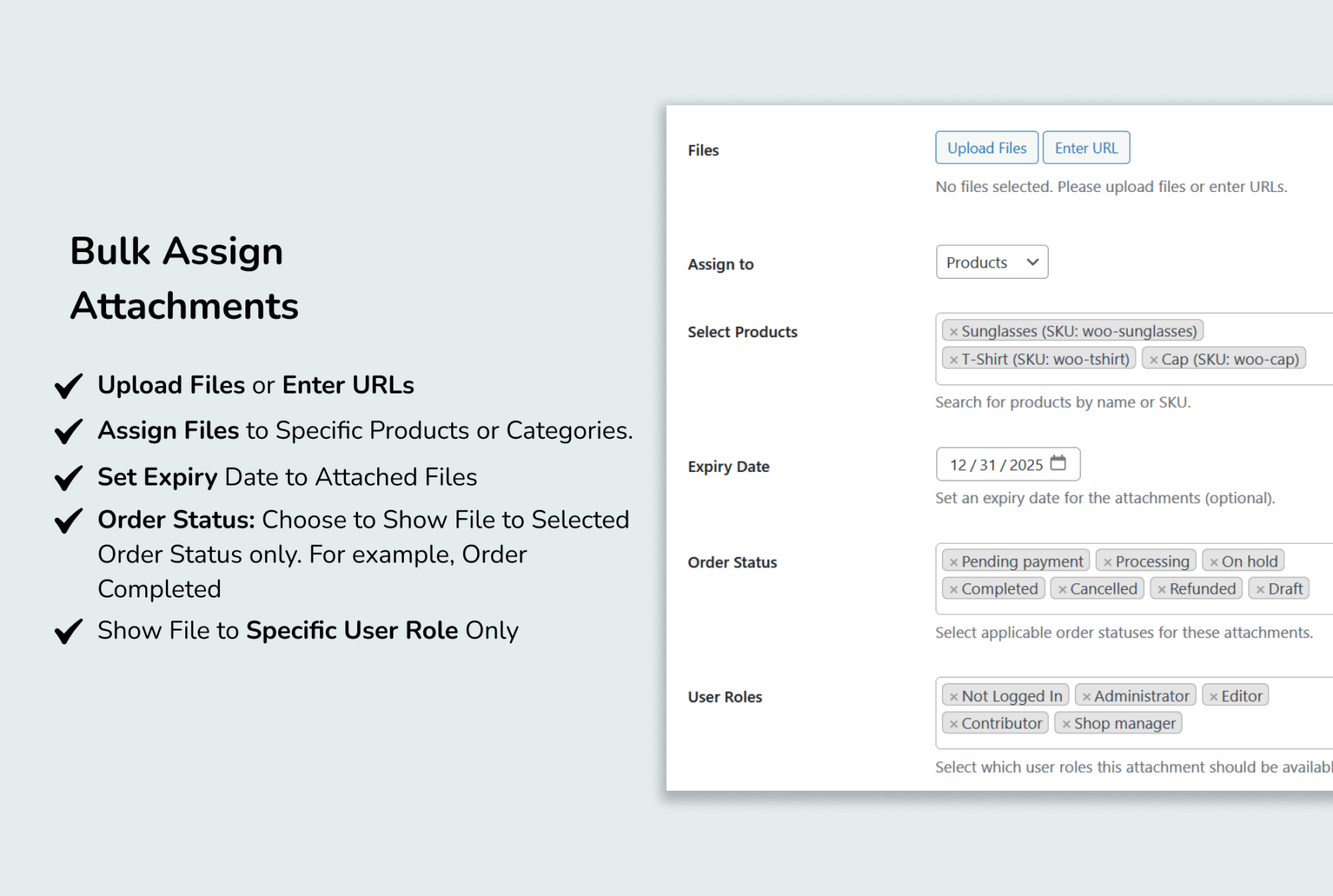
Multiple Upload Options: Upload multiple files at once or attach external URLs.
-
Bulk Assignment: Assign files to specific products or entire categories simultaneously.
-
Time-Based Limits: Set expiration dates to limit how long files remain accessible.
-
Order Status Rules: Restrict file downloads based on order status (e.g., Completed, Processing, or On-Hold).
-
Role-Based Access: Limit visibility to designated user roles or customer tiers.
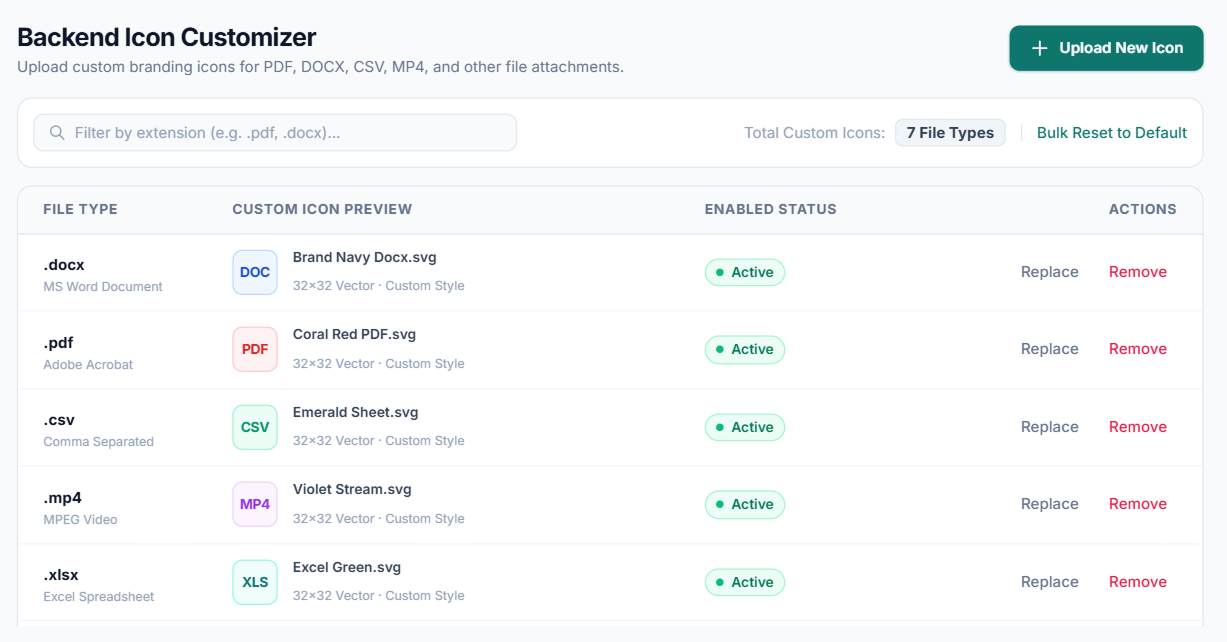
Custom File Type Icons
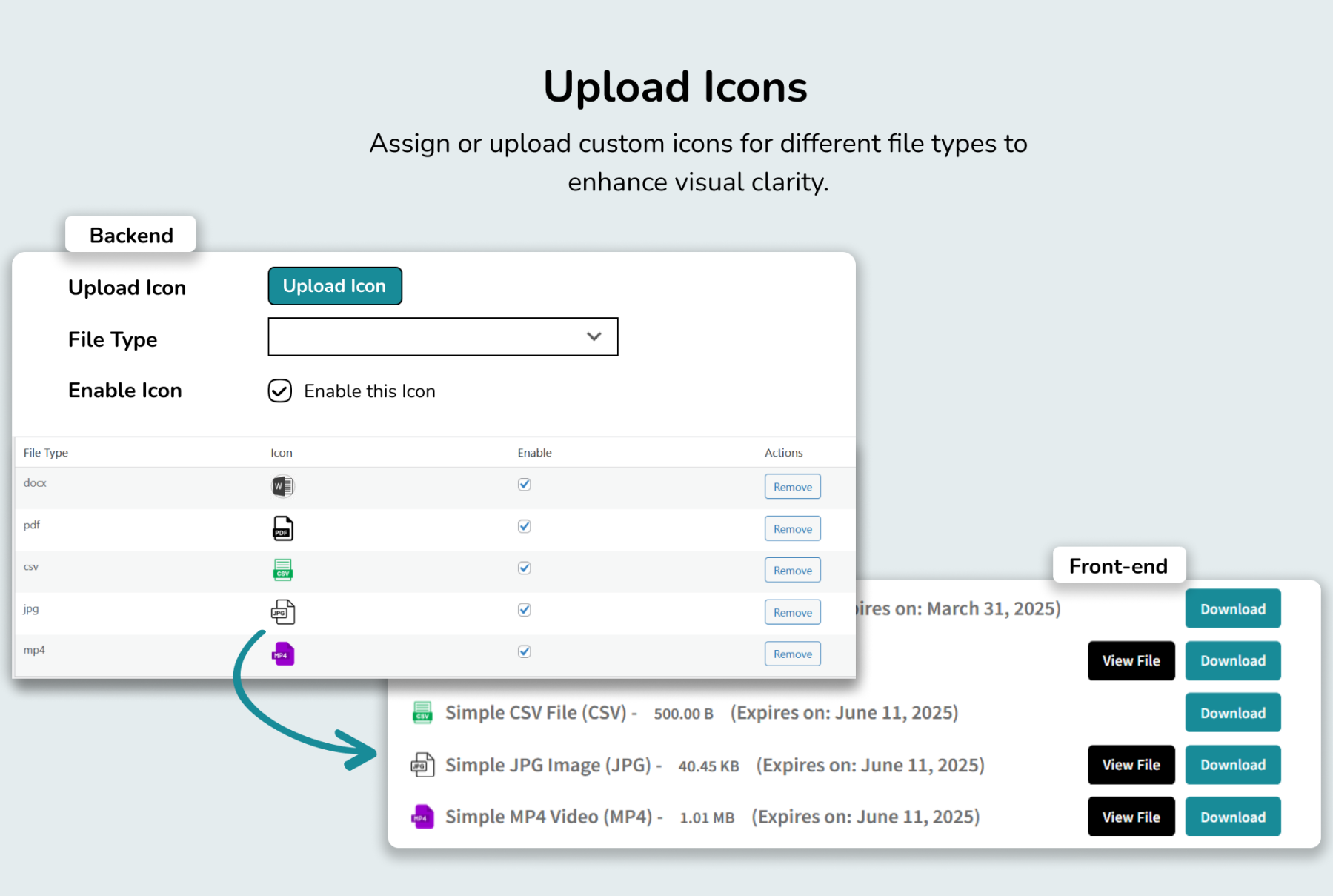
Enhance visual navigation and brand consistency across your product pages.
-
Visual Identification: Upload unique icons for different file types (e.g., PDF, ZIP, MP4) so customers instantly recognize formats.
-
Brand Matching: Customize icon styles and designs to perfectly align with your store's aesthetic.
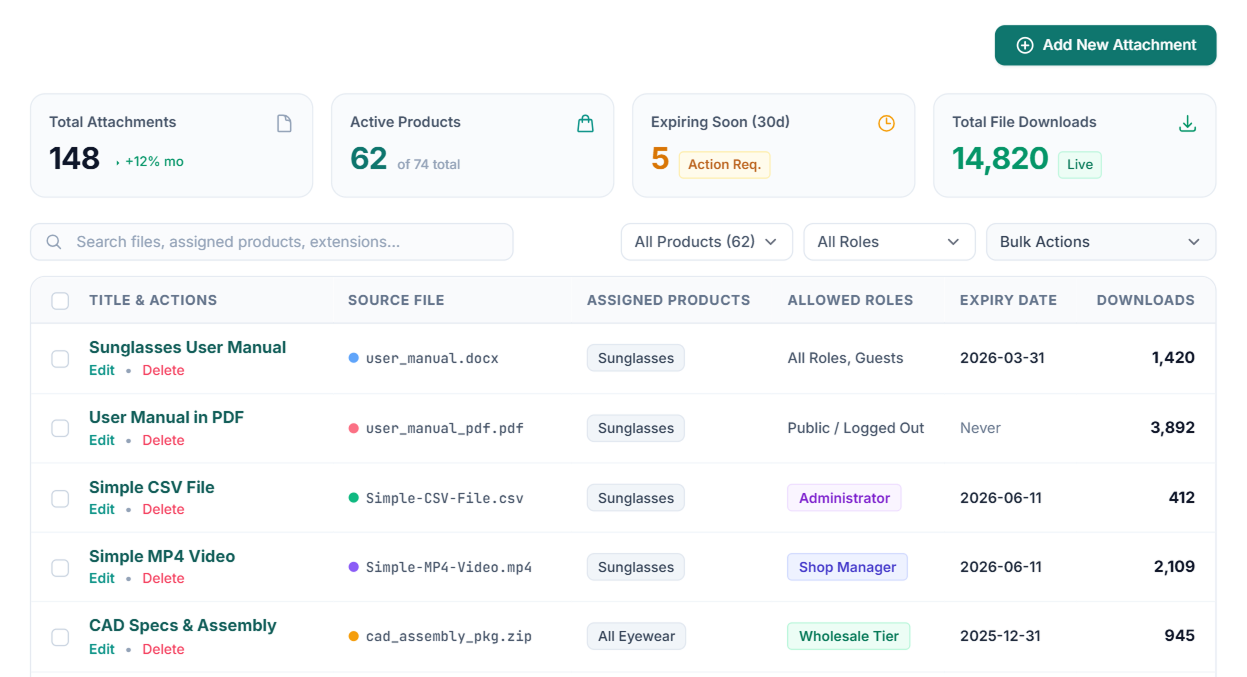
Comprehensive Dashboard
Manage and organize all your product attachments efficiently from a single, centralized location.
-
Centralized Management: View, edit, and organize all store attachments effortlessly from one unified panel.
-
Streamlined Efficiency: Save time with intuitive tools designed to improve store administration and customer experience.
Customer Reviews
| 5 star | 100 | 100% |
| 4 star | 0% | |
| 3 star | 0% | |
| 2 star | 0% | |
| 1 star | 0% |
Sorry, no reviews match your current selections

30 Day Money Back Guarantee

Trusted by 5000+ Users

We Customize As You Need
Frequently Asked Questions?
Get started with Extify Plugin
Version: 1.0.2
Last Updated: June 19, 2025
Published On: March 11, 2025
What file types can I upload?
You can upload PDFs, Word docs, Excel sheets, images, videos, ZIPs, and more.
Can I add multiple attachments to one product?
Yes, you can add unlimited files per product.
Is it possible to restrict file downloads?
Absolutely, you can control access by user role, order status, or purchase history.
How are attachments displayed on the product page?
You can choose between links, icons, or styled download buttons.
Will the plugin slow down my site?
No, it’s optimized for speed and uses secure file handling.
Related Products
Currency Switcher for WooCommerce
Automatically show local currencies based on shopper IP or browser language, run live or manual exchange rates, and customize every price format—complete with floating switchers, shortcodes, and payment gateway controls.
$79.00
Migrate Shopify to WooCommerce
Migrate your entire Shopify store to WooCommerce in 3 simple steps—with zero data loss, advanced filtering, automated WebP image optimization, and real-time tracking.
$59.00
External Links Button for WooCommerce
Add unlimited external or affiliate link buttons to WooCommerce products—with full control over placement, visibility, and design.
This product is also available on WooCommerce Official Marketplace.
$29.00
File Upload for WooCommerce
Let customers upload files on Product, Cart, Checkout, and Order pages in your WooCommerce store. Customize upload rules, charge fees, set deadlines, and manage files from a dedicated admin dashboard.
WooCommerce File Upload is also available on WooCommerce Official Marketplace.
$39.00
Product Gallery Slider
Enhance your WooCommerce product pages with a feature-rich gallery slider offering custom layouts, smooth transitions, zoom options, and social sharing. Tailor every element—from thumbnails to navigation.
$49.00
Mistakes Finder for WooCommerce
Identify and fix product data issues across your WooCommerce store like missing prices, images, SKUs, and descriptions. Filter, edit, and export catalog errors from a single dashboard
This product is also available on WooCommerce Official Marketplace.
$29.00
This plugin worked exactly as described with the latest versions of WordPress and WooCommerce. I reached out to support twice with issues specific to my own setup, and both times they responded promptly with clear solutions. That level of support goes above and beyond what you’d expect from a free plugin, and I truly appreciate it.
I needed some extra solution in this plugin, Alen helped me with my needed and added the feature in a few hours. Thanks to their support