





Create Unlimited Rules
Create unlimited file upload rules based on:
-
Target Rules: Apply rules to specific products, Categories, and User Role.
-
Order Value Rules: Require uploads based on minimum order value
-
Order Status Rules: Enable post-purchase uploads based on order status
-
File Format Rules: Limit uploads to specific allowed file formats
-
File Size Rules: Set maximum file size caps
-
Deadline Rules: Enforce time-sensitive upload deadlines
-
Fixed or Percentage Fee Rules: Charge custom fixed or Percentage file upload fees
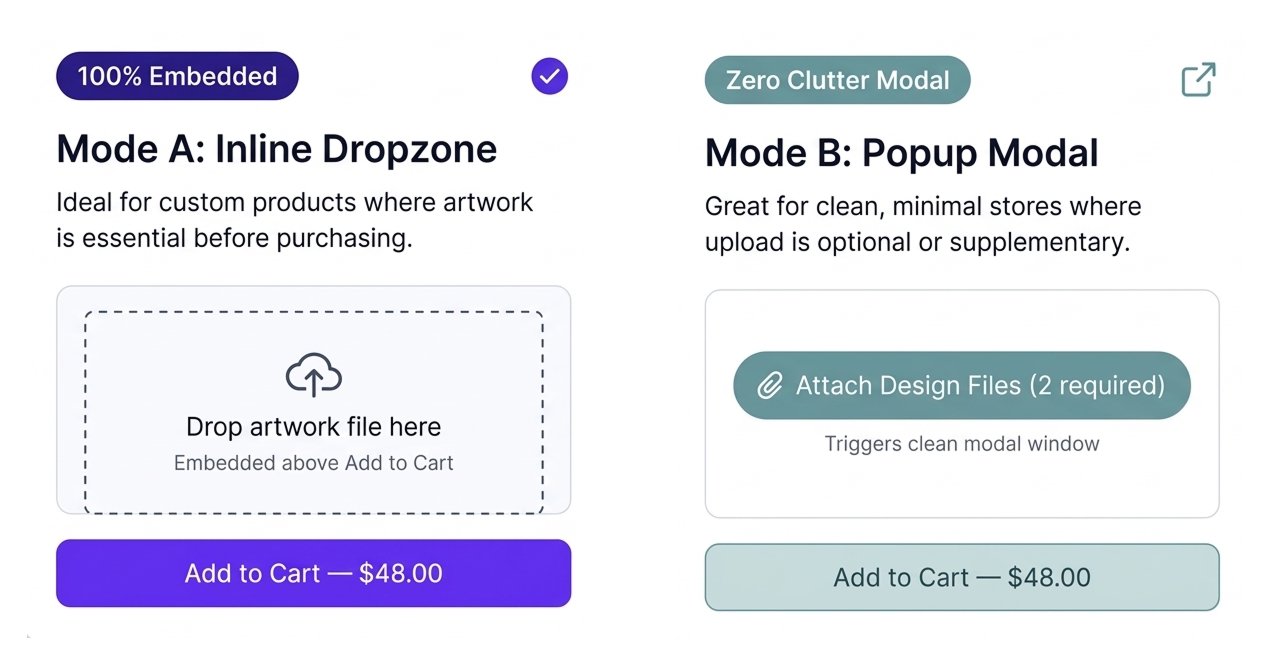
Display Layouts: Inline or Popup
Seamlessly match your store’s design by choosing how the upload interface appears to your customers.
-
Inline Display: Integrates directly into product, cart, checkout, or account pages for a native, embedded look.
-
Modal Popup: Keeps your layout clean and clutter-free by triggering a sleek popup window when customers are ready to upload.
-
Customizable Placement: Position the upload section exactly where it makes the most sense in your customer journey.
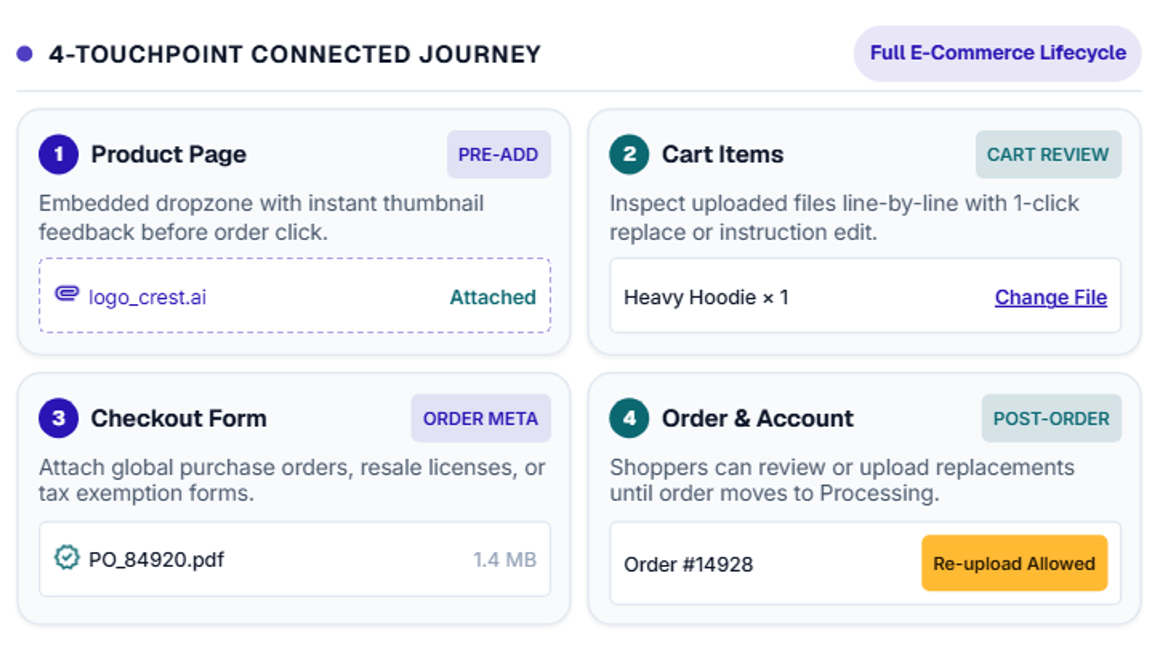
Display on Product, Cart, Checkout & Order Pages
Give customers maximum flexibility by placing upload fields at the exact stage of the buying process that suits your business model.
-
Product Pages: Collect artwork immediately when buyers customize their items before adding them to the cart.
-
Cart & Checkout Pages: Let customers attach global order files, PO documents, or general instructions right before paying.
-
Thank You & Order Pages: Enable post-purchase uploads on the order confirmation screen or customer account dashboard so purchasing stays friction-free.
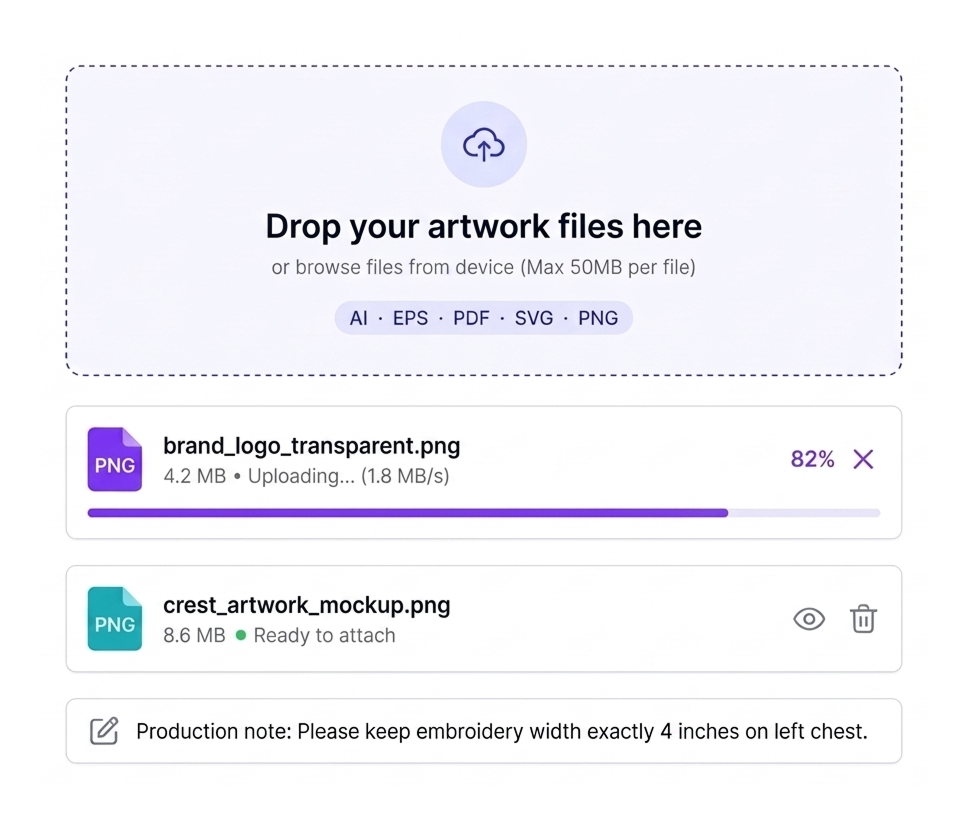
Drag and Drop Upload
File Upload for WooCommerce makes file submission effortless for your buyers with a modern, hassle-free file uploader.
-
Instant File Uploads: Customers can simply drag files directly from their desktop or device and drop them onto the page.
-
Real-Time Progress Indicator: Display clear visual progress bars and instant confirmation when files upload successfully.
-
Multi-File Handling: Allow buyers to drag and drop multiple files simultaneously without repetitive file-picker clicks.
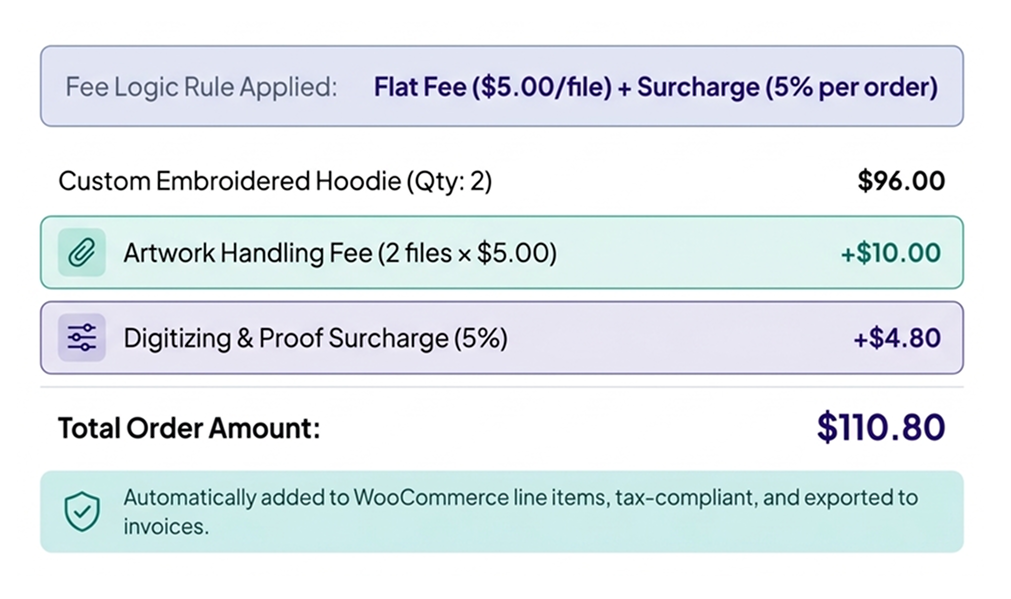
Charge Upload Fees
Turn custom file preparation into a recurring revenue stream with flexible surcharge rules.
-
Flexible Calculation: Charge a fixed dollar amount (e.g., $5.00 flat fee) or a percentage-based fee (e.g., 5% of subtotal).
-
Per-File or Per-Order Surcharges: Apply fees per individual file uploaded or as a single global charge for the entire order.
-
Transparent Checkout Display: Fees are cleanly itemized in the cart and checkout totals so customers know exactly what they are paying for.
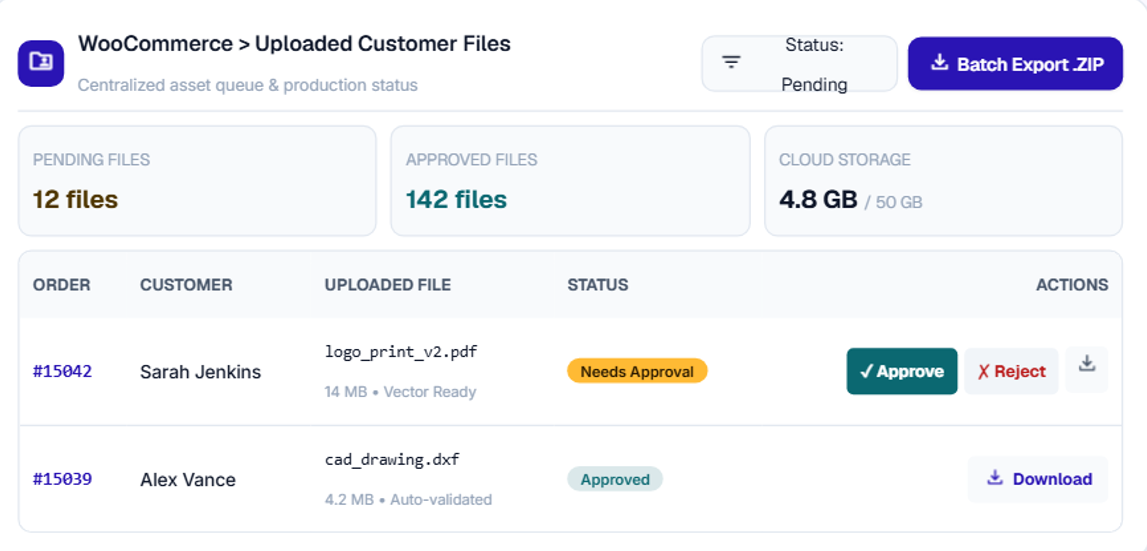
Centralized Admin Dashboard
Streamline artwork management with a dedicated control center that organizes every customer upload in one clean view.
-
Complete Order Visibility: Instantly track Order IDs, customer names, products, submission dates, order statuses, order totals, and file counts.
-
One-Click File Actions: Direct single-click access to download, approve, reject, or delete uploaded files.
-
Seamless Workflow Integration: Jump straight to specific order or product management pages to keep production moving without delay.

30 Day Money Back Guarantee

Trusted by 5000+ Users







We use this for customers sending documents along with their orders. The ability to restrict uploads by product and user role saved us from having to build custom conditions ourselves. The email notifications are a nice touch too
Installed it for a client project where customers upload documents during checkout. The configuration is fairly flexible, and I liked being able to limit uploads by category and minimum order value. Performance has been good in our testing so far
I really like the drag-and-drop upload feature because it makes the process simple for customers. They can easily add their files without searching through complicated options, and the upload works smoothly on the product page. This has made it much easier for us to collect logos, designs, and other order details in one place. It’s a small feature, but it has improved the overall ordering experience.
Good balance between features and price. We mainly use the uploader on selected products and charge a small upload fee. The percentage/fixed fee options give us enough flexibility without adding another checkout plugin
Works well for what we needed. The drag-and-drop uploader looks good and the popup layout was useful for fitting it into our existing product design. It took a little time to understand all the restriction settings, but once configured it was pretty good.