
Creative Popup for WooCommerce
Customize and Display Popups to Convert Visitors into Customers and Subscribers. Maximize Conversions and Engagement with Our WooCommerce Popup Plugin.
Custom Popups
Targeted Display
Design Flexibility
Conversion Boost
Plugin Highlights


Creative Popup Plugin for WooCommerce
Showing popups on your store is the best way to engage your audience effectively. With our WooCommerce Popup Plugin, tailor them to your preferences and strategically place them on any page. Whether it’s a message, newsletter popup, product showcase, age verification popup cookies consent, discount popup, video popup, or location popup, create impactful popups to meet your goals effortlessly
With the WooCommerce Popup Plugin, store you can customize popups to display messages like discounts, latest deals, new products, coupon codes, age verifications, alerts, cookie notice, flash sales, email subscription, product carousel, store location on Google map popup, videos, and much more in an attractive popup.
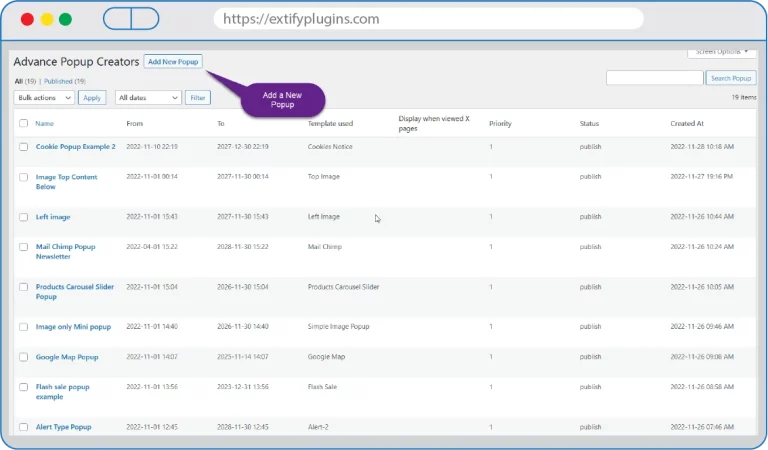
Popups can be customized with advanced options like where to display and how to display. Different popup layouts are also available, you just have to start customizing and make a new popup. You can create attractive popups in minutes to boost conversions for eCommerce using our Creative WooCommerce Popup Plugin
Key Features
- Create Custom Popup in Short Time
- Advanced Options for Popup Customization
- Configure When and Where to Show Popup
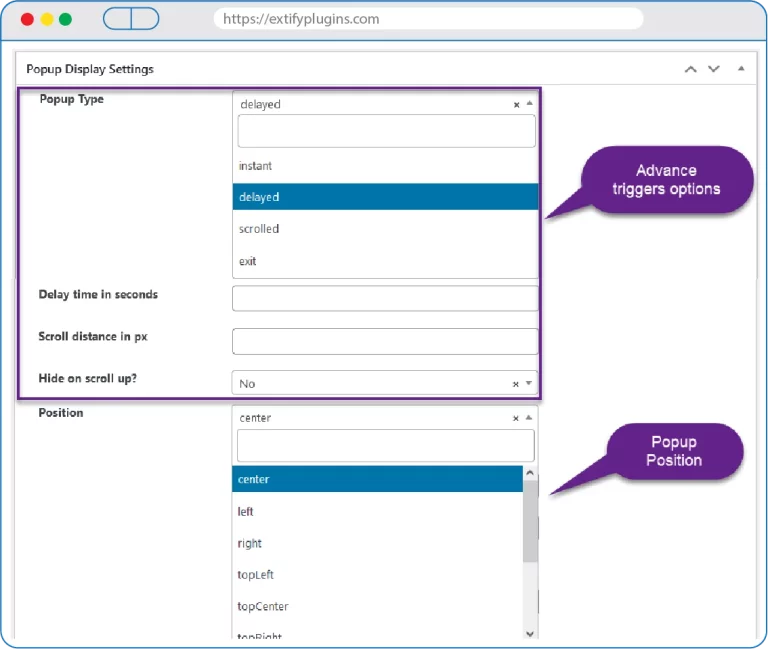
- Advanced Trigger Options
- 15+ Layouts
- 15+ Filters
- 30+ Animations
Detailed Features
Scheduling
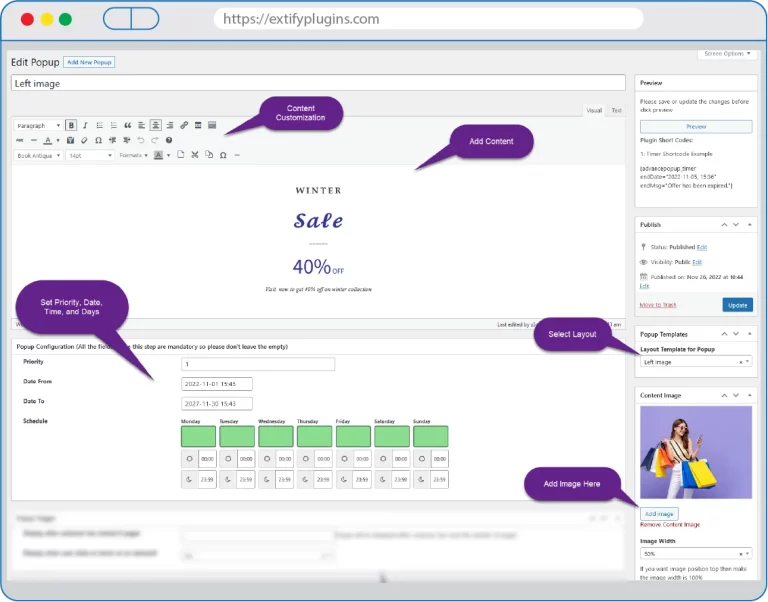
You can easily configure time, date and day to show your popup. Schedule popups easily from the back office.
Popup Customization
- Content: Add text using content editor and customize all the content with advanced options.
- Images: Add images to popup easily.
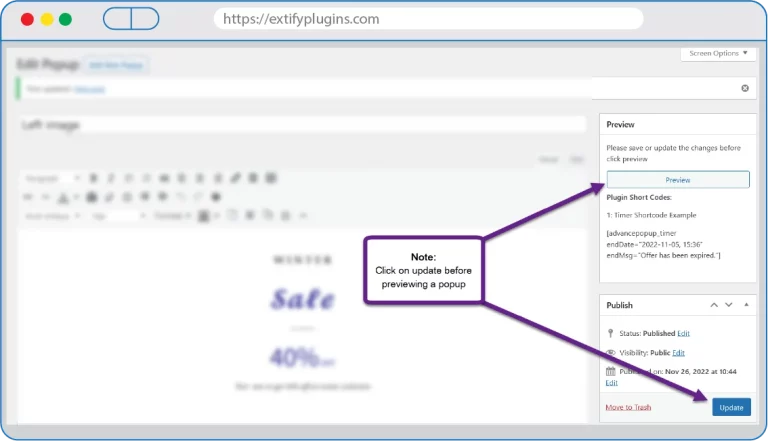
- Preview: Preview button to view customized popup after saving.
- Position Popup: Select the position of the popup easily from the dropdown menu to show it on Center, Left, Right, Top Center, Top Right, Top Left, Bottom Center, Bottom Right, and Bottom Left.
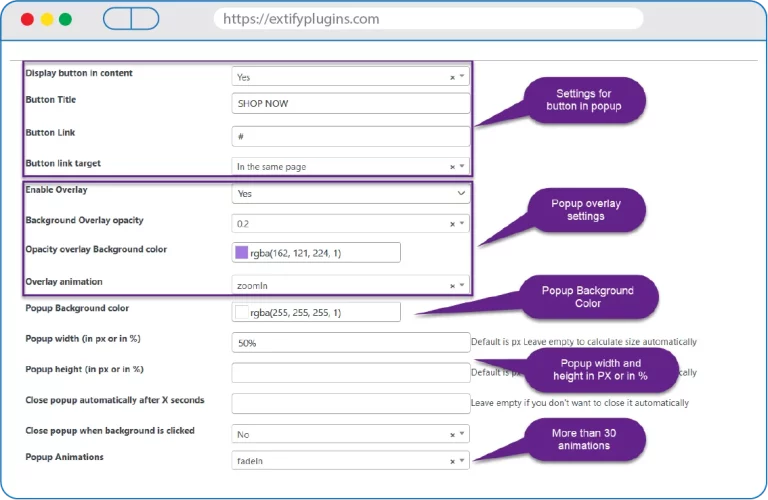
- Button: Display button on the popup. Add button title and a redirect link to another page or website when a customer clicks on the button.
- Enable Overlay: Enable overlay and opacity of overlay background color.
- Overlay Animation: 30+ different overlay animations are available.
- Popup Background Color: Select the background color for the popup.
- Popup Animations: Select from 30+ different popup animations.
- Popup Height: Select popup height in PX or in percentage.
- Popup width: Select popup width in PX or in percentage.
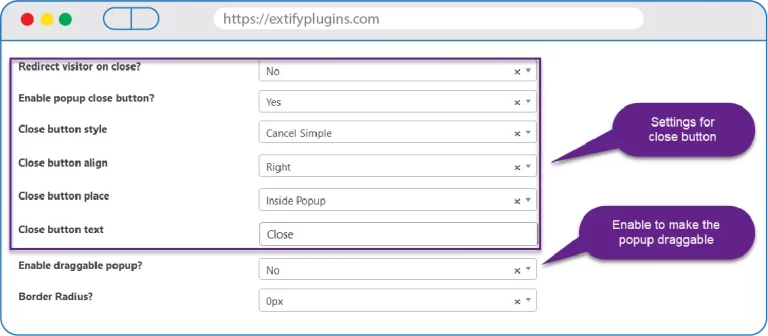
- Close button Styles: Cancel Simple, Cancel Circle, Cancel Square, and Text Simple styles.
- Close Button Align: Set close button on Left or Right.
- Redirect on Close: Customers will be redirected to a specific page by closing the popup.
- Draggable Popup: Enabling it will make the popup draggable.
- Option to close the popup automatically after X seconds.
- Option to close popup on background clicking.
- Option to close the popup on scroll up.
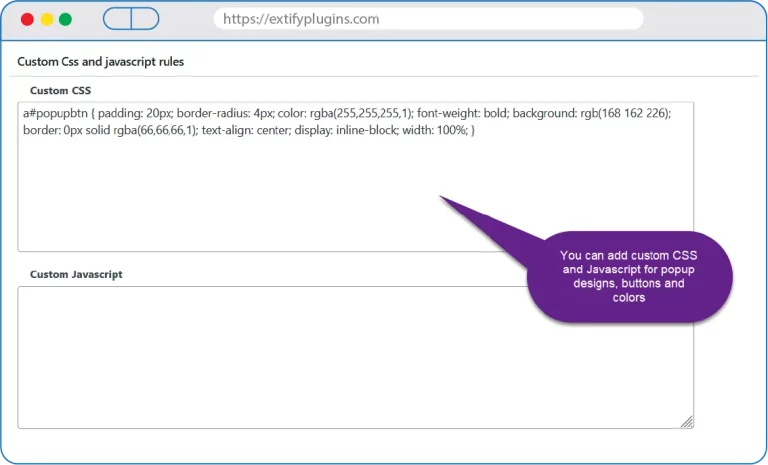
Note: You can customize popup using custom CSS also
Layouts for popup
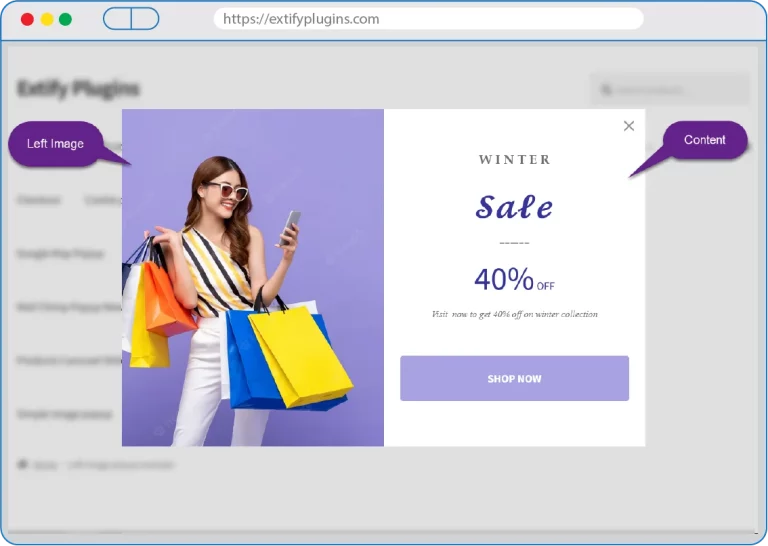
There are different layouts available to customize a popup easily
- Blank (No Image)
- Left Image
- Right Image
- Top Image
- Coupon code popup layout
- Popup with outline
- Age verification
- Cookies notice
- Alert popup layout
- Google Map Layout (You just need to add Latitude and Longitude to show their store location on popup)
- Flash Sale
- Simple Image Popup
- Product Carousel Slider (WooCommerce Upsell Popup)
- Mail Chimp (Newsletter Popup)
- Vimeo Video Popup
- Youtube Video Popup
Detailed Features

Advance Filters
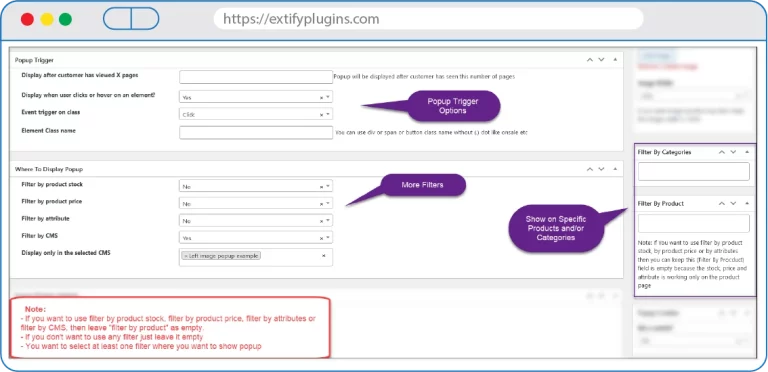
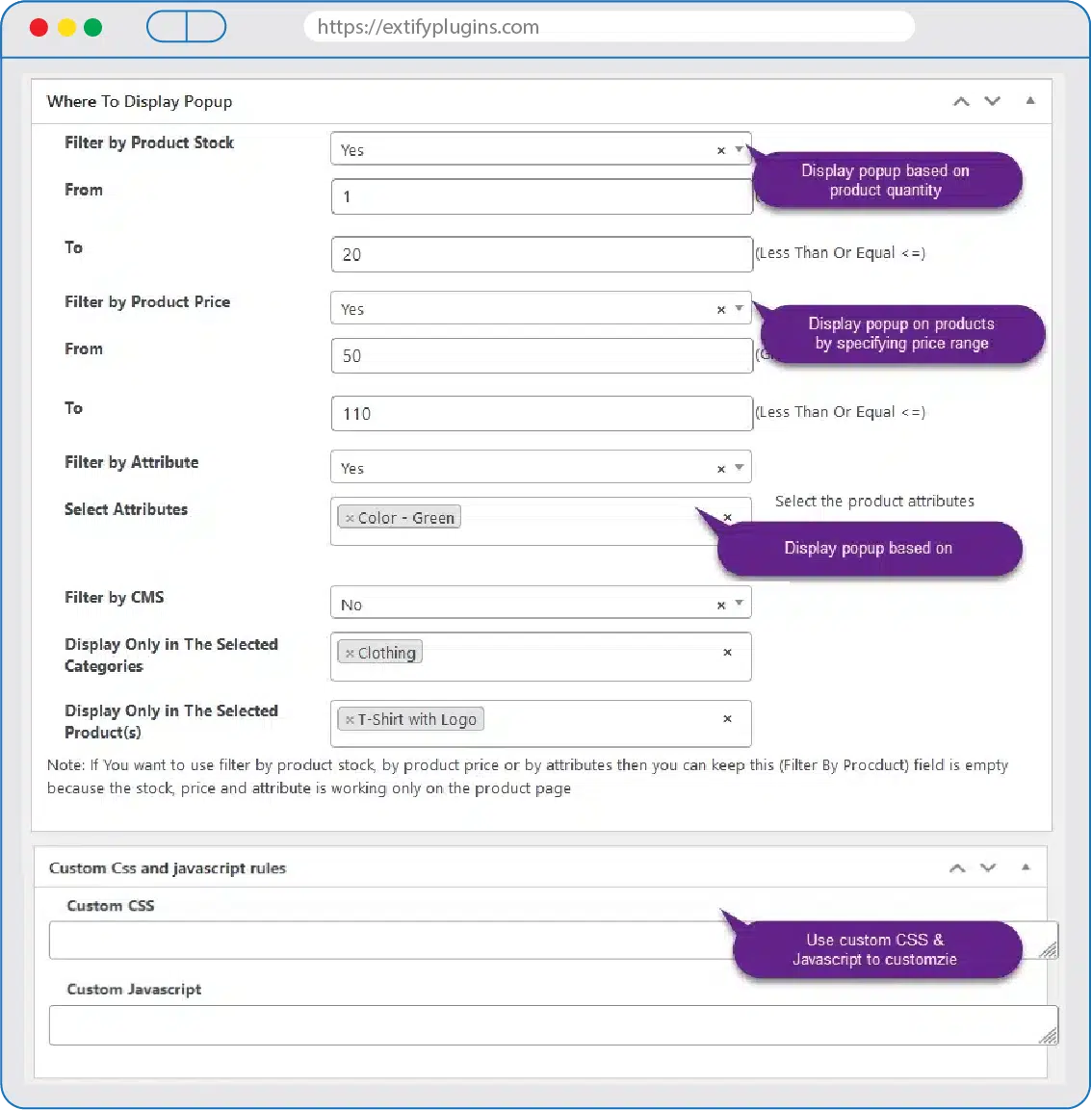
- Filter by Products (Show popup on Selected Products only)
- Filter by Product Price (Min & Max)
- Filter by CMS (show popup on Checkout page, Cart page, My account page etc)
- Filter by Categories (Show popup on Selected Categories only)
- Filter by Stock (Show popup if X number of min and max stock available)
- Filter by Attribute (Show popup on Selected Product Attributes only)
- Filter by Cart Amount
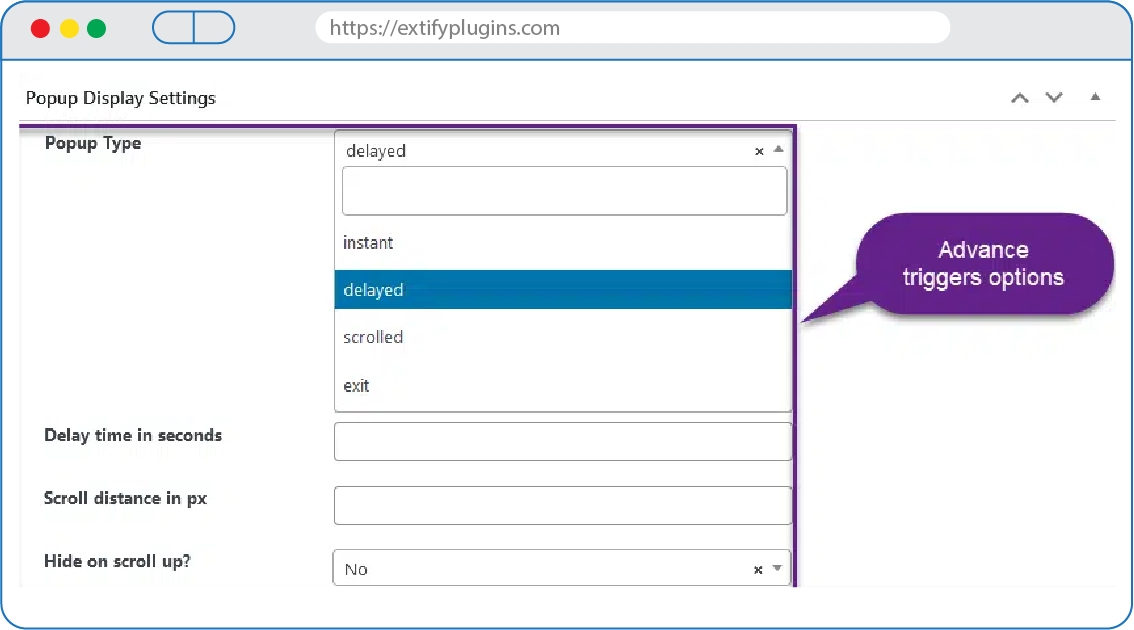
Configure When to Show a Popup

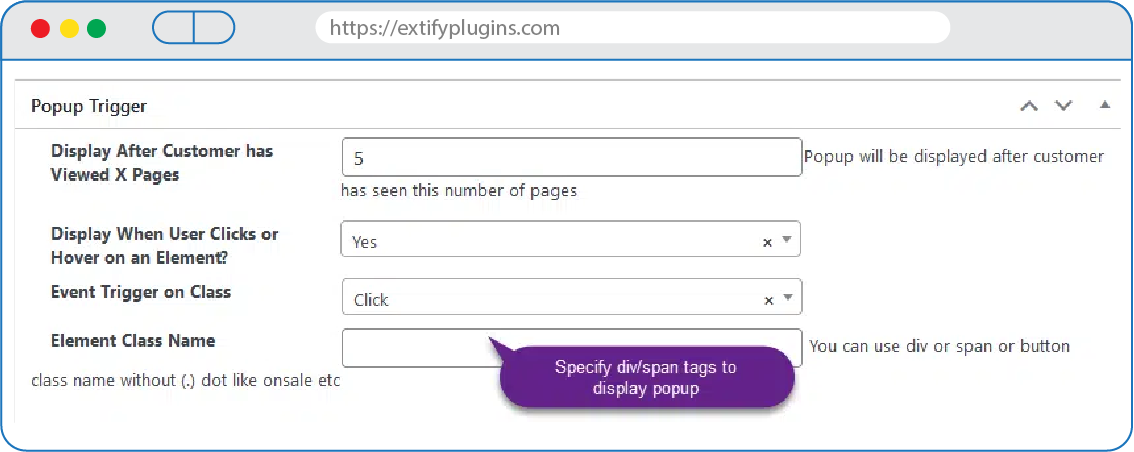
Popup Trigger Options:

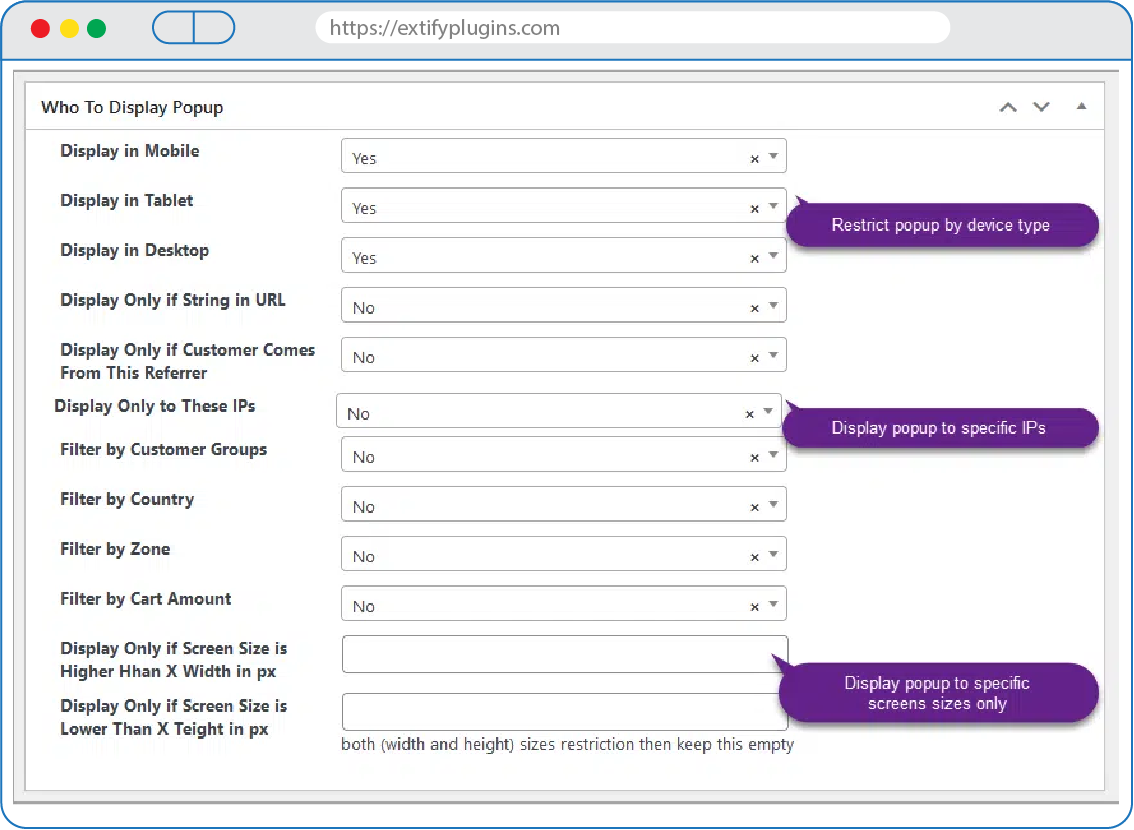
Who to Display Popup
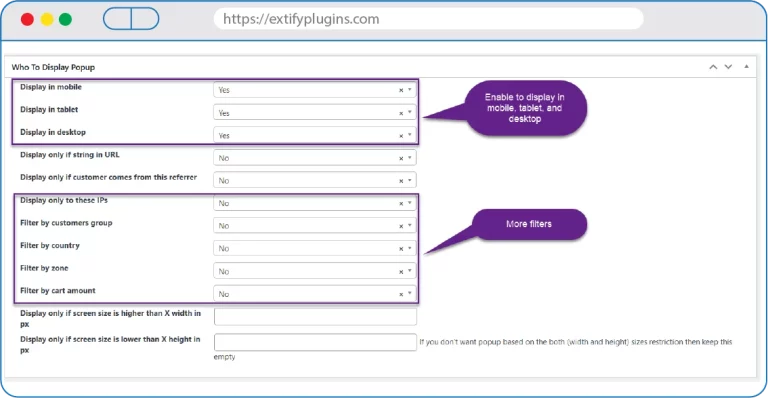
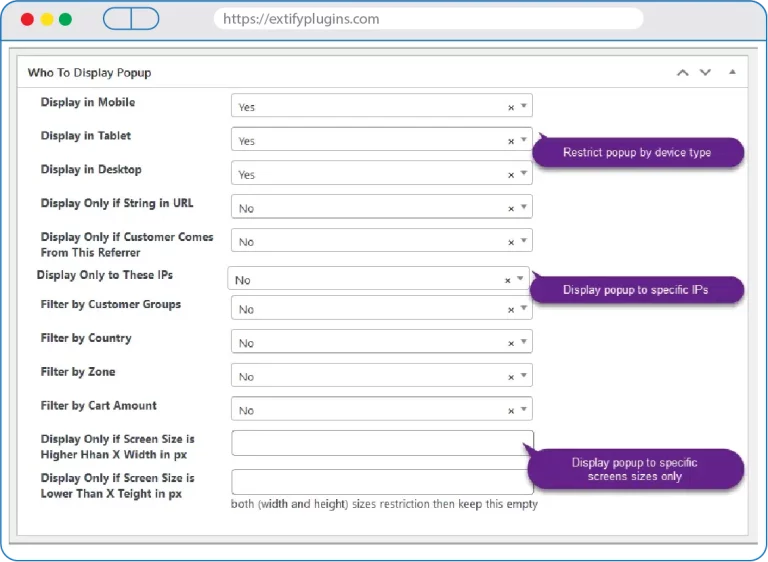
- Device Targeting (Mobile, Tablet, Desktop): Customize popup visibility according to the visitor’s device, ensuring an optimized display for different screen sizes and user experiences on mobiles, tablets, and desktops.
- Referrer Targeting: Choose to showcase popups exclusively to visitors arriving from specific referral sources. This feature allows for targeted messages or offers tailored to users coming from designated websites or campaigns.
- IP Address Targeting: Tailor the display of popups based on the visitor’s IP address. This feature enables a personalized experience for particular IP addresses or a specified range of IP addresses.
- Geographic Targeting (Country or Zone): Display popups selectively to visitors from particular countries or regions. This functionality enables the delivery of geographically relevant messages or offers based on the user’s location.
- And More

Customer Reviews
| 5 star | 100 | 100% |
| 4 star | 0% | |
| 3 star | 0% | |
| 2 star | 0% | |
| 1 star | 0% |
Sorry, no reviews match your current selections

30 Day Money Back Guarantee

Trusted by 5000+ Users

We Customize As You Need
Frequently Asked Questions?
Get started with Extify Plugin
Version: 2.1.0
Last Updated: June 29, 2024
Published On: July 31, 2023
What can I use Creative Popups for?
You can promote sales, display messages, show images, or highlight special offers.
Can I control where popups appear?
Yes, you can target specific products, categories, or pages.
Does the plugin support images and HTML?
Yes, you can add text, images, or custom HTML inside popups.
Will it work with my theme?
Yes, it’s compatible with most WooCommerce themes.
Can I customize the popup design?
Yes, you can edit colors, sizes, and animation styles.
Related Products
File Upload for WooCommerce
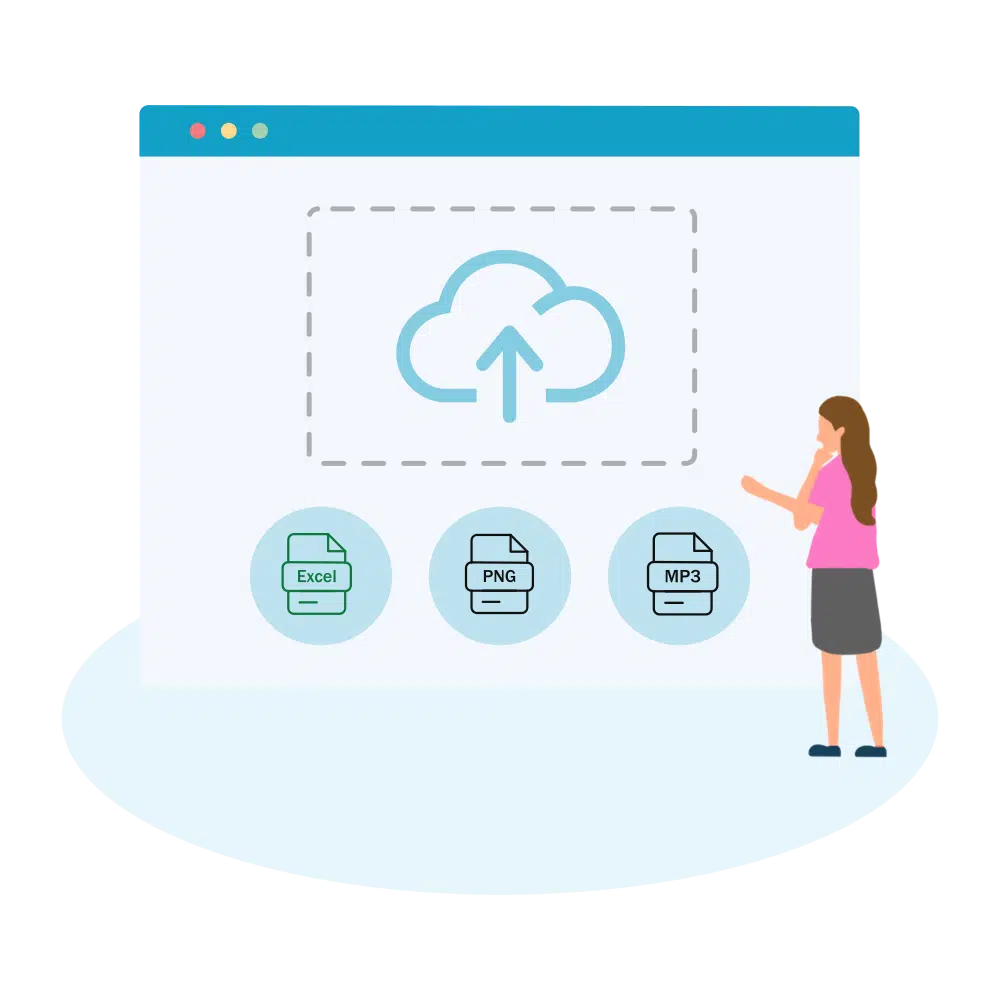
Easily let customers upload files on Product, Cart, Checkout, and Order pages in your WooCommerce store. Customize upload rules, charge fees, set deadlines, and manage files from a dedicated admin dashboard.
WooCommerce File Upload is also available on WooCommerce Official Marketplace.
$39.00
Product Gallery Slider Pro
Enhance your WooCommerce product pages with a feature-rich gallery slider offering custom layouts, smooth transitions, zoom options, and social sharing. Tailor every element—from thumbnails to navigation.
$49.00
Mistakes Finder for WooCommerce
Identify and fix product data issues across your WooCommerce store—like missing prices, images, SKUs, and more. Filter, edit, and export errors from a single dashboard to keep your catalog clean and accurate.
$29.00
Sort | Hide Out-of-Stock for WooCommerce
Automatically hide out-of-stock products or sort them for a cleaner, more user-friendly experience.
$39.00
Product Comparison for WooCommerce
Implement sticky comparison bars, similar product sliders, and personalized button styling, allowing customers to easily compare products and make confident purchases within your WooCommerce store.
$49.00
Product Attachments Pro
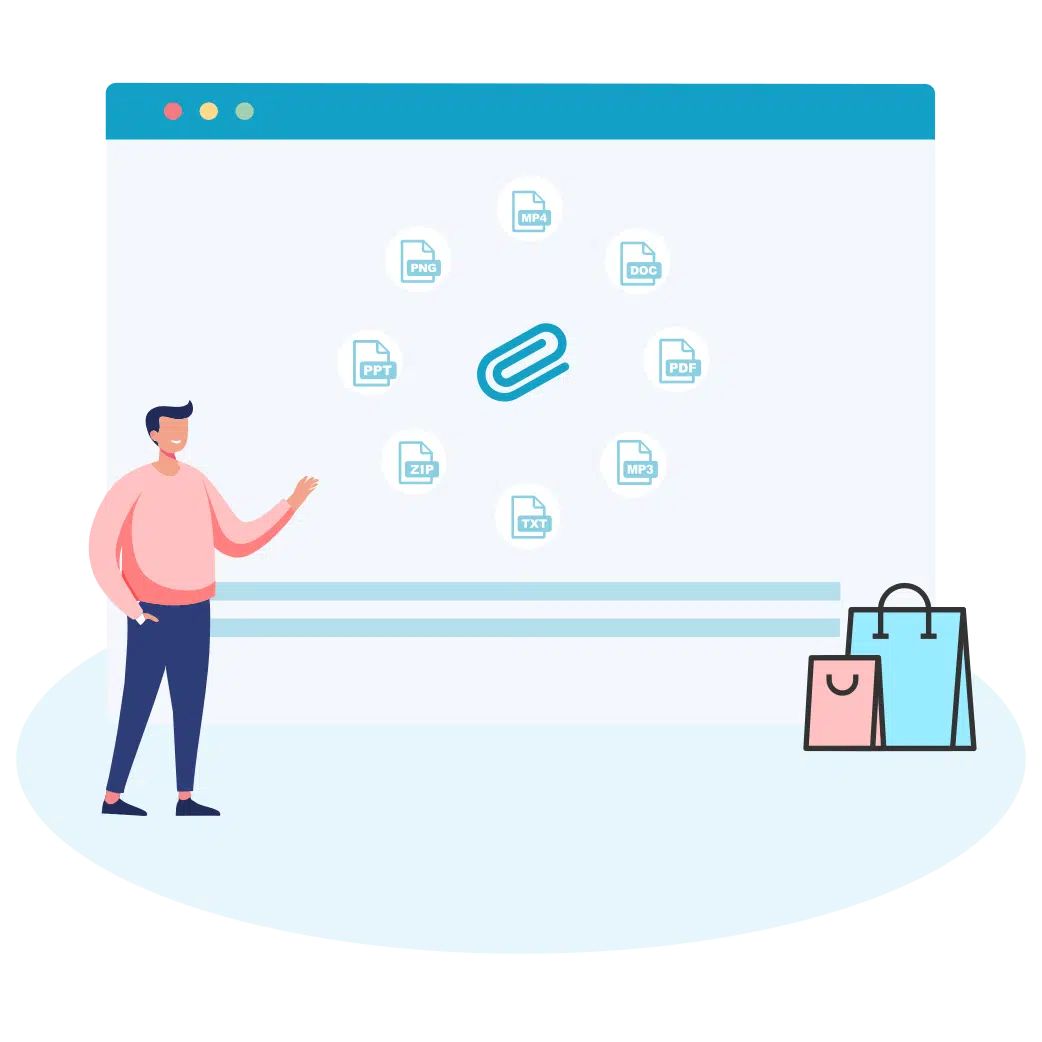
Add downloadable and viewable files to products. Customize display, manage access, and enhance customer experience with manuals, guides, and more.
Product Attachments for WooCommerce is also available on WooCommerce Official Marketplace
$39.00
simple and easy to use. recommended