
External Links Button for WooCommerce
Add unlimited external or affiliate link buttons to WooCommerce products—with full control over placement, visibility, and design.
This product is also available on WooCommerce Official Marketplace.
Plugin Highlights
►
External Links Button for WooCommerce lets you add unlimited external/affiliate links to your WooCommerce products with fully custom buttons, role-based visibility, and built‑in click tracking—no coding required.woocommerce+1
Key Features
-
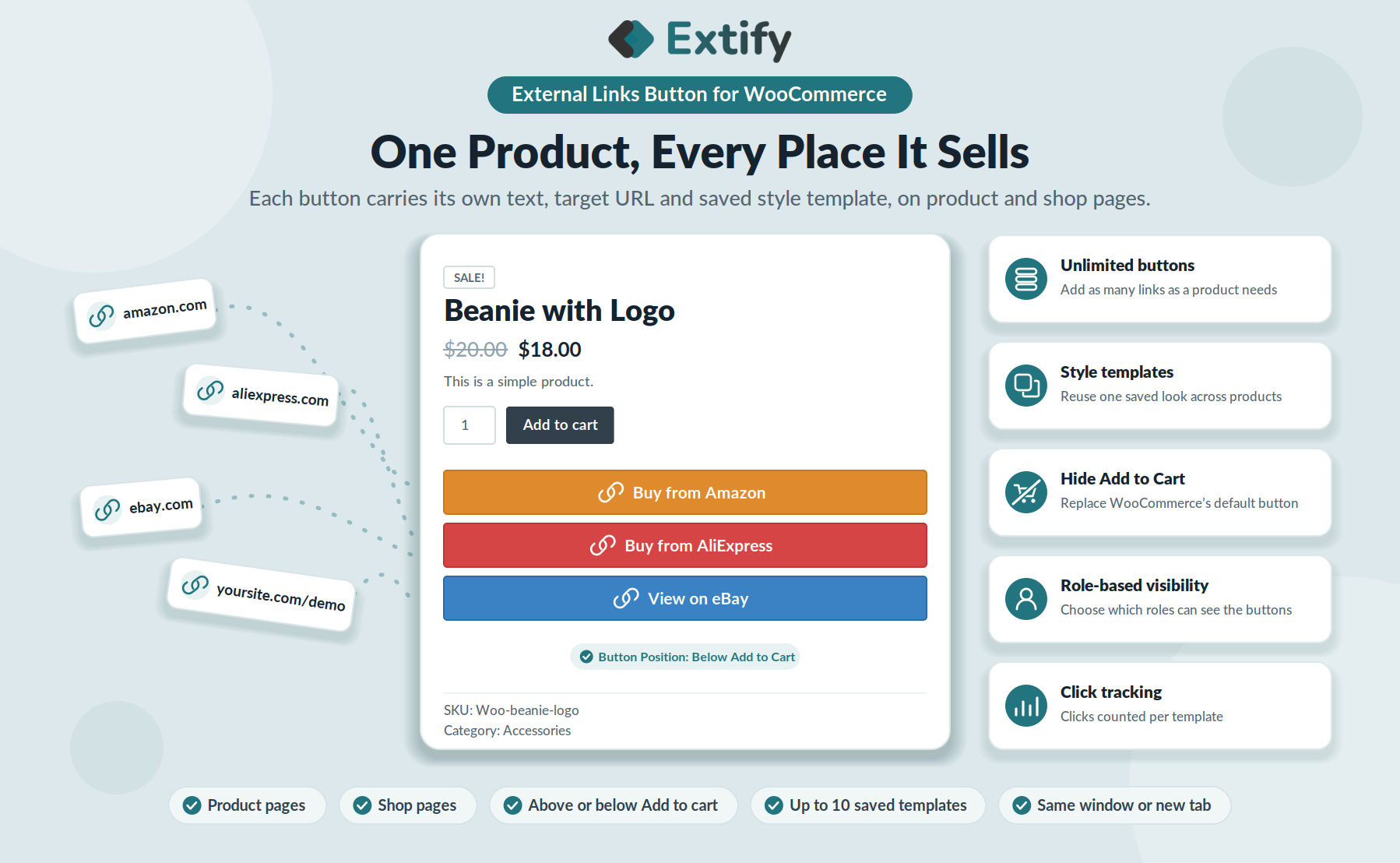
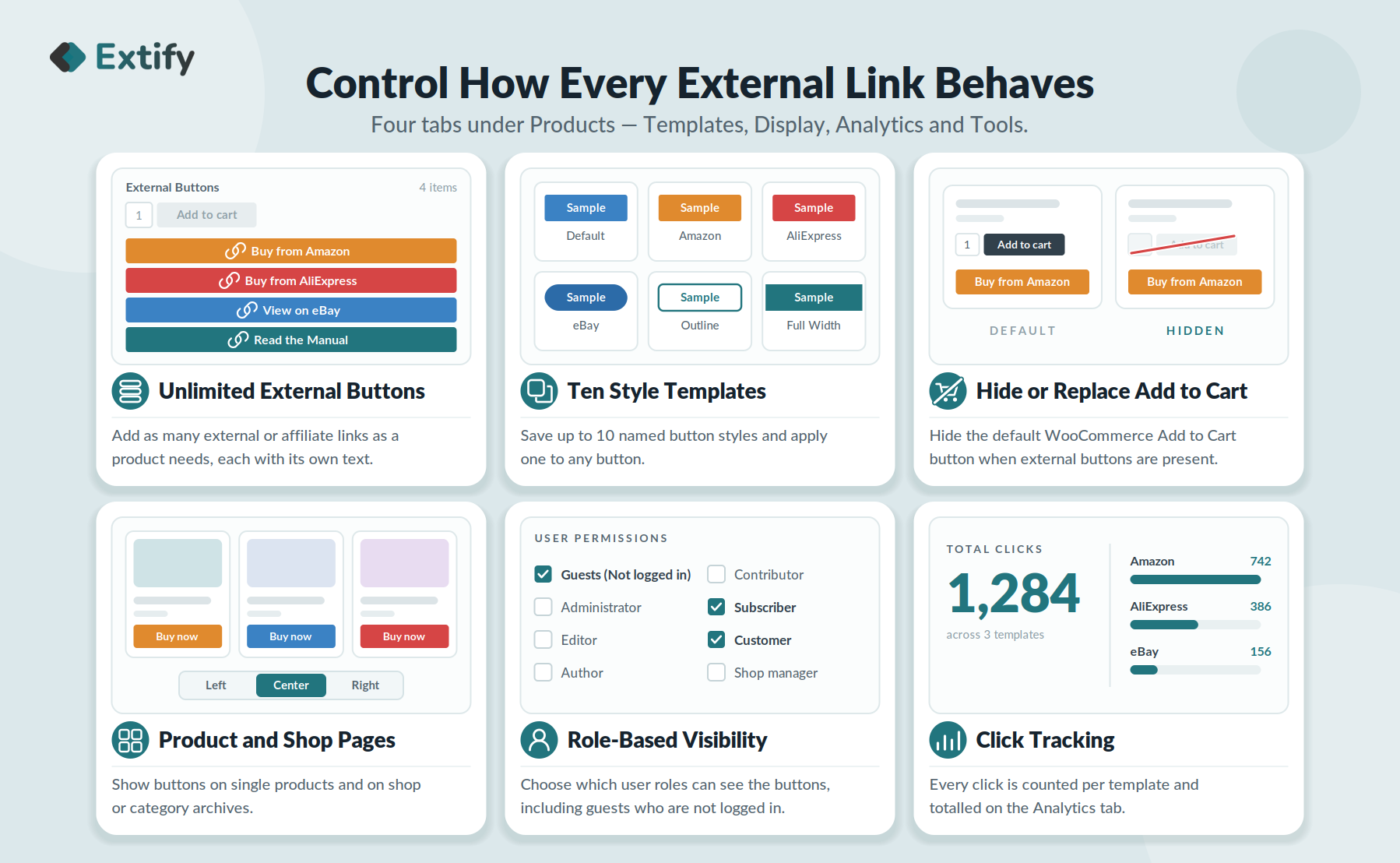
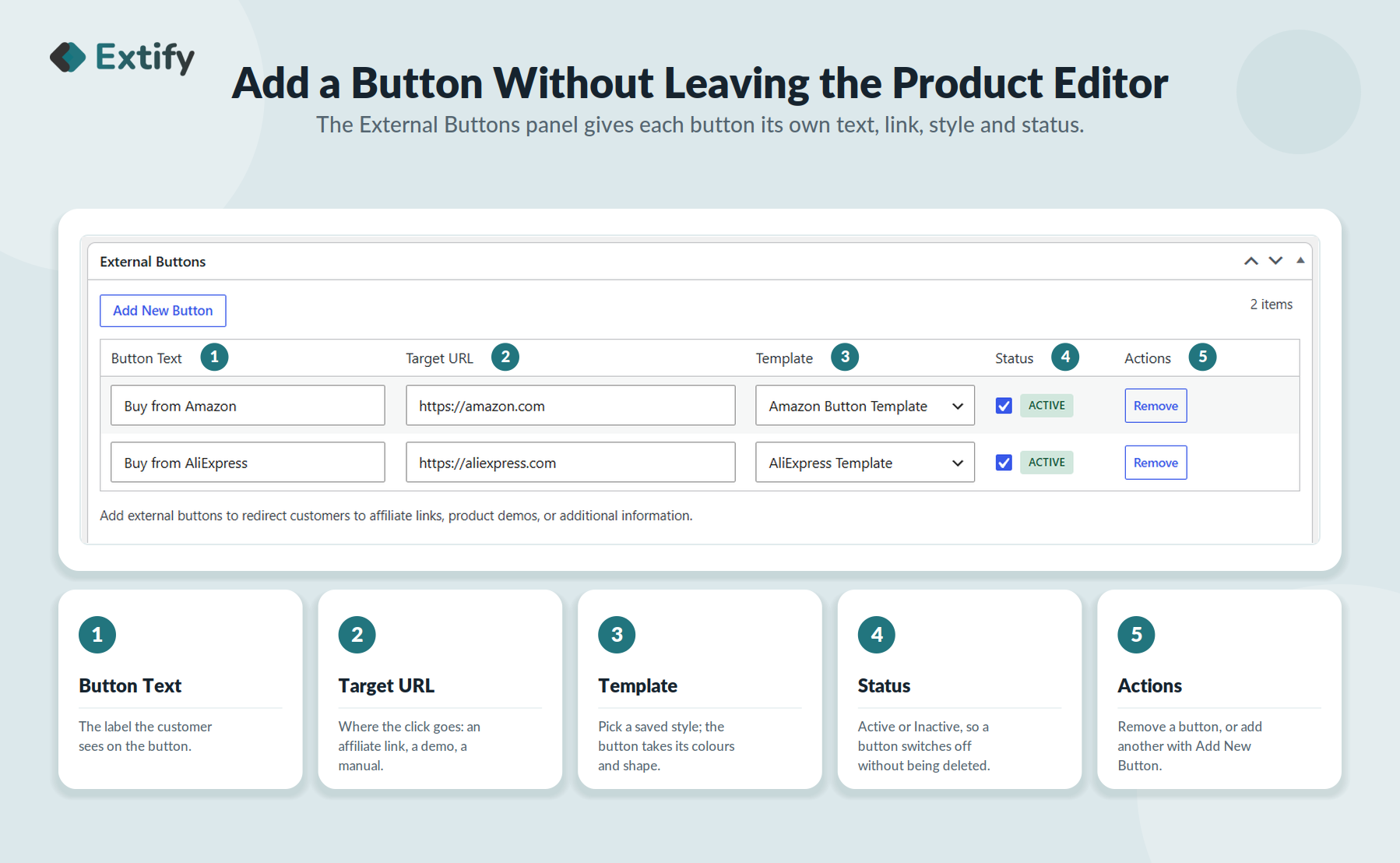
Unlimited external links – Add as many affiliate or third‑party URLs as you need per product.
-
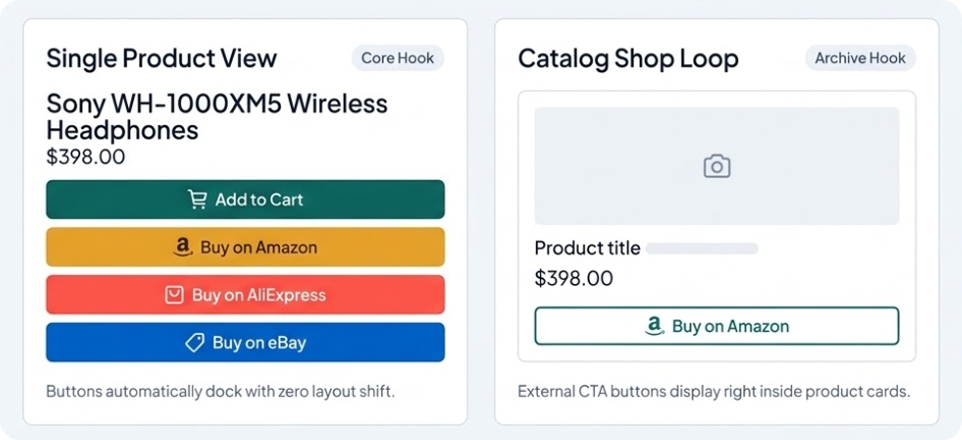
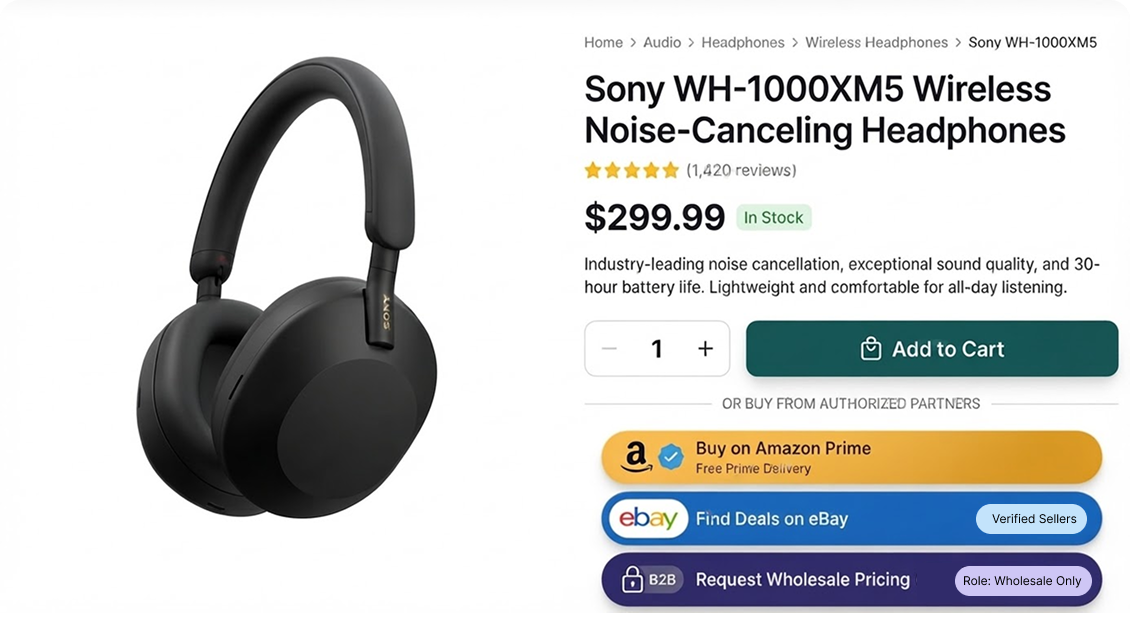
Multiple custom buttons – Create “Buy on Amazon”, “View on eBay”, “Download Demo”, etc., with your own text, colors, and icons.
-
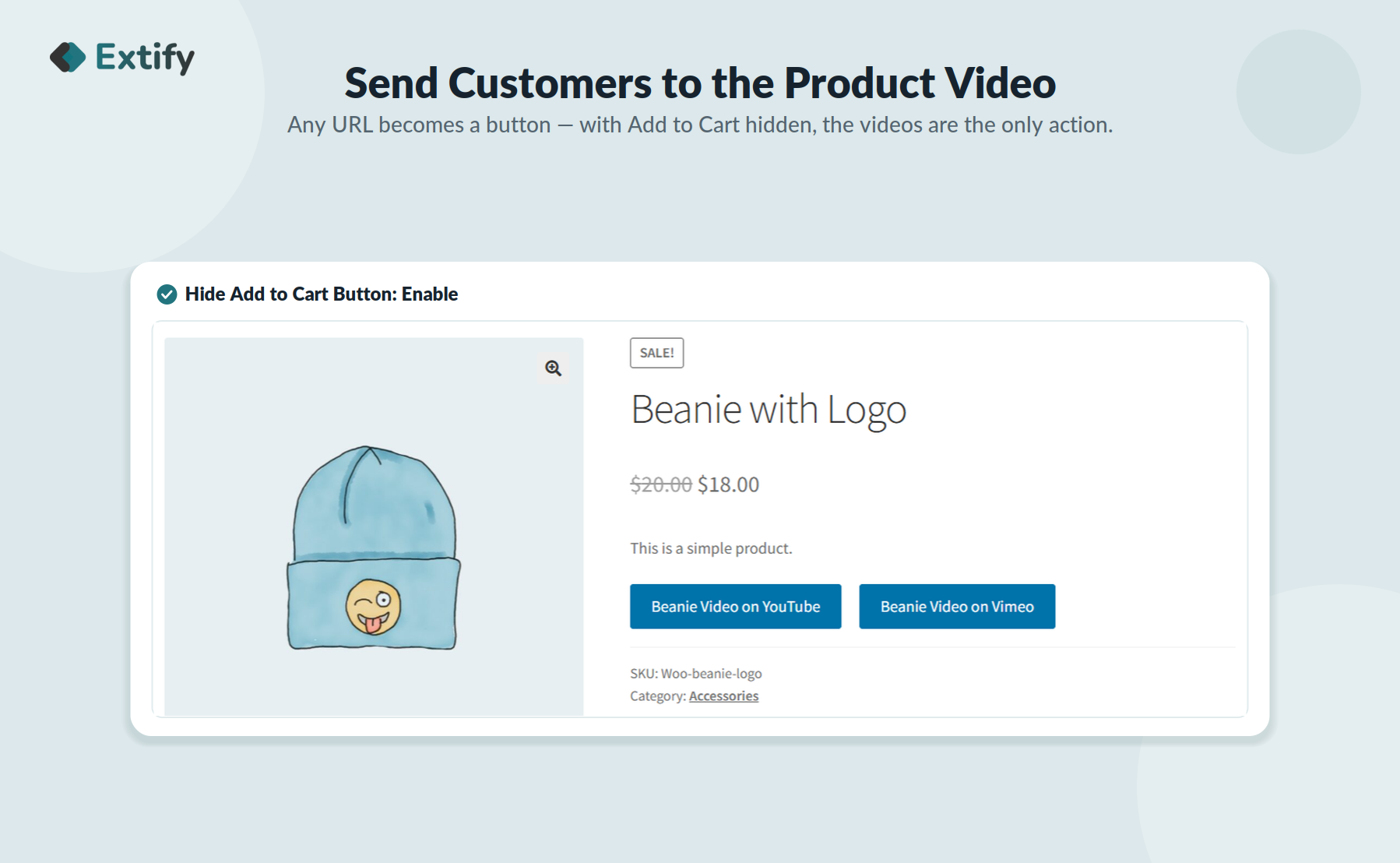
Replace or hide “Add to Cart” – Swap WooCommerce’s default button or hide it entirely when you only offer external links.
-
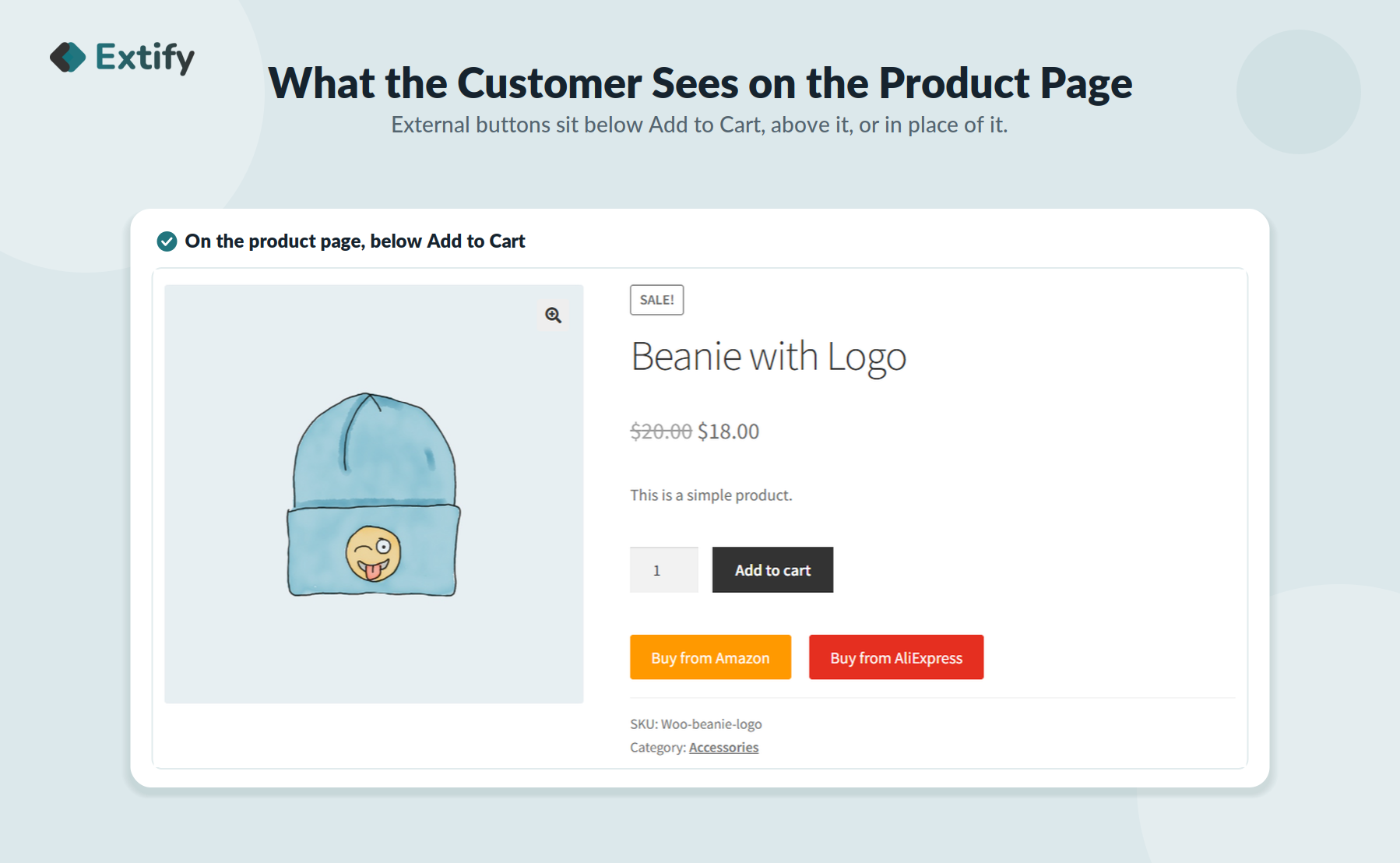
Show anywhere – Display buttons on product pages, shop archives, and category pages for maximum exposure.
-
Flexible placement – Position external buttons above or below the Add to Cart button to fit your layout.
-
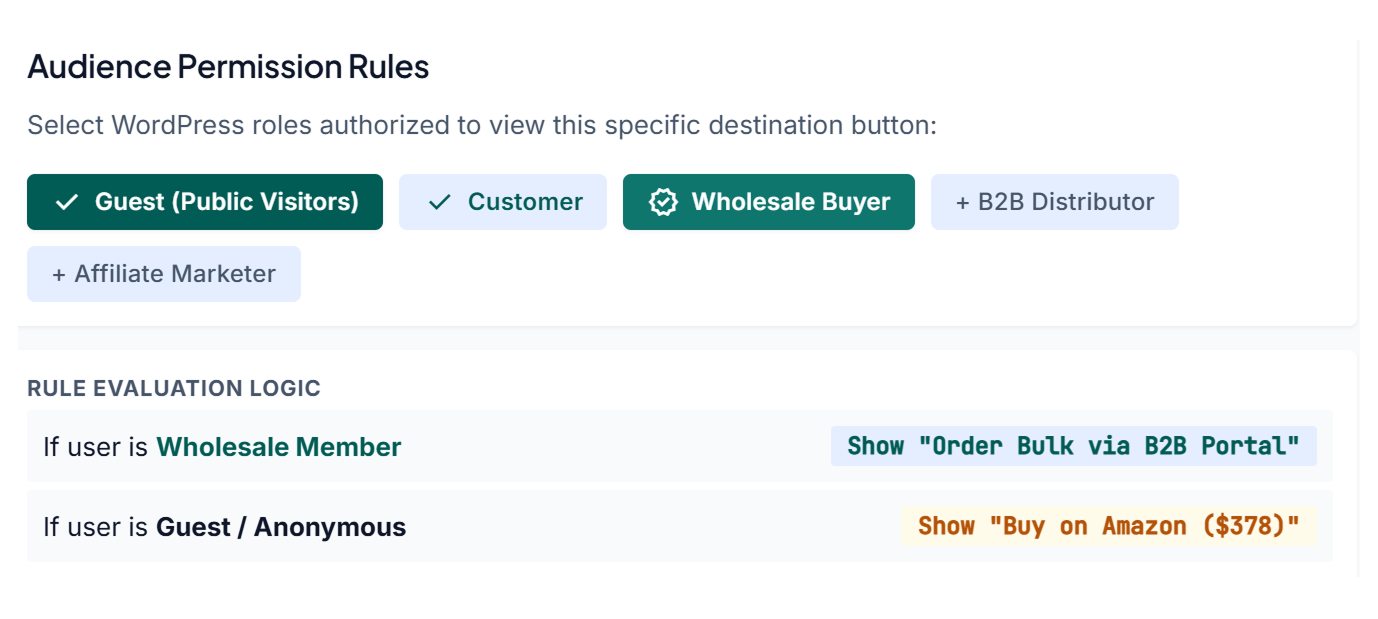
User role control – Show links only to guests, logged‑in users, wholesalers, affiliates, or other roles.
-
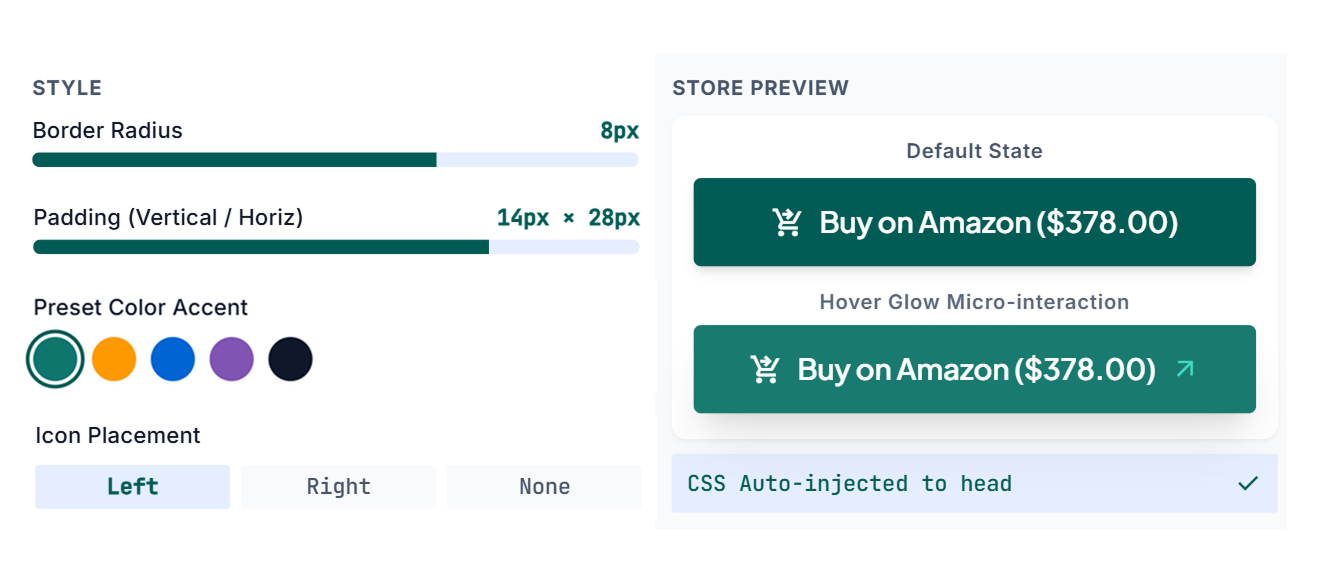
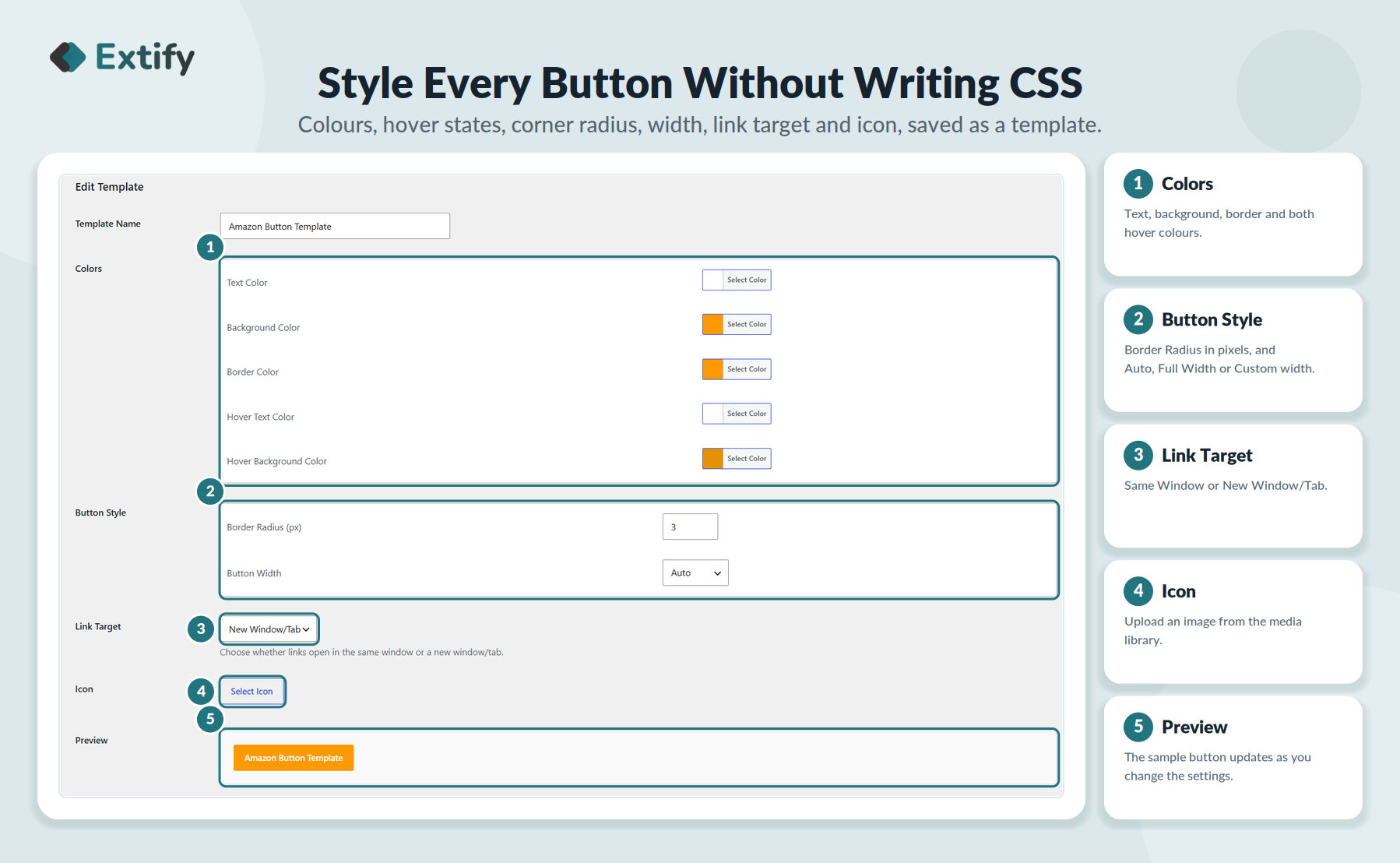
Fully customizable design – Match your brand with custom text, colors, borders, hover effects, size, and icons, with live preview.
-
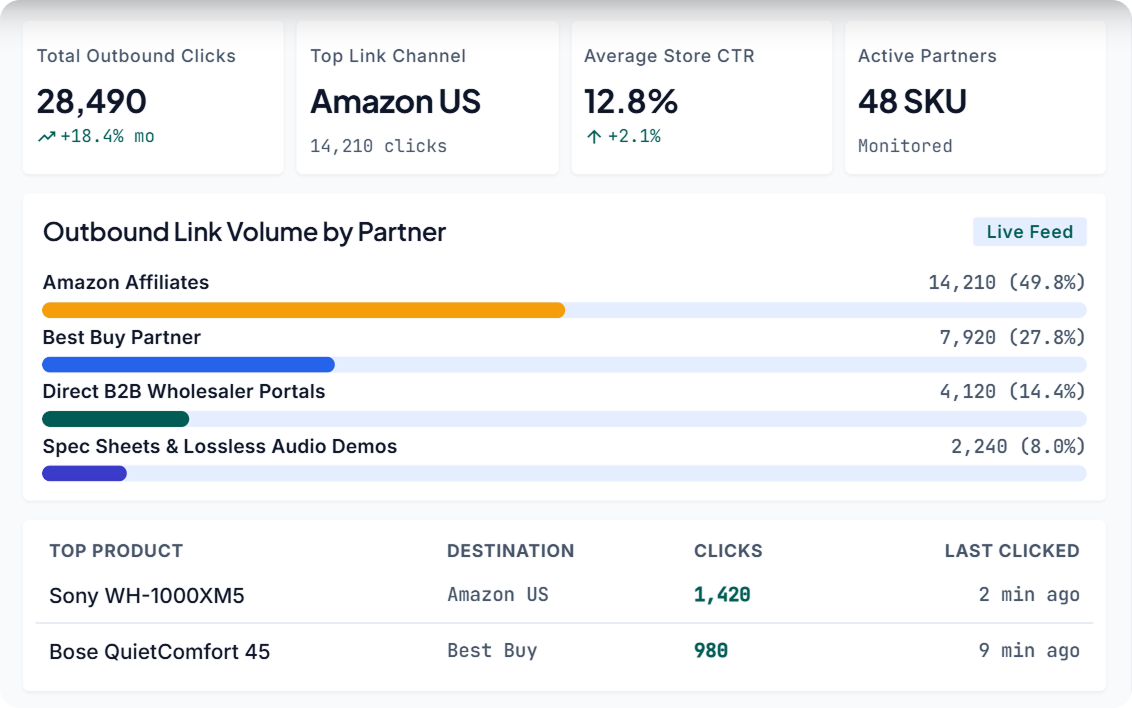
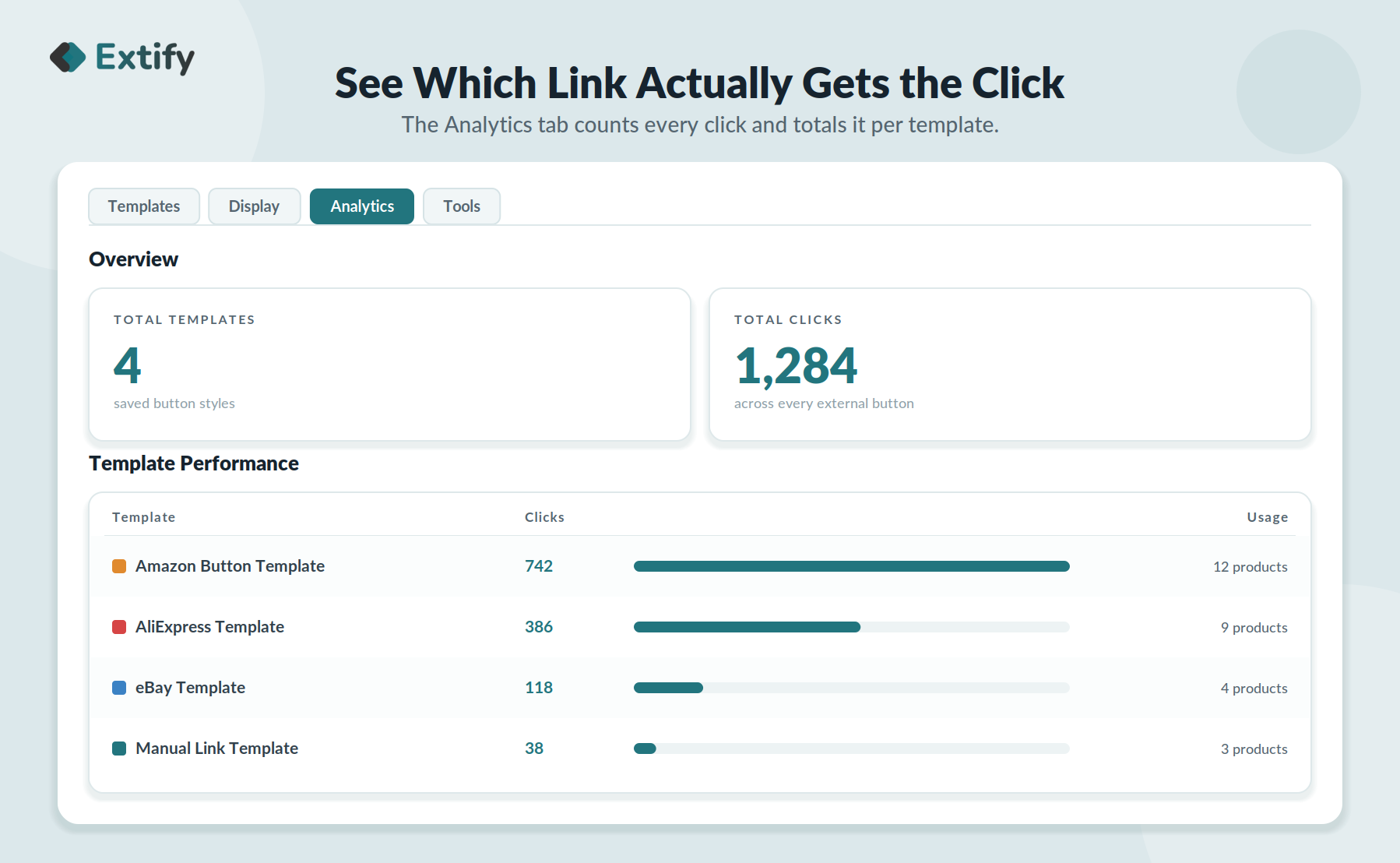
Click tracking & reports – See exactly how many times each button is clicked and which links drive the most engagement.
-
Simple product editor workflow – Add and edit all external buttons directly inside the WooCommerce product editor.
-
Performance dashboard – Get an at‑a‑glance view of total clicks, templates, and top‑performing buttons.
Detailed Features

Add unlimited external buttons

Fully customizable buttons
Match your brand perfectly:
-
Button text
-
Text, background, and border colors
-
Hover colors and effects
-
Border radius and width
-
Icons and size

Track click reports

Full Control Over Buttons
- Hide or replace “Add to Cart” and display external link button only
- Display button on product & shop pages.
- Display buttons on product and/or shop pages.
- Flexible button placement: Above or below the Add to Cart button.
No reviews for this product yet.
| 5 star | 0% | |
| 4 star | 0% | |
| 3 star | 0% | |
| 2 star | 0% | |
| 1 star | 0% |
Sorry, no reviews match your current selections

30 Day Money Back Guarantee

Trusted by 5000+ Users

We Customize As You Need
Frequently Asked Questions?
Get started with Extify Plugin
Version: 1.0.3
Last Updated: July 29, 2026
Published On: June 25, 2026
Can I add more than one external button to a single product?
Yes — there's no limit. Add as many external links as you need and display each as its own button.
Can I hide the Add to Cart button if I only want to link out?
Yes. You can replace or fully hide the default Add to Cart button on any product using external links.
Where can the buttons appear?
On individual product pages, shop pages, or category pages — and you choose whether they sit above or below Add to Cart.
How much can I customize the look?
Fully. Change the text, colors, backgrounds, borders, hover effects, size, and icons to match your store's design.
Can I limit who sees a button?
Yes. Restrict visibility by user role — for example, show a wholesale link only to logged-in wholesale accounts.
Does it track clicks?
Yes. Every button's clicks are tracked automatically, with reports showing your top performers.
Will it work with my theme?
It's built to work with most WooCommerce-compatible themes, and styling options let you fine-tune the fit
Related Products
Migrate Shopify to WooCommerce
Migrate your Shopify store to WooCommerce in just three simple steps. Import products, customers, orders, pages, blogs, coupons, and more with advanced filters, SEO redirects, rollback support, and detailed migration reports.
$59.00
File Upload for WooCommerce
Let customers upload files on Product, Cart, Checkout, and Order pages in your WooCommerce store. Customize upload rules, charge fees, set deadlines, and manage files from a dedicated admin dashboard.
WooCommerce File Upload is also available on WooCommerce Official Marketplace.
$39.00
Product Gallery Slider
Enhance your WooCommerce product pages with a feature-rich gallery slider offering custom layouts, smooth transitions, zoom options, and social sharing. Tailor every element—from thumbnails to navigation.
$49.00
Mistakes Finder for WooCommerce
Identify and fix product data issues across your WooCommerce store—like missing prices, images, SKUs, and more. Filter, edit, and export errors from a single dashboard to keep your catalog clean and accurate.
$29.00
Sort | Hide Out-of-Stock for WooCommerce
Automatically hide out-of-stock products or sort them for a cleaner, more user-friendly experience.
$39.00
Product Comparison for WooCommerce
Implement sticky comparison bars, similar product sliders, and personalized button styling, allowing customers to easily compare products and make confident purchases within your WooCommerce store.
$49.00
Write a Review