


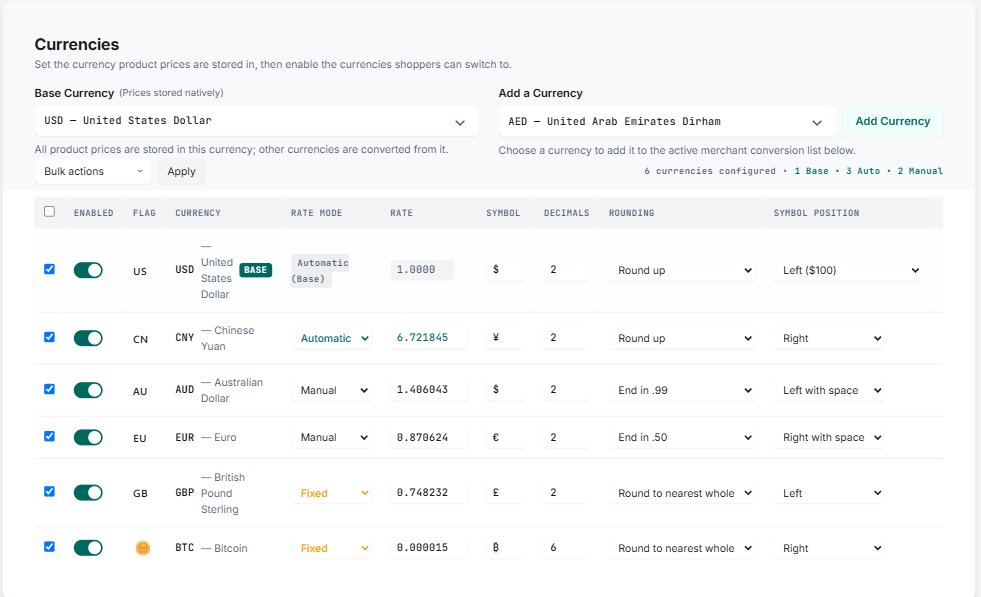
Complete Control Over Exchange Rates
Manage conversion rates with flexible, currency-specific rules:
-
Automatic: Fetch real-time rates automatically for accurate prices.
-
Manual: Override conversions anytime with custom exchange rates.
-
Fixed: Lock target currencies to protect margins from volatility.
-
Hybrid: Mix auto-updates, manual, and fixed rates seamlessly.
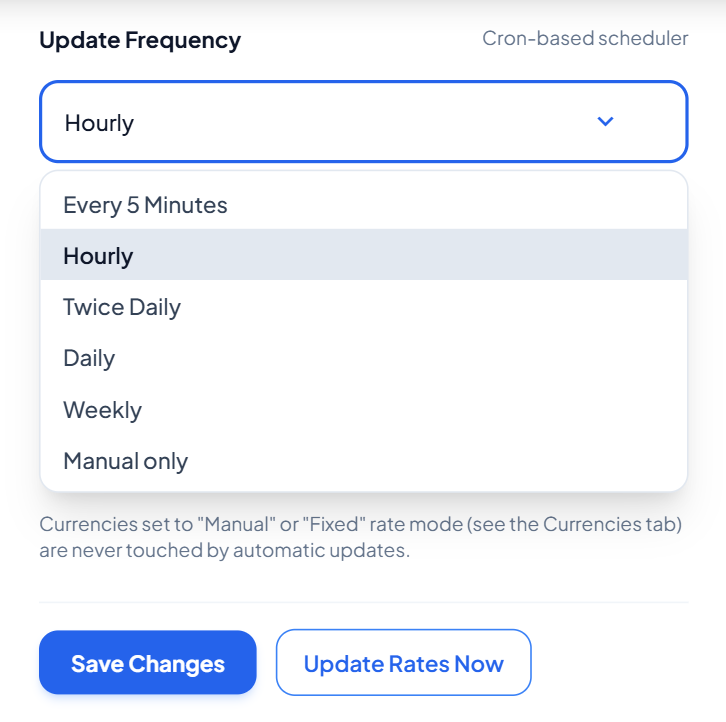
Keep Exchange Rates Up to Date
Choose how frequently your exchange rates should be updated. Available update frequencies include:
- Every 5 minutes
- Hourly
- Twice daily
- Daily
- Weekly
- Manual only
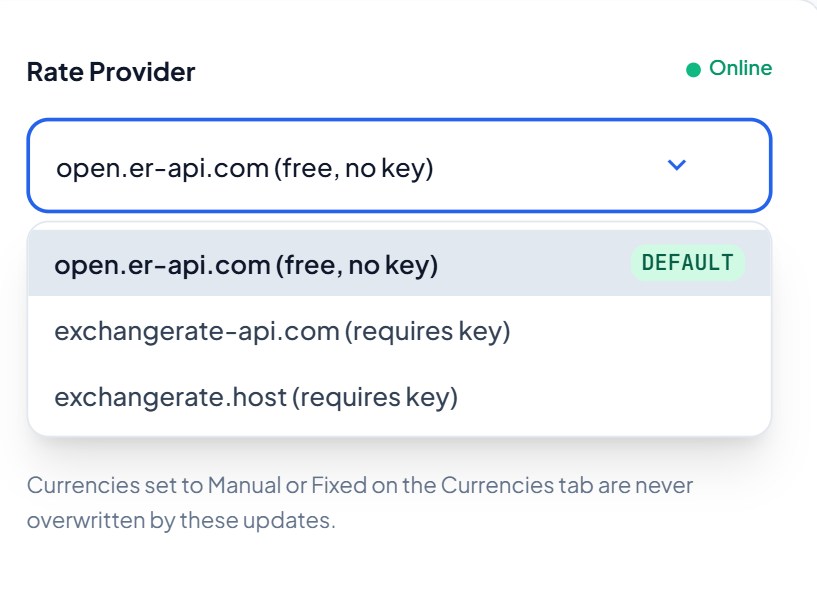
Choose Your Rate Provider
- Use the included free API with no API key required, or connect your own supported exchange-rate API and add your API key.
- Manual and fixed currency rates remain protected from automatic updates, so you maintain control over the currencies you've configured yourself.
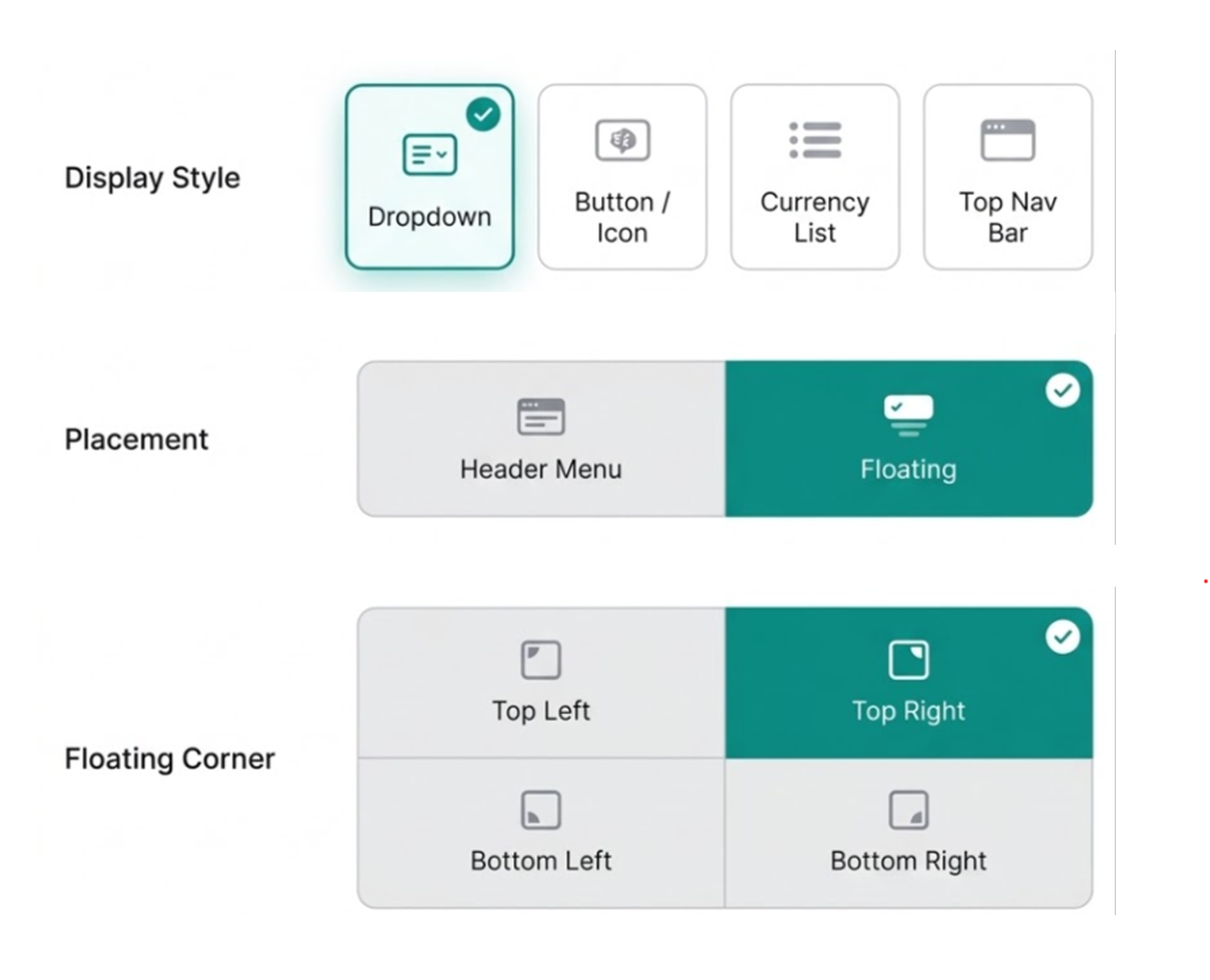
Switcher Styles & Placement
Let shoppers effortlessly switch currencies while browsing with fully customizable display styles and placement options:
-
Multiple Display Styles: Show switchers as a dropdown, button/icon toggle, currency list, or top navigation bar.
-
Flexible Placement: Add switchers directly into your header menu or display them as a floating switcher.
-
Custom Floating Positions: Pin floating switchers to the bottom-right, bottom-left, top-right, or top-left corner of the screen.
Fully Customizable Currency Display
Design a currency switcher that perfectly matches your brand while giving shoppers key currency information:
-
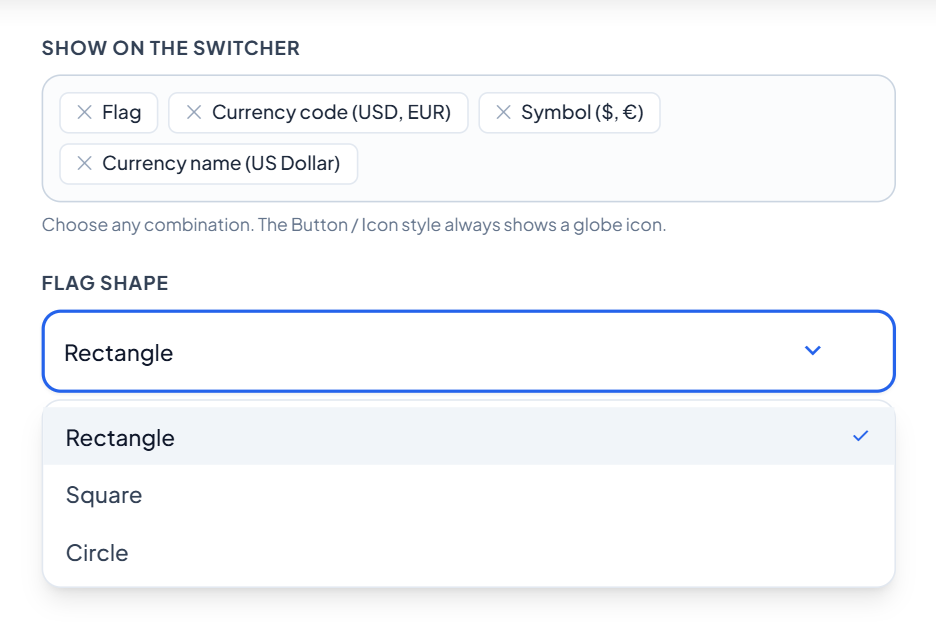
Display Elements: Customize switchers to show currency symbols, codes (USD, EUR), full names (US Dollar, Euro), or a clean, flat layout.
-
Custom Flag Shapes: Choose rectangular, square, or circular country flags to complement your store’s design.
-
Live Style Preview: Test and preview different visual configurations in real time before saving.
Automatically Detect Your Visitor's Currency
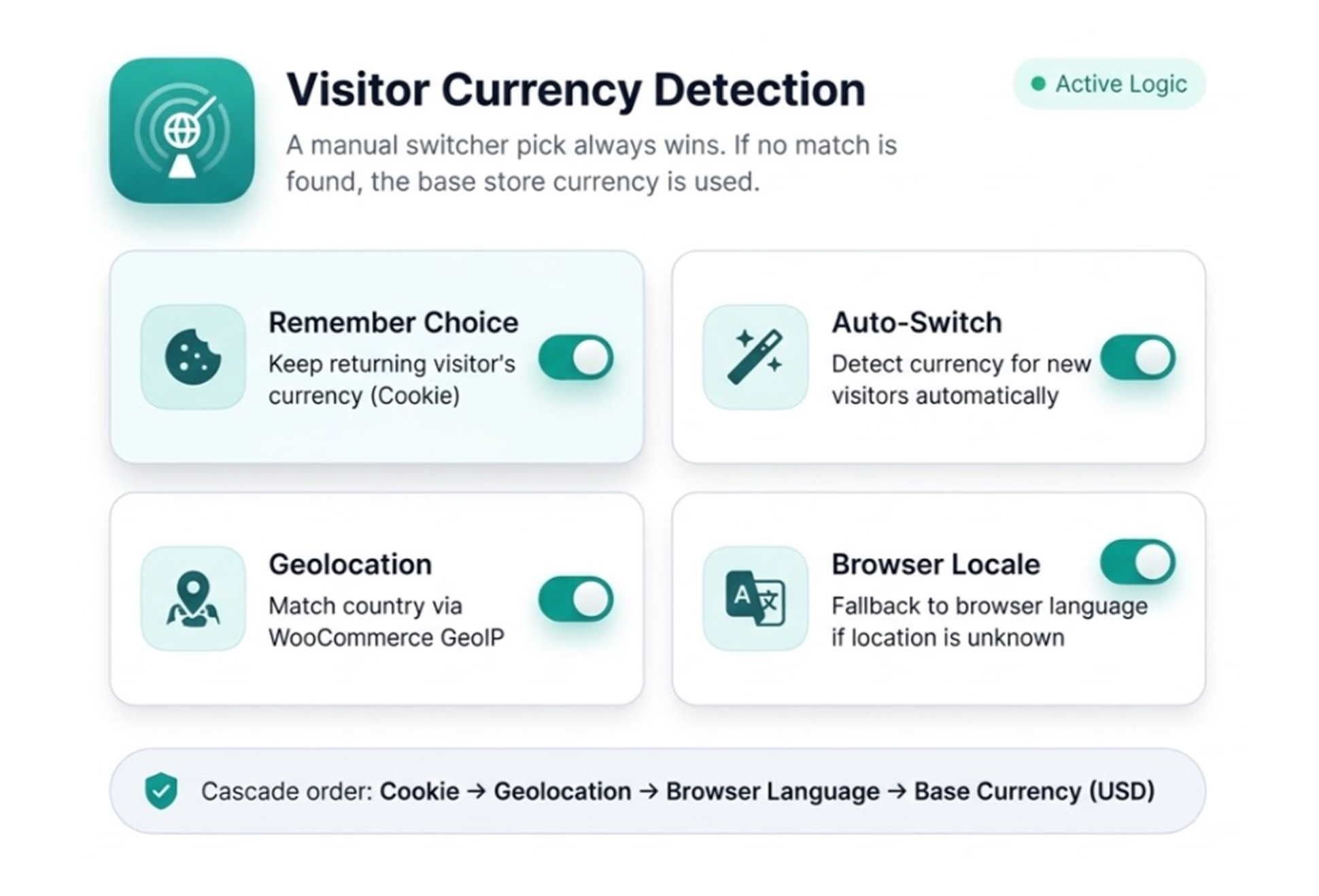
- Remember their last currency using cookies.
- Detect currency by location using WooCommerce geolocation.
- Use browser language as a fallback, such as en-GB → GBP.
- Fall back to your base currency when no match is found.
Price Formatting & Display Rules
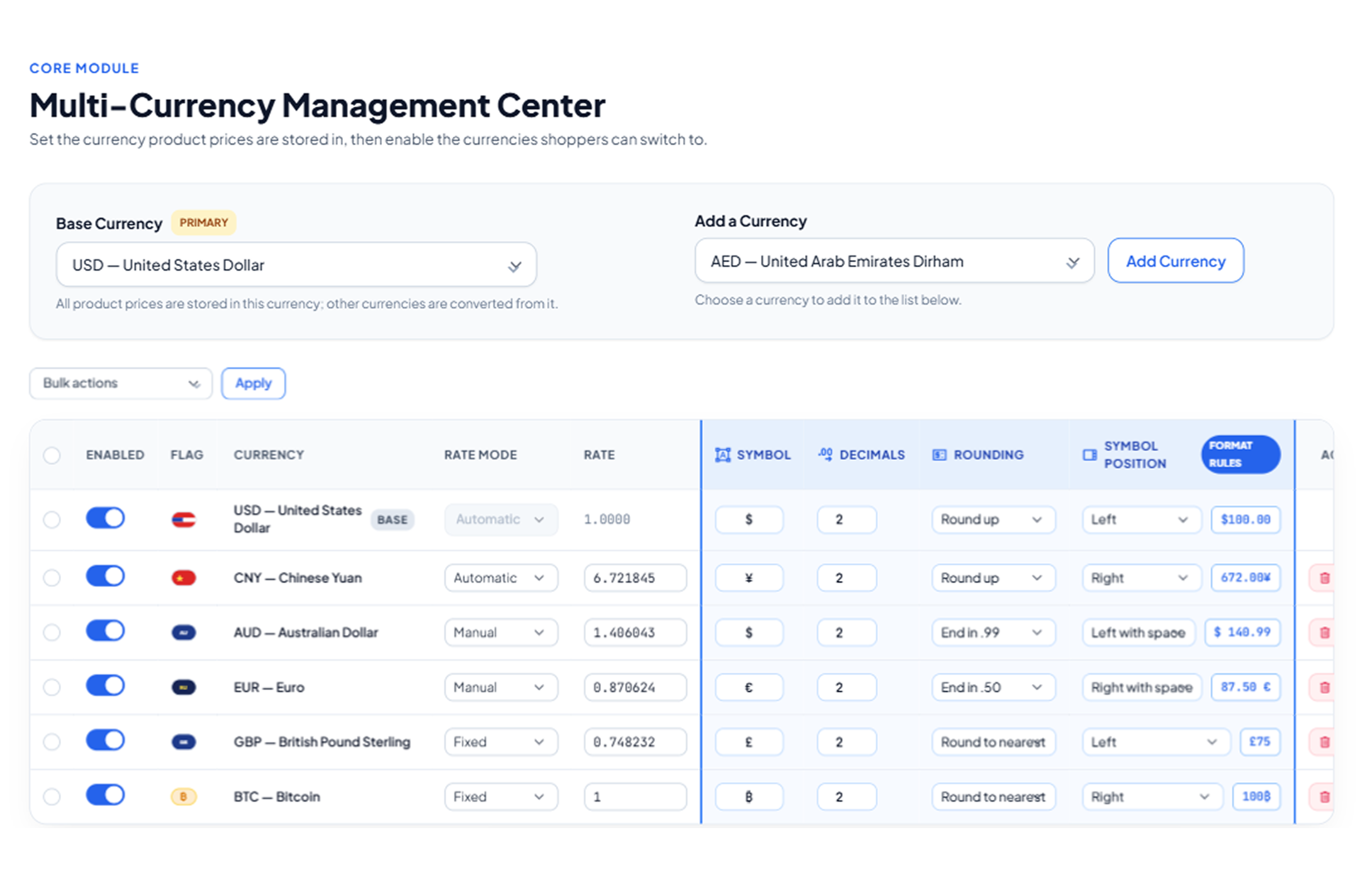
Control exactly how converted prices look on your product pages and checkout to match local formatting standards:
-
Custom Decimal Precision: Choose the exact number of decimal places to display for each individual currency.
-
Custom Currency Symbols: Override or set specific symbols for any currency to fit local shopping expectations.
-
Flexible Symbol Positioning: Position symbols precisely where you want them:
-
Left:
$100 -
Right:
100$ -
Left with space:
$ 100 -
Right with space:
100 $
-
Currency-Specific Payment Gateway Controls
Avoid failed transactions and checkout errors by pairing specific payment methods with compatible currencies:
-
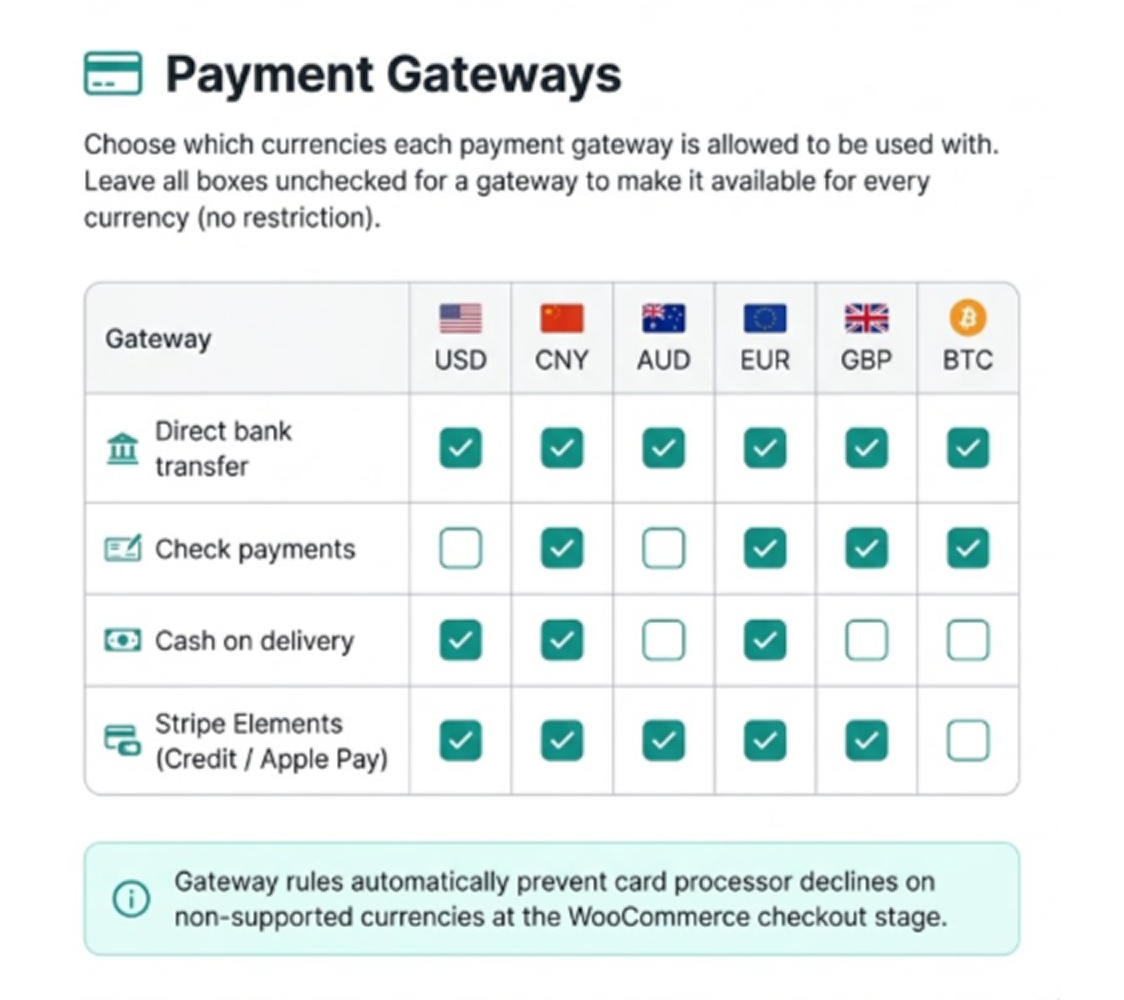
Gateway Compatibility Rules: Restrict or assign specific currencies to supported payment gateways, including:
-
Direct bank transfers
-
Check payments
-
Cash on delivery (COD)
-
-
Universal Gateway Access: Leave currency rules unchecked for any gateway to keep it available globally across all currencies.
-
Seamless Checkout: Automatically filter out unsupported payment methods based on the shopper's chosen currency to ensure a clean, error-free checkout experience.
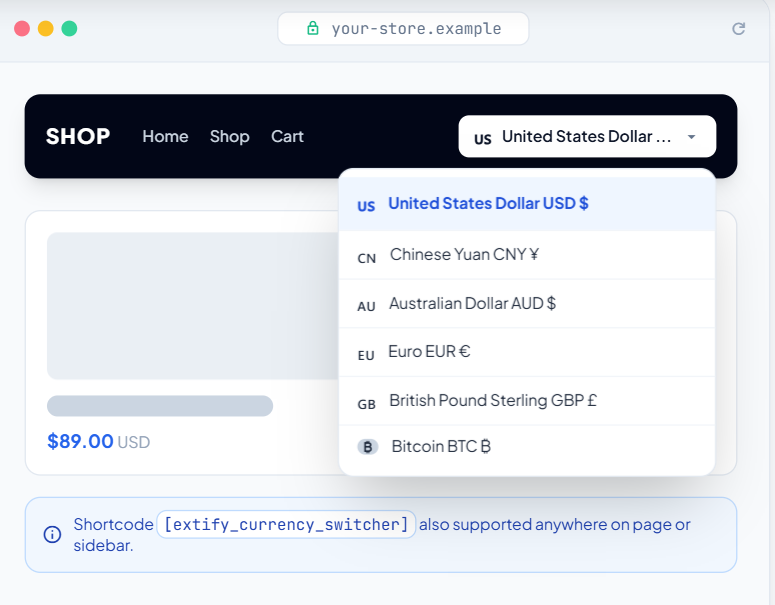
Live Style Preview

30 Day Money Back Guarantee

Trusted by 5000+ Users






The plugin works exactly as intended and was easy to set up. The support team was excellent they responded quickly, helped resolved the issue, and kept me informed about the compatibility update. Overall, a reliable plugin with great customer service.