

Google Sheets Sync for WooCommerce
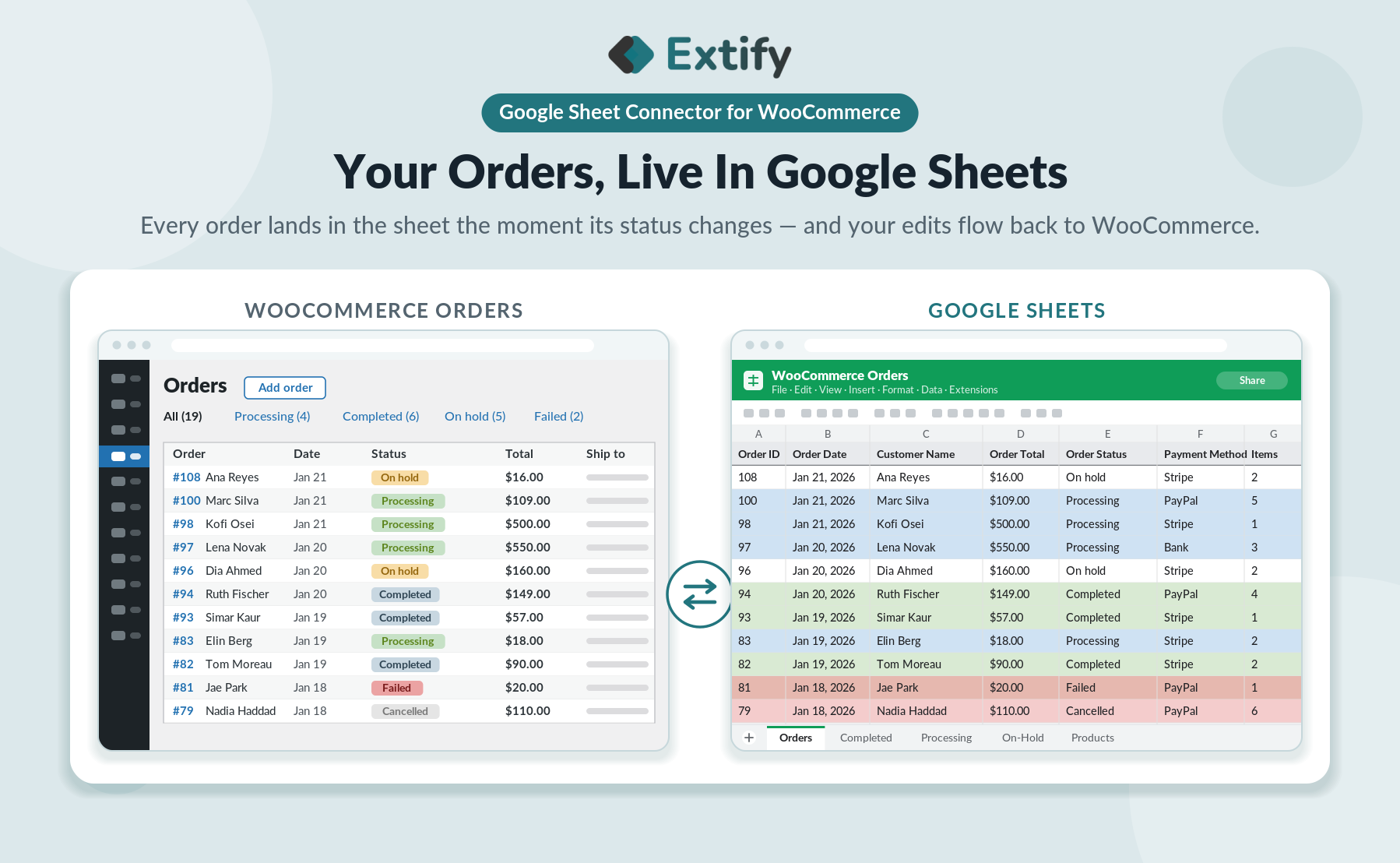
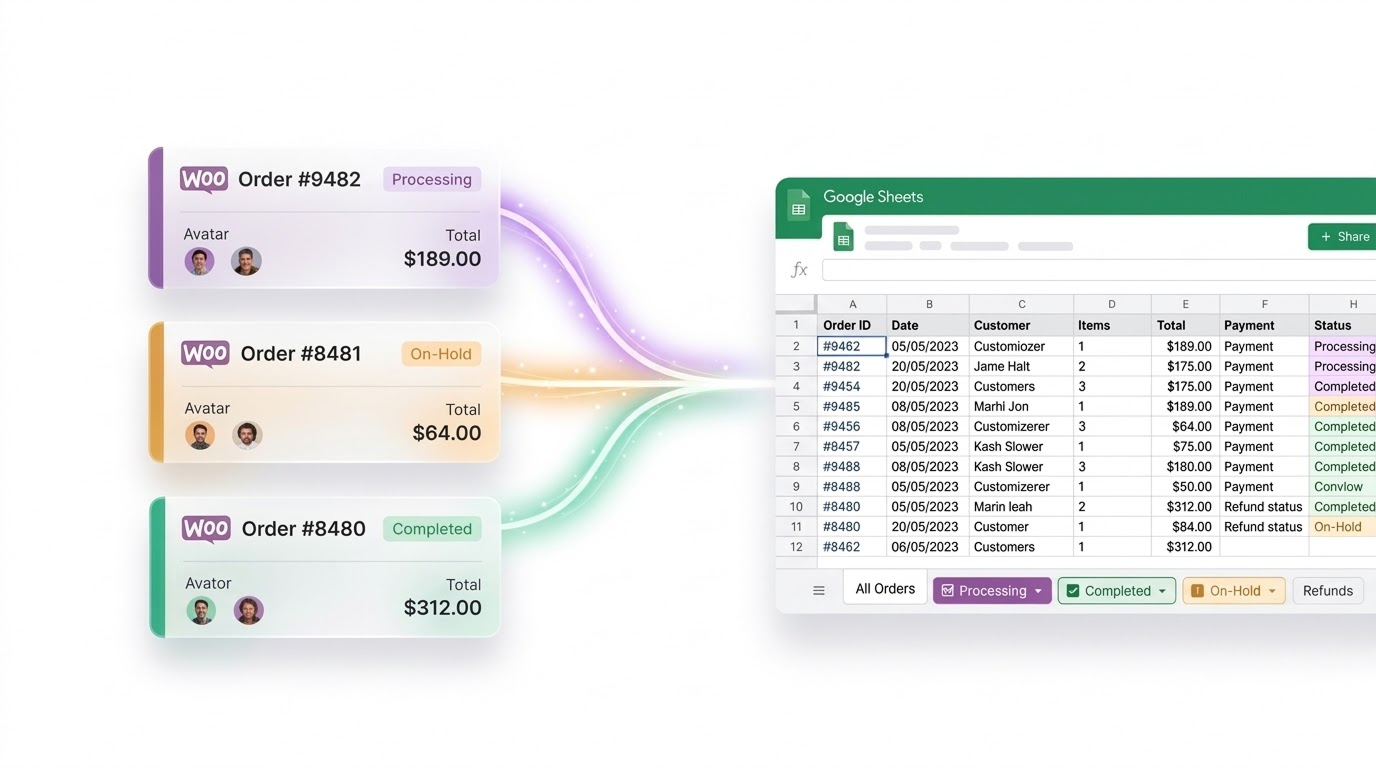
Connect WooCommerce with Google Sheets to automatically sync orders, products, prices, and inventory with real-time, scheduled, and two-way synchronization.
Also Available on WooCommerce Marketplace
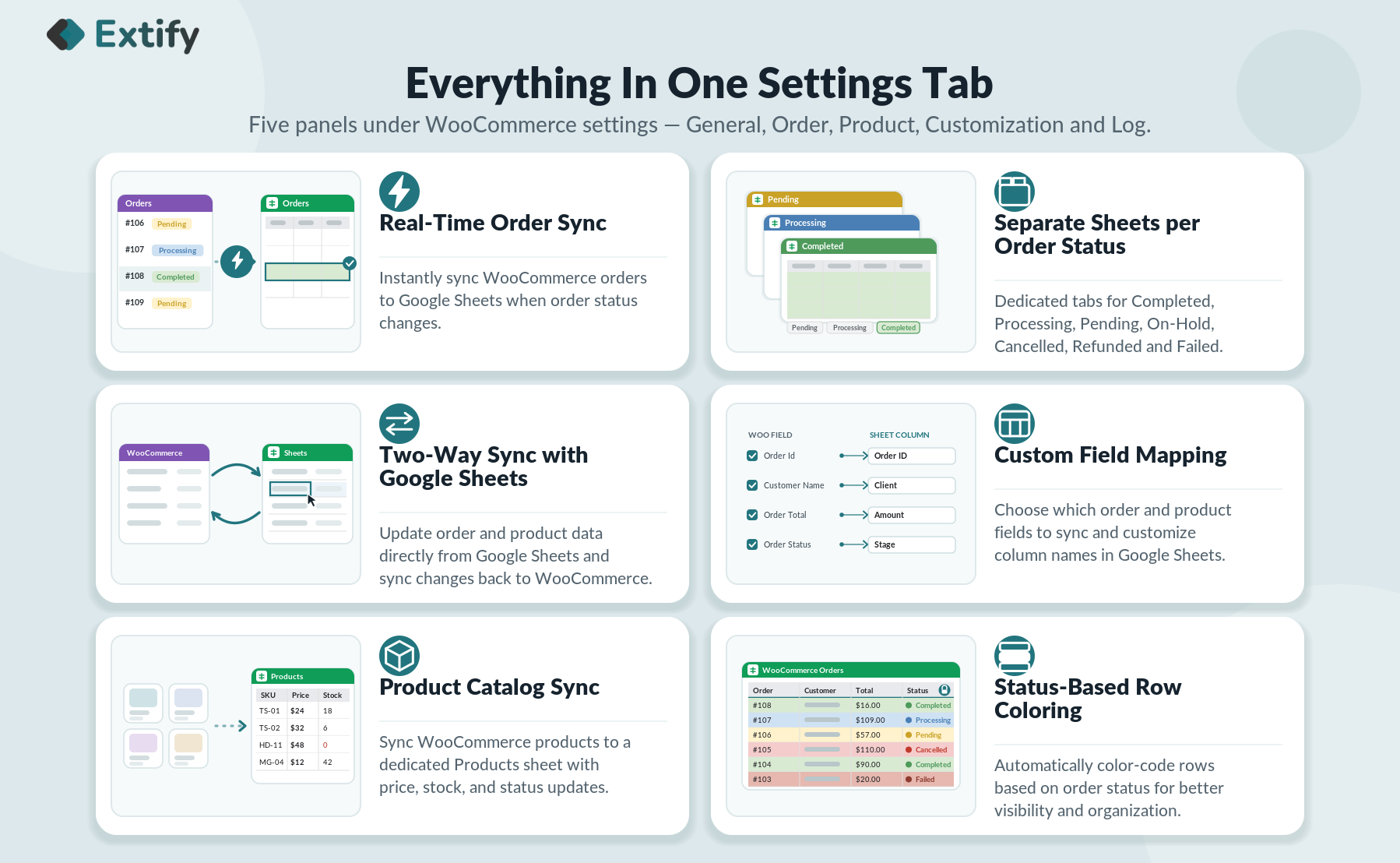
- Order Sync with Google Sheets
Automatically sync WooCommerce orders to Google Sheets. - Real-Time & Scheduled Sync
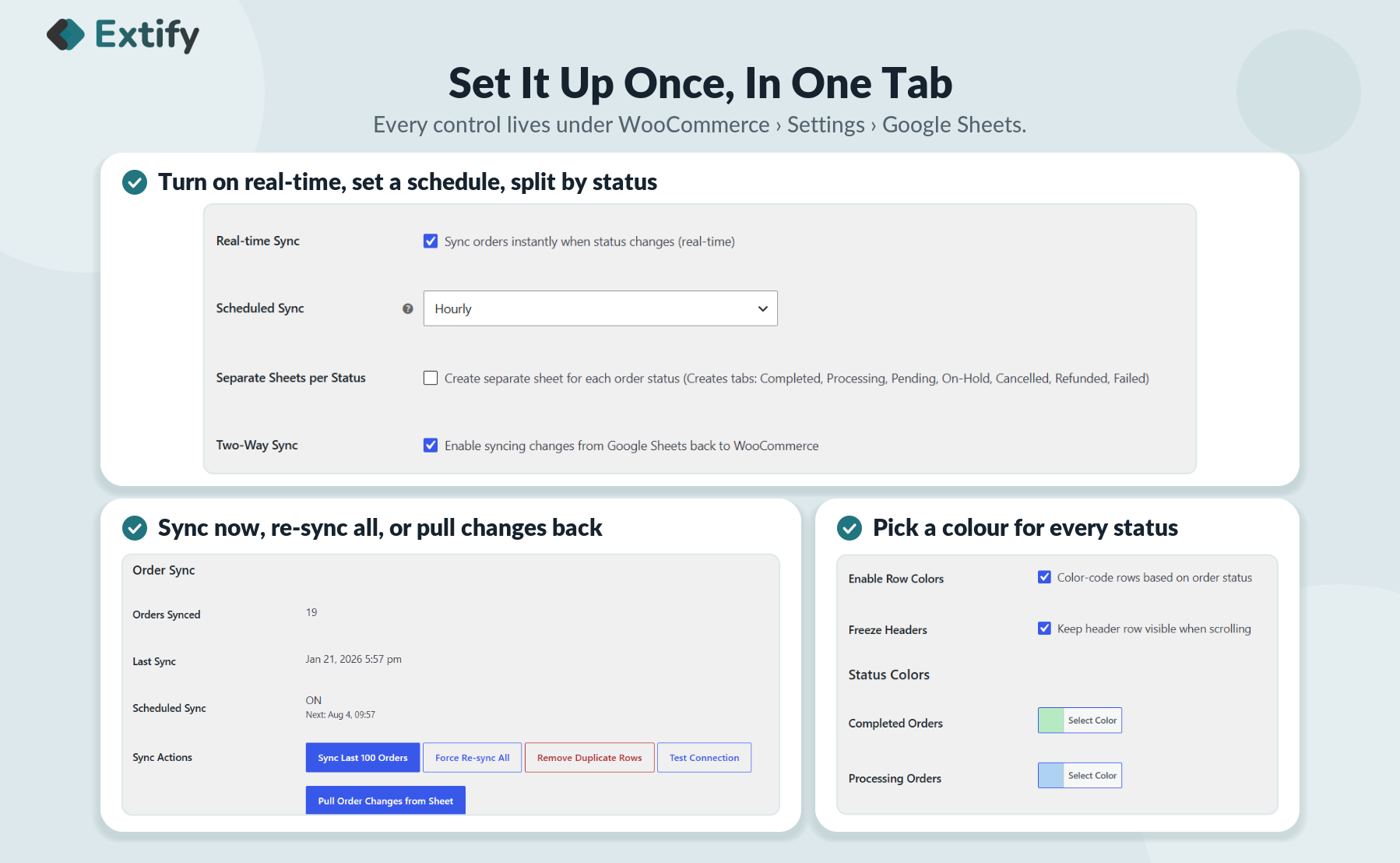
Automate syncing with real-time and scheduled updates. - Two-Way Sync: Sheets to WooCommerce
Edit supported data in Sheets and update WooCommerce. - WooCommerce Product Sync
Sync product details, prices, SKUs, and stock levels. - Separate Sheets by Order Status
Organize orders into separate tabs by status. - Custom Field Mapping
Choose sync fields and customize column labels. - Custom Google Sheet Formatting
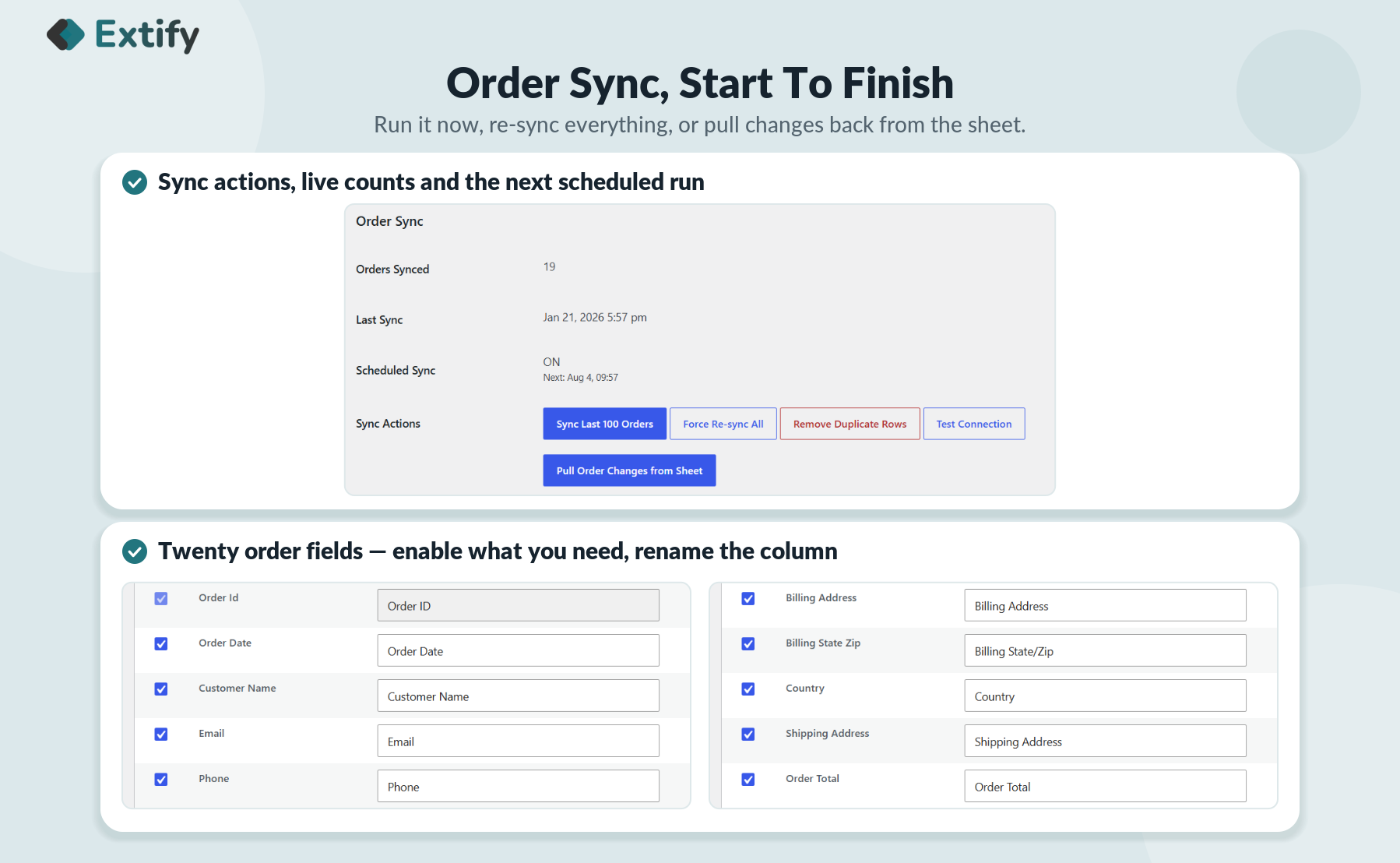
Customize headers, freeze rows, and color-code order statuses. - Manual Sync & Full Re-Sync
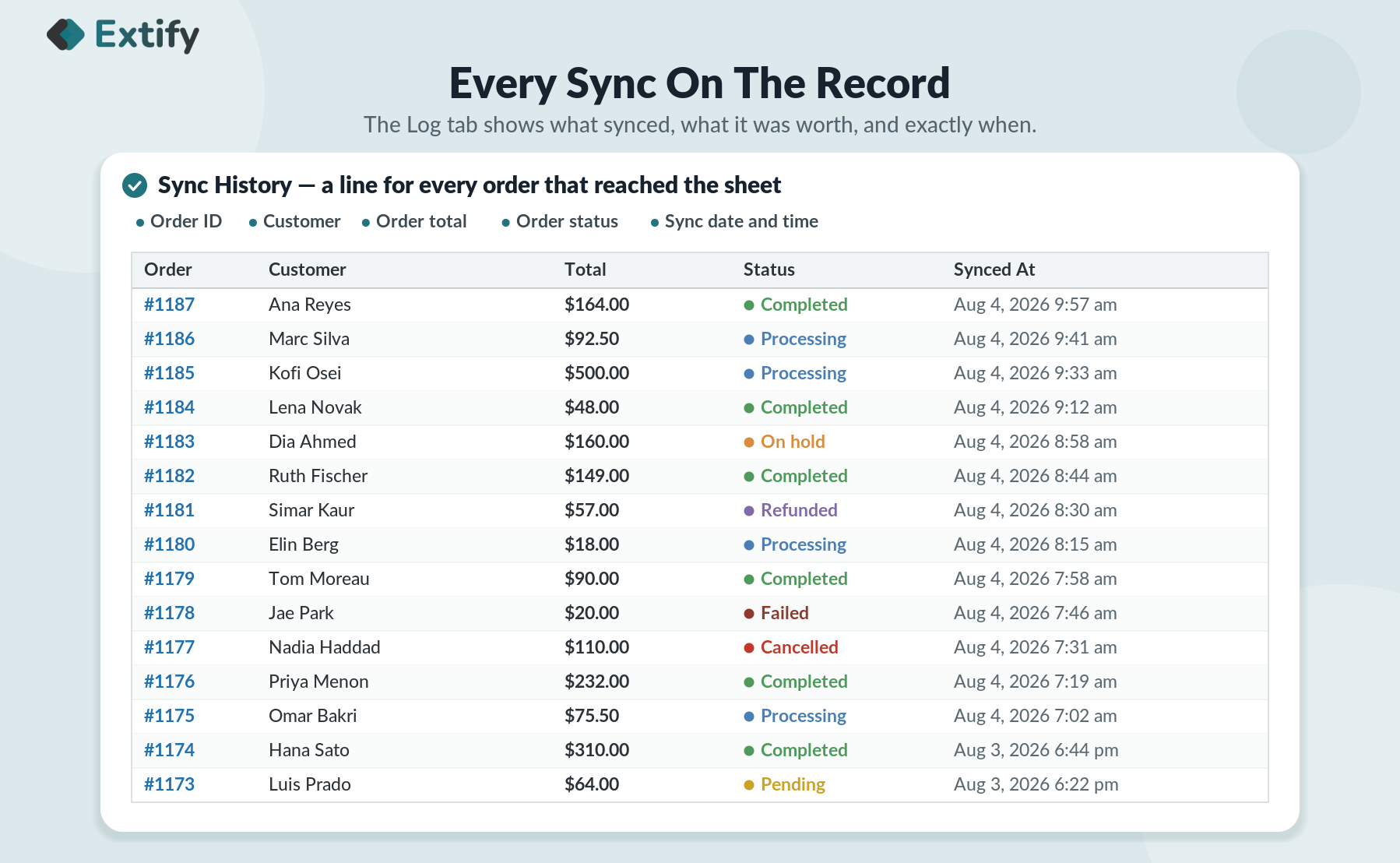
Manually sync recent orders or refresh all order data. - Sync Logs & Activity Tracking
Review sync history, order details, and timestamps.
Detailed Features

Order Sync with Google Sheets
-
Sync order IDs, dates, and statuses.
-
Access customer, billing, and shipping details.
-
View product, payment, and order total information.
-
Simplify order tracking and sales reporting.
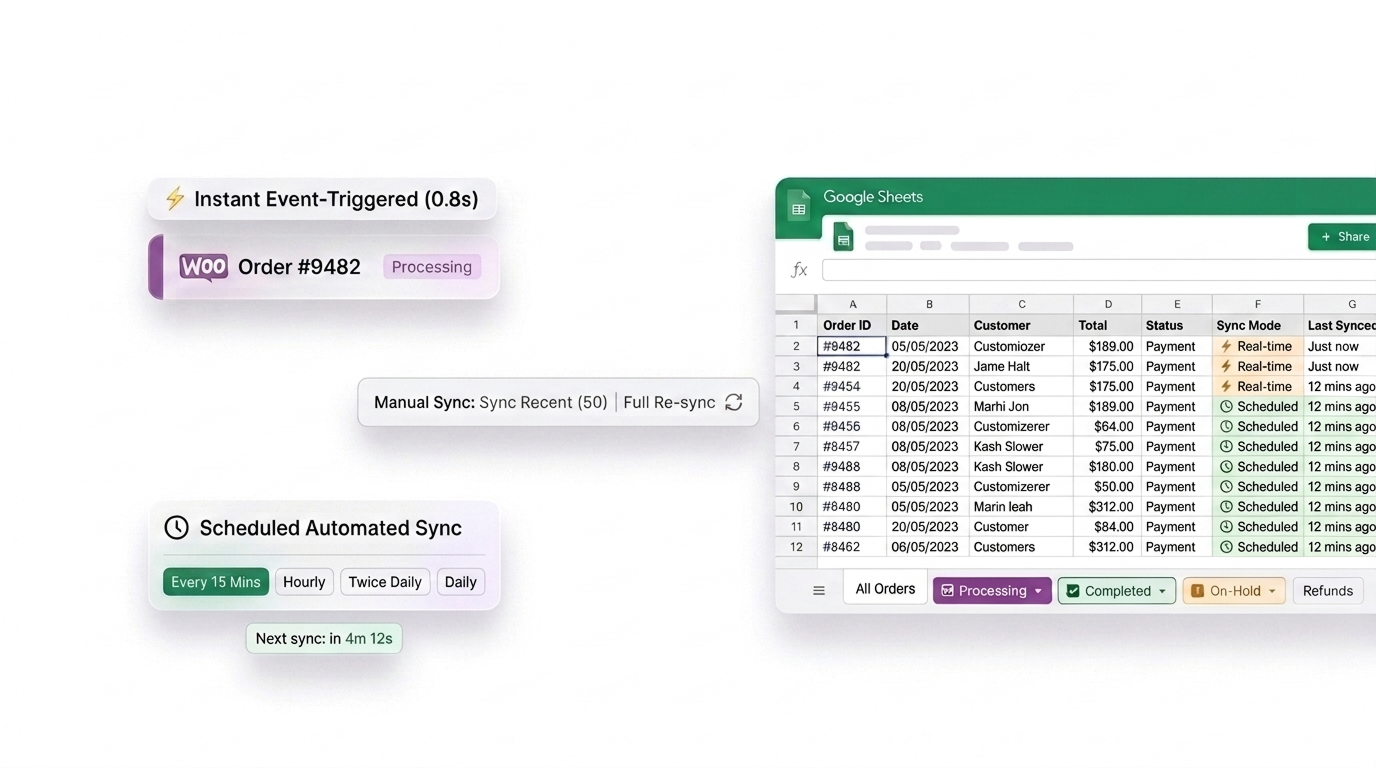
Real-Time & Scheduled Sync
-
Sync orders when their status changes.
-
Schedule syncs every 15 minutes, hourly, twice daily, or daily.
-
Reduce manual data entry.
-
Keep spreadsheet records up to date.
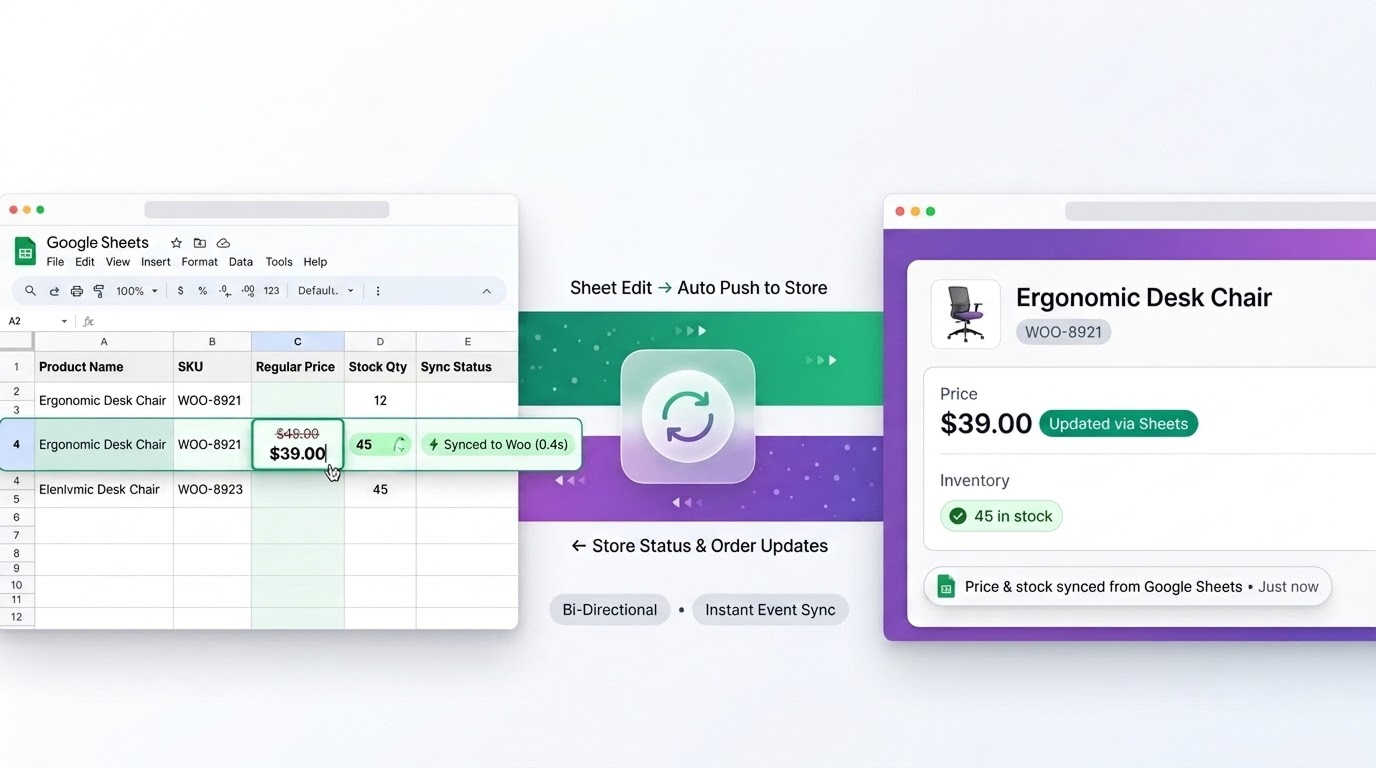
Two-Way Sync: Sheets to WooCommerce
-
Push supported changes from Sheets to WooCommerce.
-
Update product prices, stock, and statuses where supported.
-
Manage data from a familiar spreadsheet.
-
Keep supported information aligned across platforms.
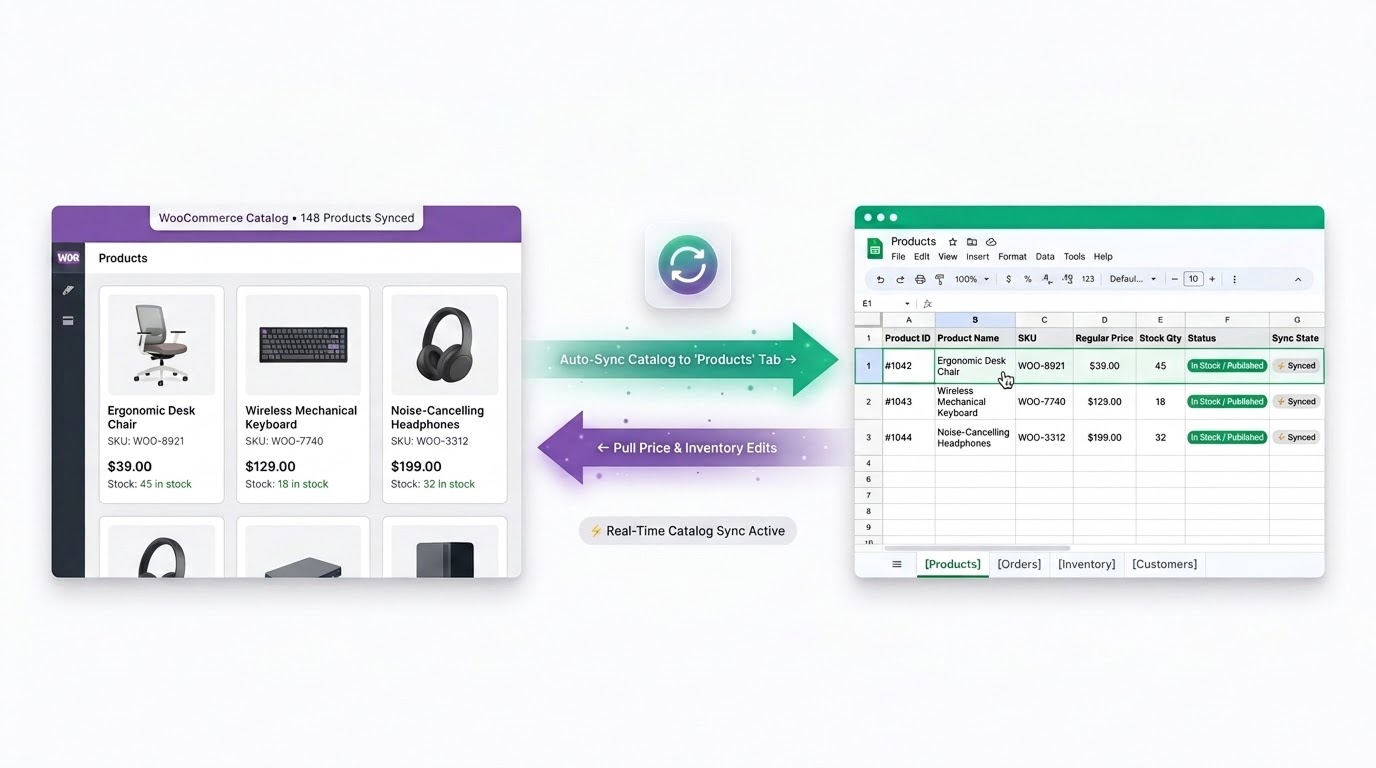
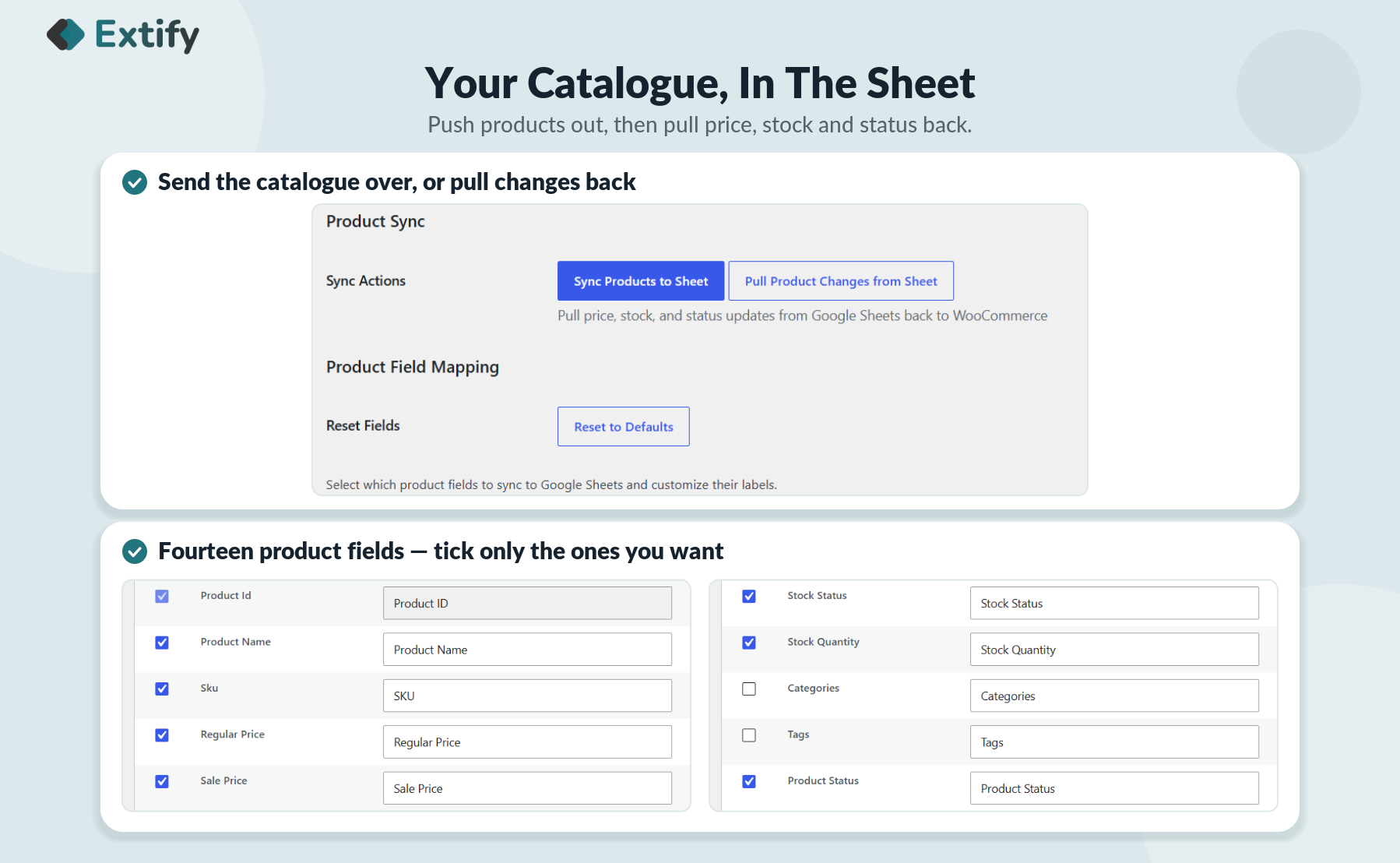
WooCommerce Product Sync
-
Sync product names, IDs, and SKUs.
-
View prices and stock quantities.
-
Track product statuses.
-
Update supported product fields from Sheets.
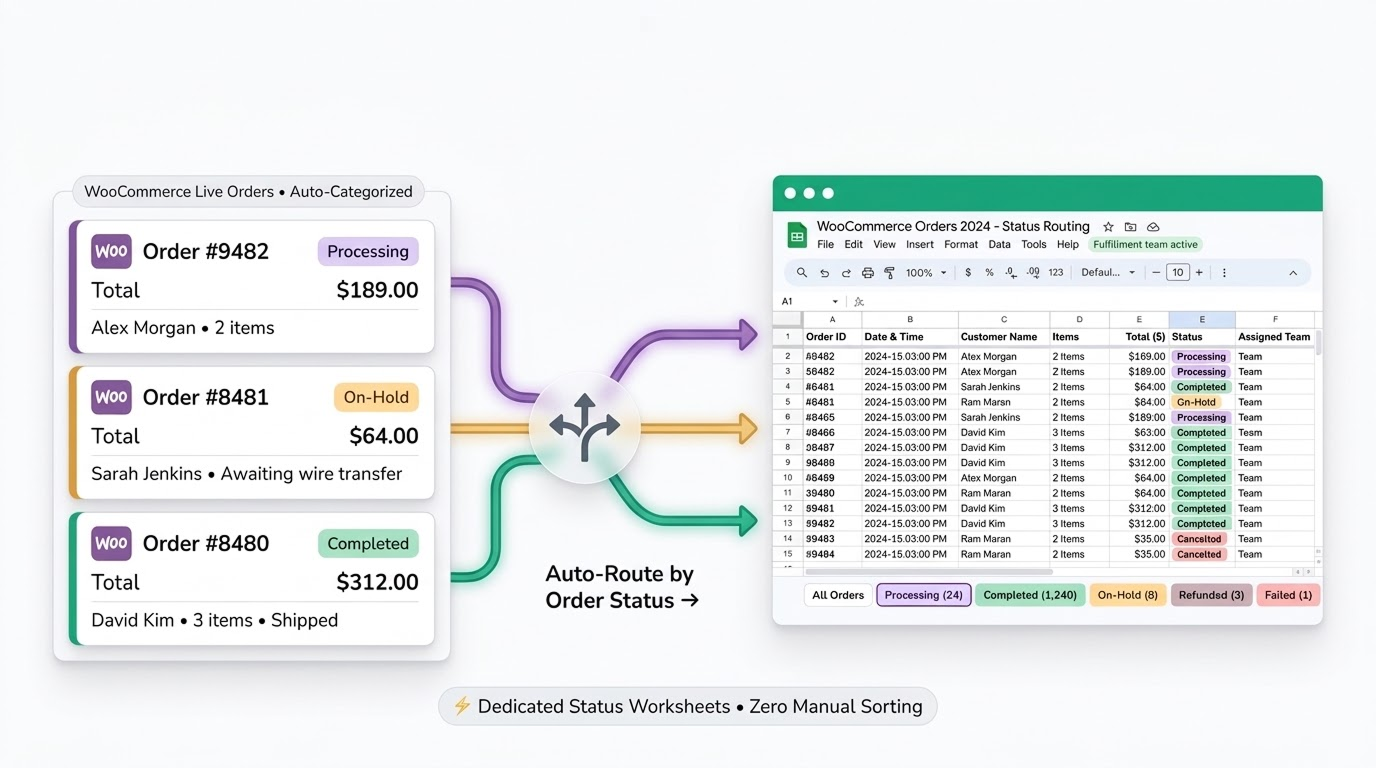
Separate Sheets for Each Order Status
-
Separate processing and completed orders.
-
Track pending and on-hold orders.
-
Identify cancelled, refunded, and failed orders.
-
Improve order fulfillment tracking.
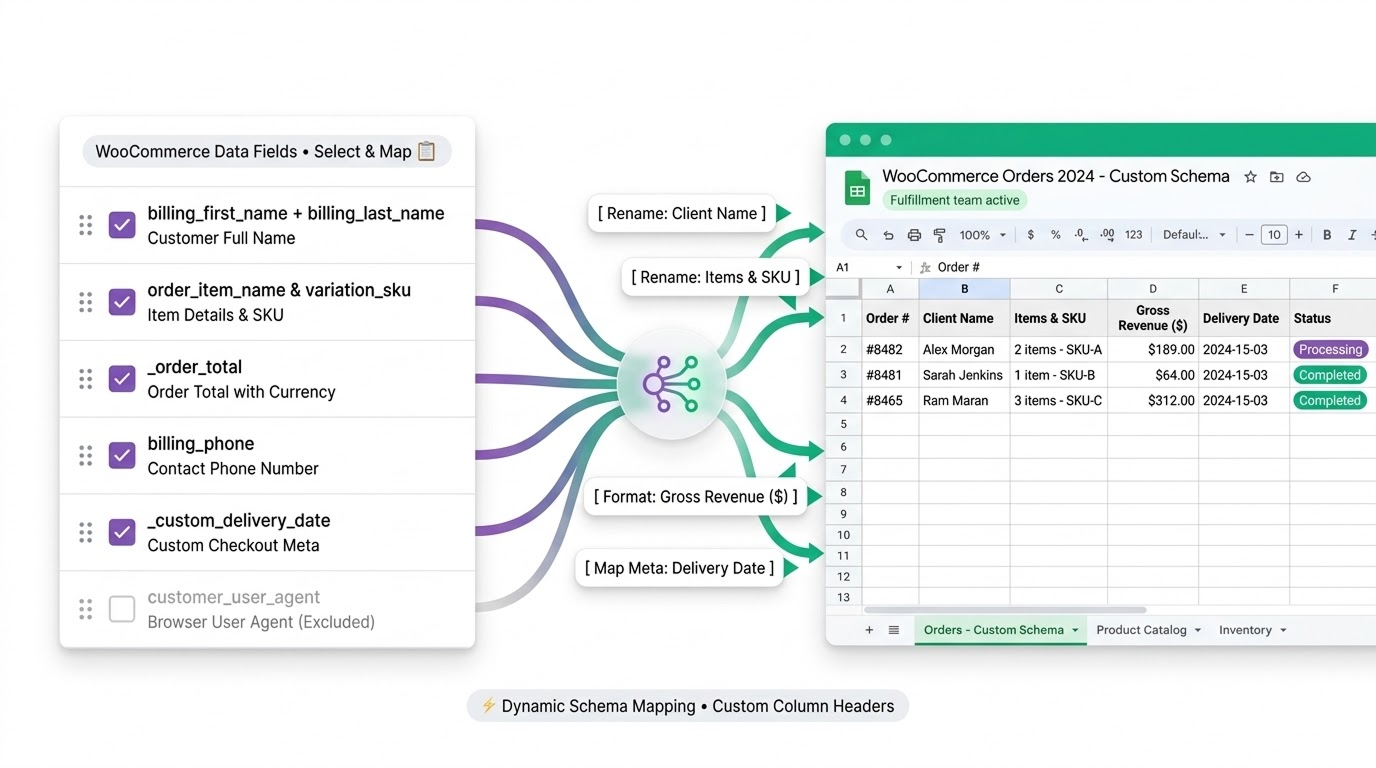
Custom Field Mapping & Column Labels
-
Choose order and product fields.
-
Customize column labels.
-
Display only relevant information.
-
Organize data for easier reporting.
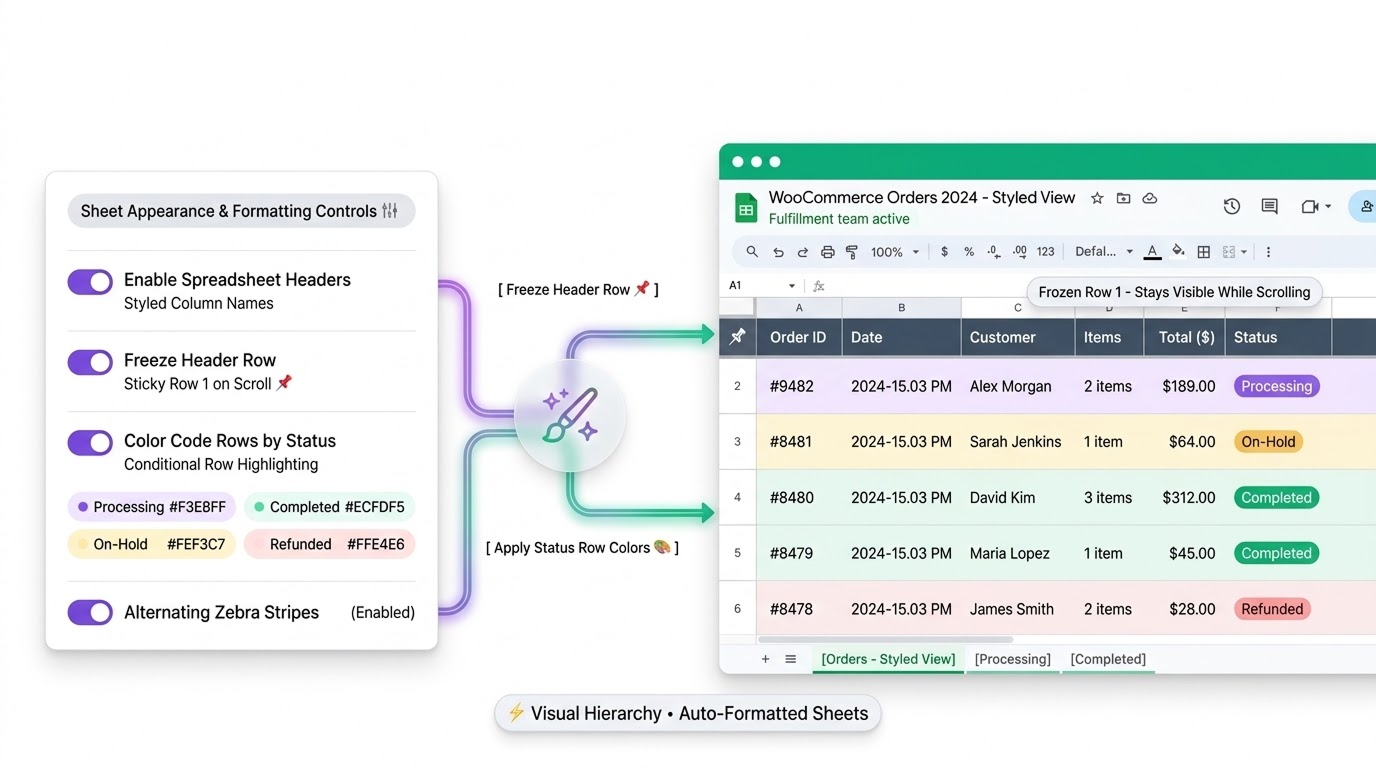
Custom Google Sheets Formatting
-
Show or hide column headers.
-
Freeze header rows.
-
Apply colors based on order status.
-
Improve spreadsheet readability.

No reviews for this product yet.
| 5 star | 0% | |
| 4 star | 0% | |
| 3 star | 0% | |
| 2 star | 0% | |
| 1 star | 0% |
Sorry, no reviews match your current selections

30 Day Money Back Guarantee

Trusted by 5000+ Users

We Customize As You Need
Frequently Asked Questions?
How does Google Sheet Connector for WooCommerce work?
The plugin connects your WooCommerce store to a Google spreadsheet and transfers supported order and product data. Depending on your configuration, you can automate synchronization, schedule updates, or manually sync records.
Can I automatically sync WooCommerce orders to Google Sheets?
Yes. The plugin supports automated order synchronization, including real-time updates when order statuses change and scheduled syncing at supported intervals. This reduces manual data entry and helps keep order records current.
Does the plugin support two-way synchronization between WooCommerce and Google Sheets?
Yes. The plugin supports two-way synchronization for supported data fields, allowing changes made in Google Sheets to be synced back to WooCommerce. The available fields and sync actions depend on the data type and plugin configuration.
Can I sync WooCommerce products to Google Sheets?
Yes. You can sync supported product information, such as product names, IDs, SKUs, prices, stock quantities, and statuses, to Google Sheets. Supported product updates can also be synced back to WooCommerce.
Which WooCommerce order statuses can I sync?
The plugin supports syncing orders across common WooCommerce statuses, allowing you to track orders throughout the fulfillment process. You can also choose which statuses to include. - Pending payment - Processing and on-hold - Completed - Cancelled, refunded, and failed orders.
Can I sync all WooCommerce orders into one Google Sheet?
Yes. You can keep WooCommerce orders in one Google Sheet or organize them into separate tabs for each order status. This makes order tracking and reporting easier.
How often does WooCommerce data sync with Google Sheets?
You can configure scheduled synchronization to run every 15 minutes, hourly, twice daily, or daily. Real-time order syncing is also available when an order's status changes.
Can I choose which order and product fields are synced?
Yes. The plugin provides field-mapping options to select the order and product information you want to sync. You can also customize column labels to make your spreadsheet easier to read.
Can I update product prices and stock quantities from Google Sheets?
Yes. With two-way sync enabled, you can update supported product fields, including prices, stock quantities, and product statuses, in Google Sheets and pull those changes into WooCommerce.
Can I customize the appearance of my Google Sheet?
Yes. You can show or hide headers, freeze the header row, customize column labels, and apply row colors based on order status.
Related Products
Currency Switcher for WooCommerce
Automatically show local currencies based on shopper IP or browser language, run live or manual exchange rates, and customize every price format—complete with floating switchers, shortcodes, and payment gateway controls.
$79.00
Migrate Shopify to WooCommerce
Migrate your entire Shopify store to WooCommerce in 3 simple steps—with zero data loss, advanced filtering, automated WebP image optimization, and real-time tracking.
$59.00
External Links Button for WooCommerce
Add unlimited external or affiliate link buttons to WooCommerce products—with full control over placement, visibility, and design.
This product is also available on WooCommerce Official Marketplace.
$29.00
File Upload for WooCommerce
Let customers upload files on Product, Cart, Checkout, and Order pages in your WooCommerce store. Customize upload rules, charge fees, set deadlines, and manage files from a dedicated admin dashboard.
WooCommerce File Upload is also available on WooCommerce Official Marketplace.
$39.00
Product Gallery Slider
Enhance your WooCommerce product pages with a feature-rich gallery slider offering custom layouts, smooth transitions, zoom options, and social sharing. Tailor every element—from thumbnails to navigation.
$49.00
Mistakes Finder for WooCommerce
Identify and fix product data issues across your WooCommerce store like missing prices, images, SKUs, and descriptions. Filter, edit, and export catalog errors from a single dashboard
This product is also available on WooCommerce Official Marketplace.
$29.00
Write a Review