Discounts Plugin for WooCommerce
Role Based Discounts for WooCommerce lets you create custom discounts for your WooCommerce store for different customer types, schedule it, hide price & add to cart, offer free shipping, and more.
WooCommerce Discounts Plugin is also available on WooCommerce Official Marketplace.
Dynamic Discounts
BOGO Offers
Scheduled Sales
Custom Rules
Plugin Highlights


Key Features
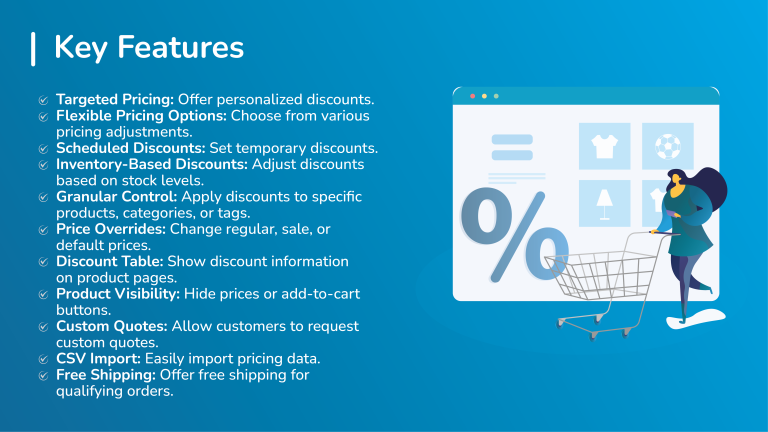
- Targeted Pricing: Offer different prices to specific customers or customer roles.
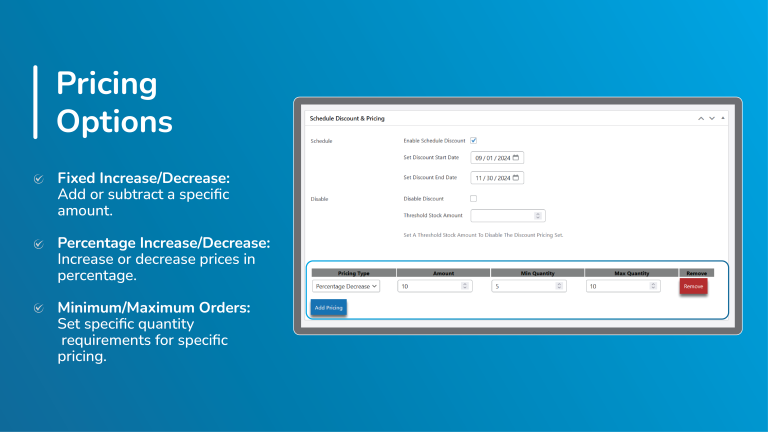
- Flexible Pricing Options: Choose from percentage increases, percentage decreases, fixed increases, or fixed decreases.
- Scheduled Discounts and Surcharges: Set start and end dates for discounts and surcharges.
- Threshold-Based Pricing: Disable discounts or surcharges based on inventory levels.
- Granular Application: Apply discounts or surcharges to specific products, categories, or tags.
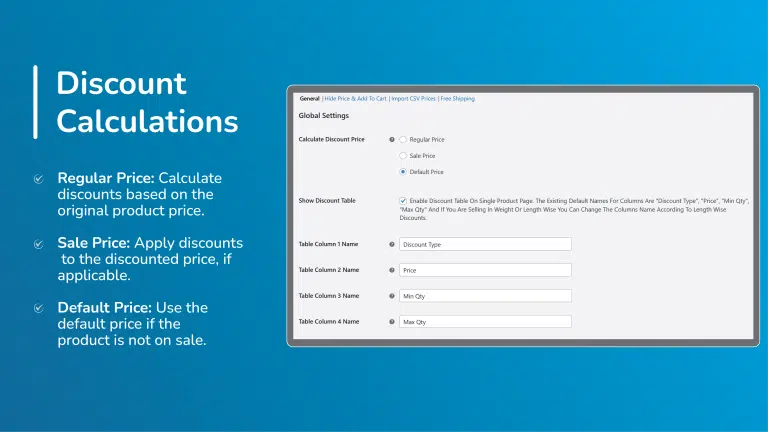
- Price Overrides: Apply pricing changes to regular, sales, or default prices.
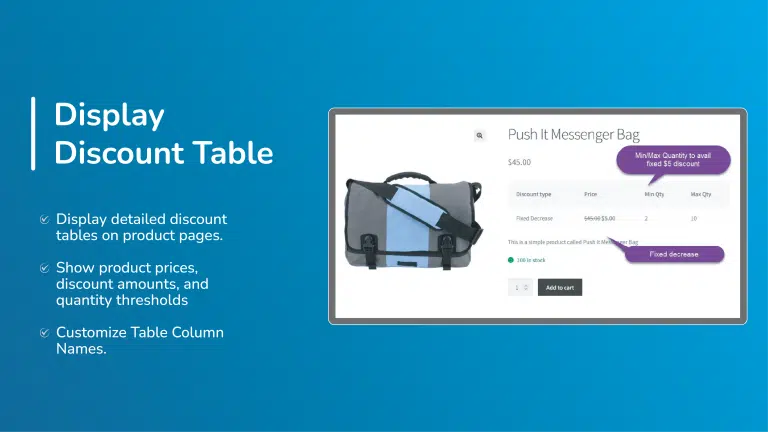
- Discount Table Display: Showcase discount information on product pages.
- Price and Add-to-Cart Visibility: Hide prices or add-to-cart buttons.
- Request a Quote Functionality: Replace add-to-cart buttons with a “Request a Quote” option.
- CSV Import: Easily import pricing data from a CSV file.
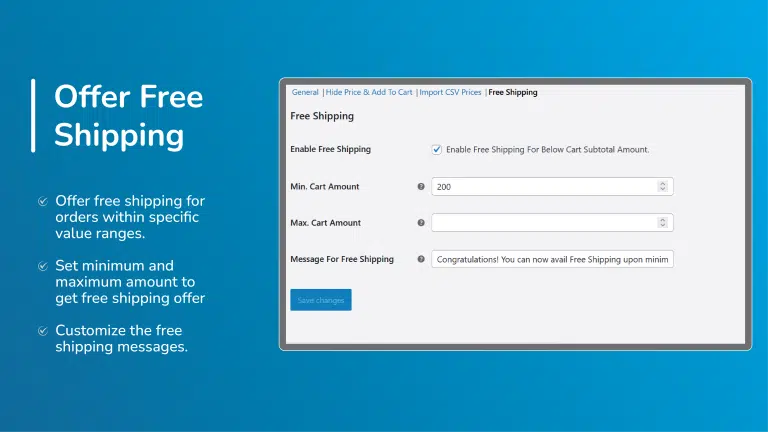
- Free Shipping Incentives: Offer free shipping based on cart subtotal criteria.
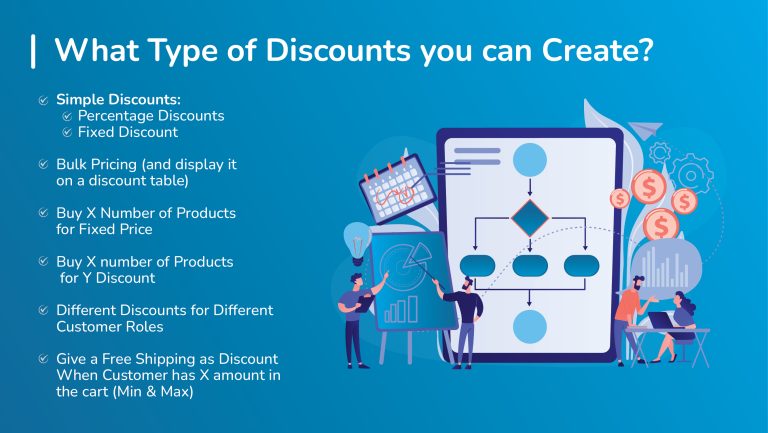
What Type of Discounts you can Create?
- Simple Discounts:
- Percentage Discounts
- Fixed Discount
- Bulk Pricing (and display it on a discount table)
- Buy X Number of Products for Fixed Price
- Buy X number of Products for Y Discount
- Different Discounts for Different Customer Roles
- Give a Free Shipping as Discount When Customer has X amount in the cart (Min & Max)
Detailed Features

Discount Pricing Application
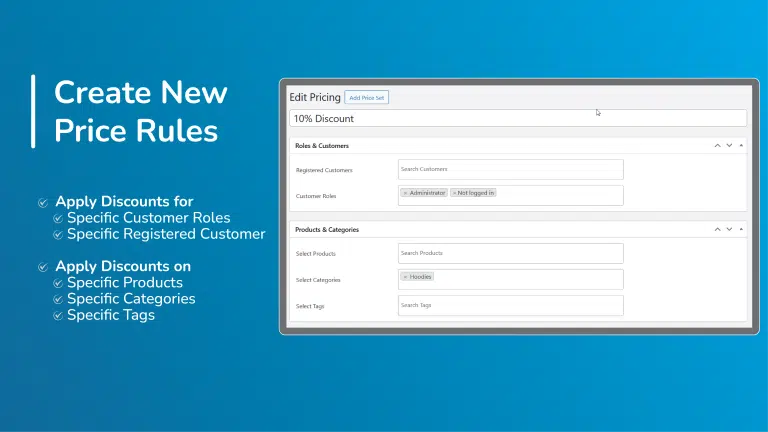
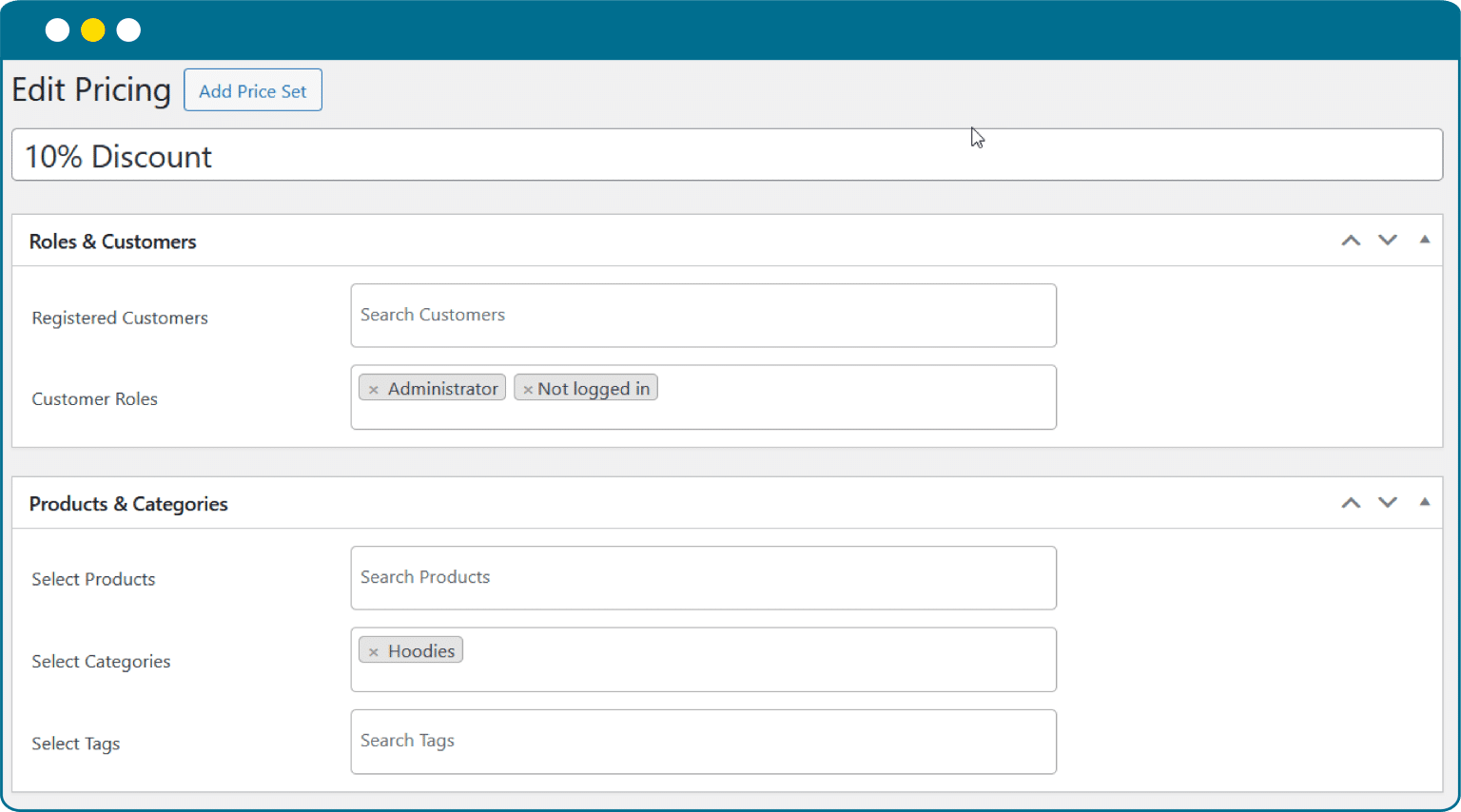
- Registered Customers: Apply rules to specific registered customers.
- Customer Roles: Apply rules based on customer roles.
Apply Discounts on Specific
- Product Selection: Choose specific products to apply discounts.
- Categories: Apply discounts to specific product categories.
- Tags: Apply discounts based on specific tags
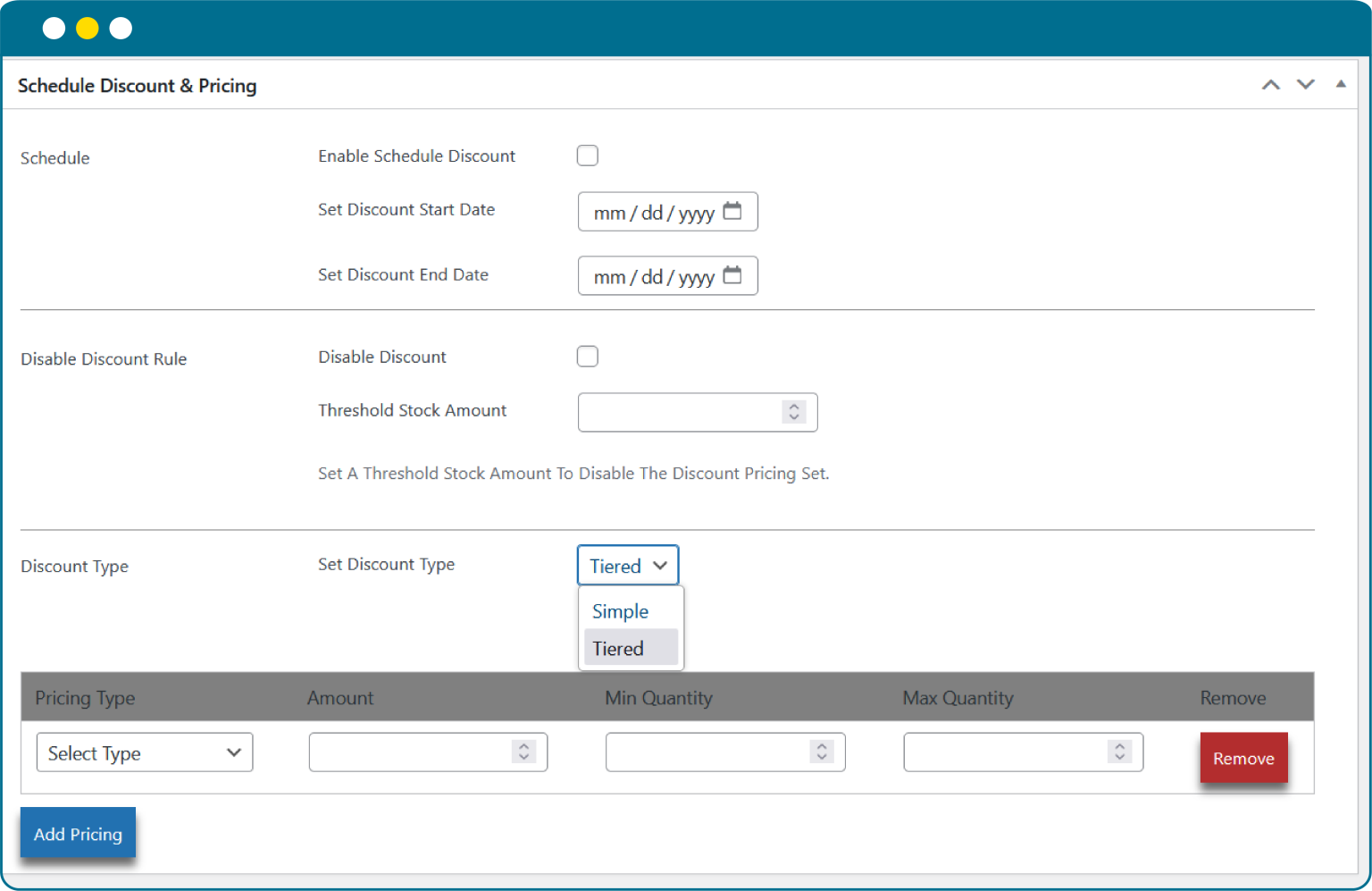
Scheduling Discounts & Setting Prices
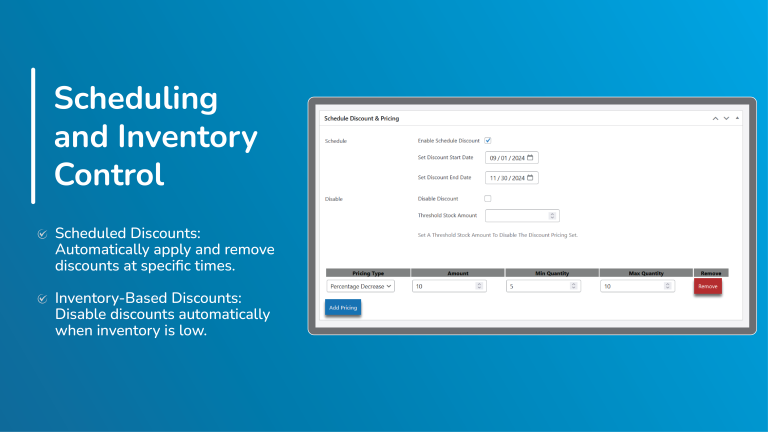
- Schedule Discounts and Surcharges: That will automatically activate and deactivate price changes at specific times.
- Disable Discounts on Inventory Levels: Automatically disable discounts when inventory levels fall below a specified threshold.
- 2 Discount Types: Simple Discounts and Tiered Pricing
- Tiered Pricing Configuration:
- Pricing Types: Select Percentage Increase, Fixed Increase, Percentage Decrease, or Fixed Decrease.
- Amount: You can enter amount for the selected pricing type.
- Min Quantity & Max Quantity: You can also set minimum and maximum quantities to order.
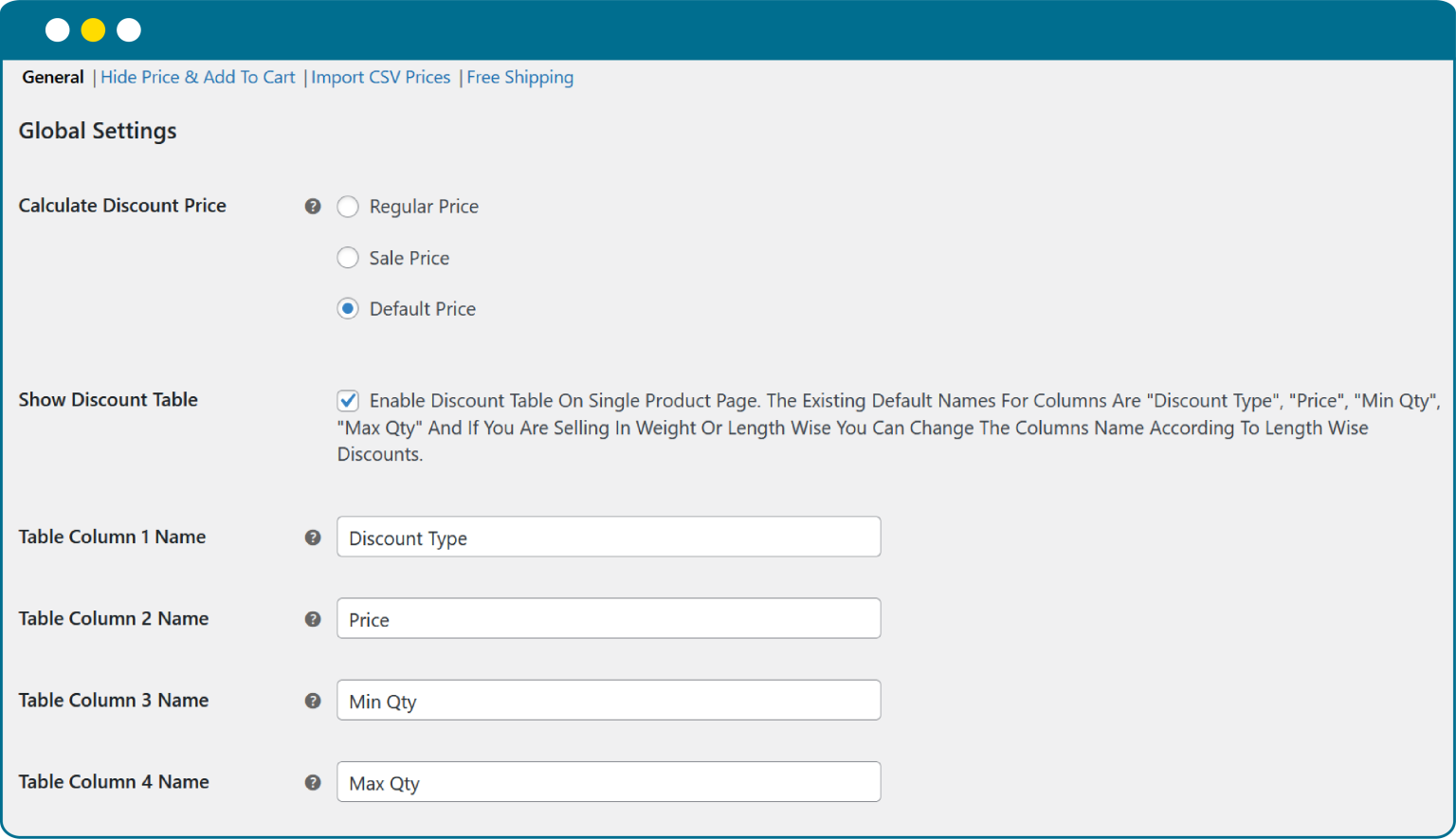
Pricing Criteria & Discount Table
- WooCommerce Role Based Pricing allows you to calculate pricing based on your specific criteria like
- Regular Price
- Sale Price
- or Default Price
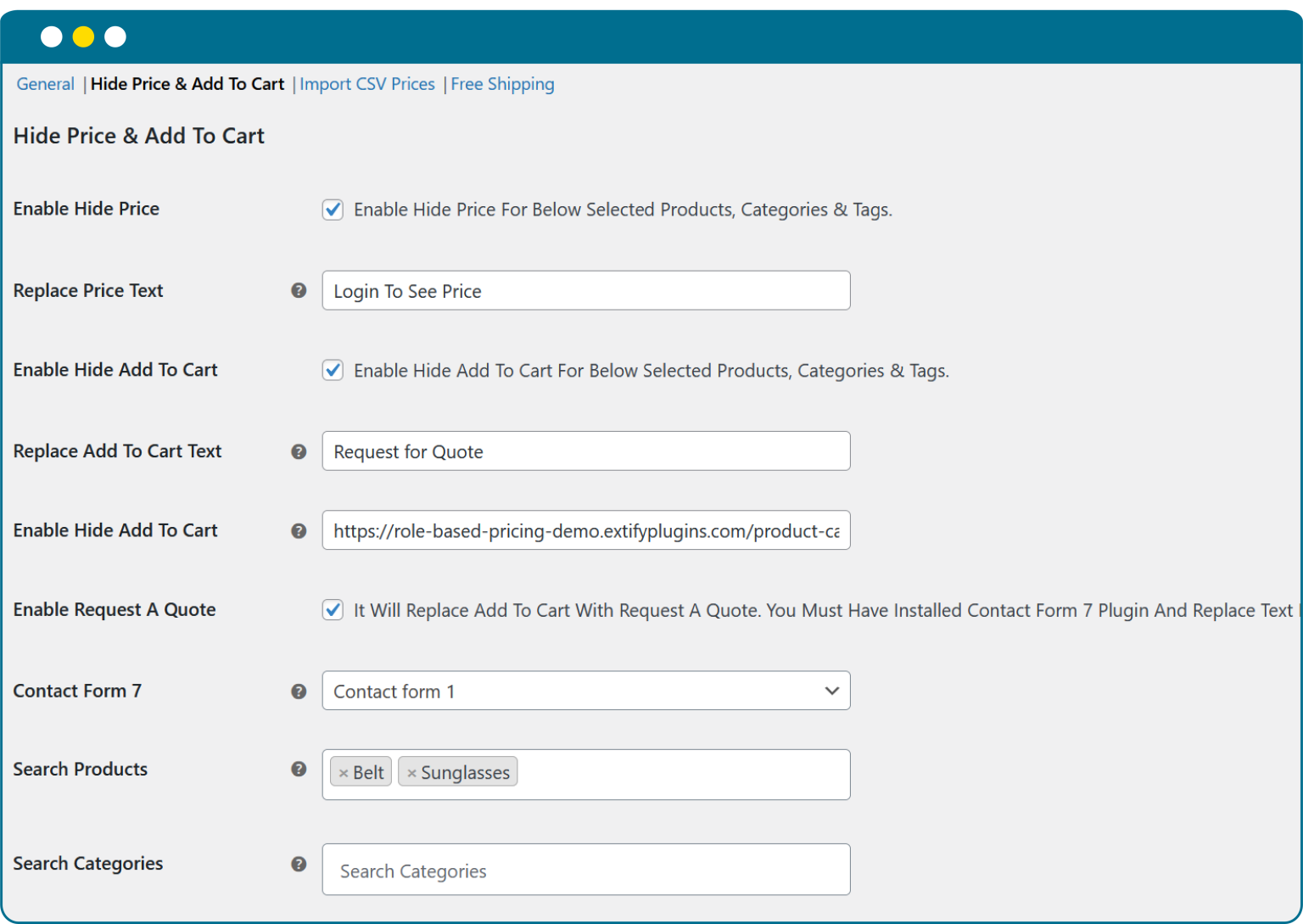
Hide Prices & Add to Cart Button
- Hide prices for selected products, categories, or tags.
- Replace price text with a custom message.
- Hide Add to Cart for selected products, categories, or tags.
- Replace Add to Cart button text with any message you choose.
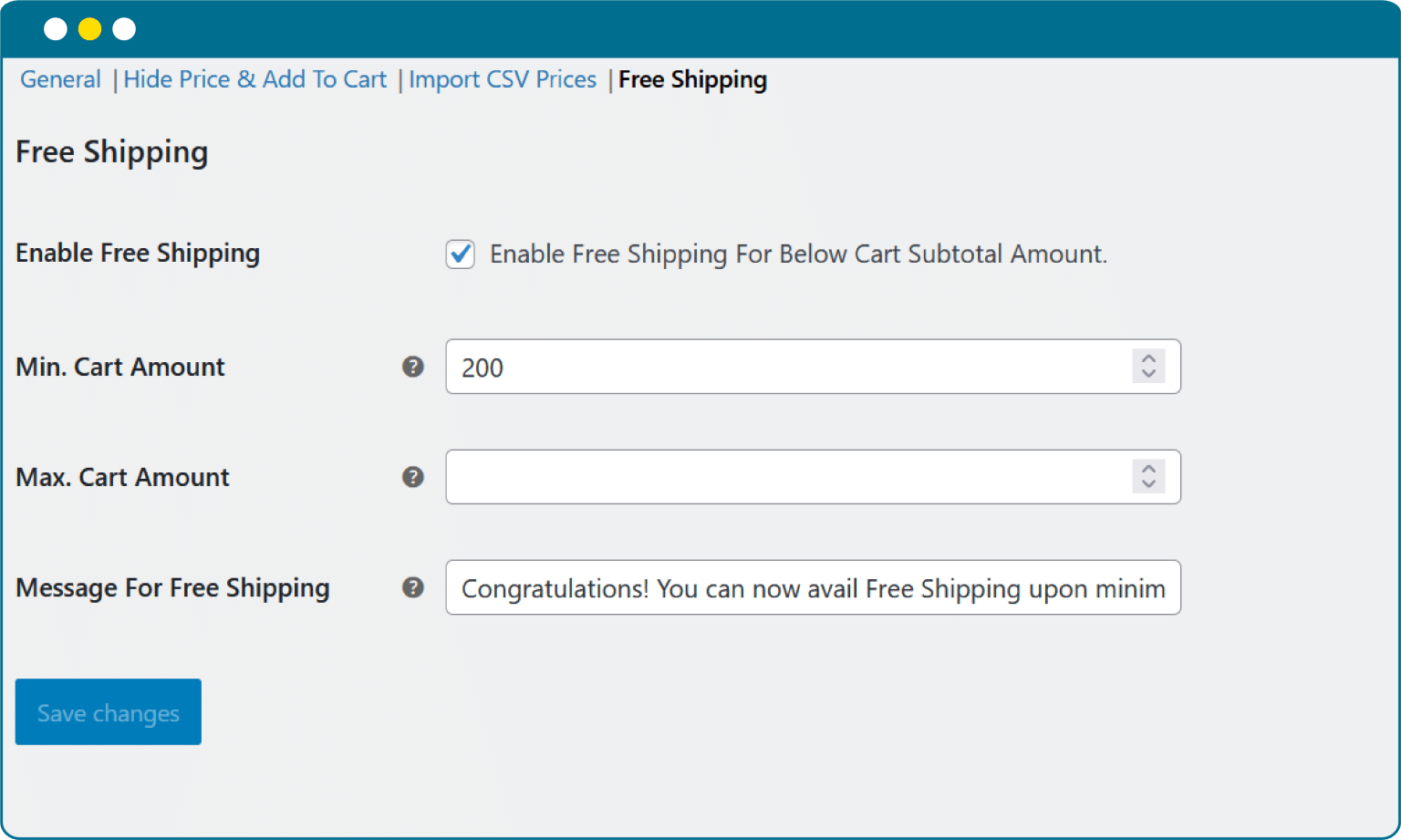
Free Shipping Based on Cart Value
- Minimum Cart Amount
- Maximum Cart Amount
- Custom Message for Free Shipping Thresholds
- Congratulations Message After Availing Free Shipping
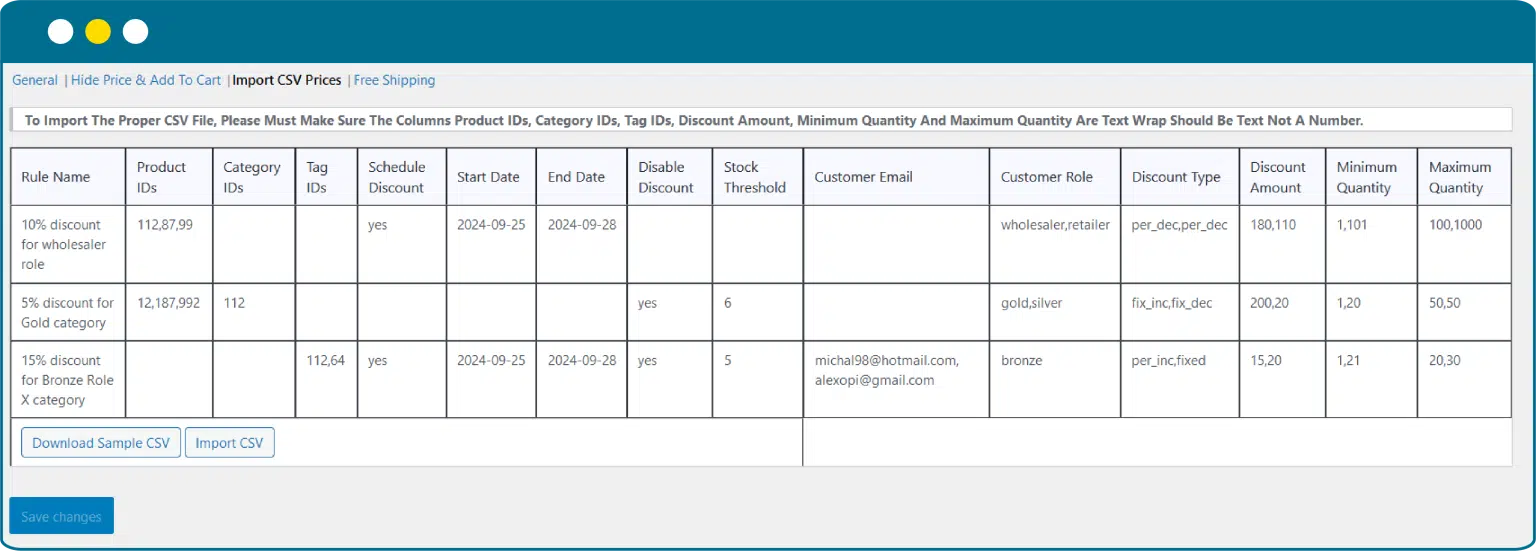
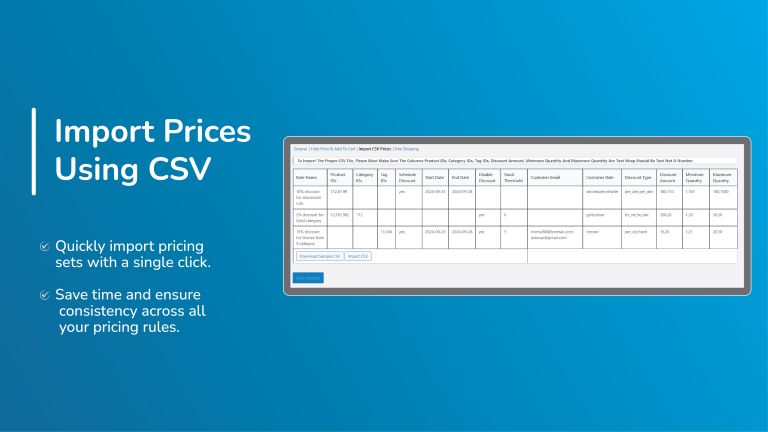
Bulk Price Import via CSV:
Customer Reviews
| 5 star | 100 | 100% |
| 4 star | 0% | |
| 3 star | 0% | |
| 2 star | 0% | |
| 1 star | 0% |
Sorry, no reviews match your current selections

30 Day Money Back Guarantee

Trusted by 5000+ Users

We Customize As You Need
Frequently Asked Questions?
Get started with Extify Plugin
Version: 1.0.2
Last Updated: December 16, 2024
Published On: July 3, 2024
Can I set discounts for specific products only?
Yes, discounts can be applied to products, categories, or even user roles.
Does it support bulk/quantity-based discounts?
Yes, you can set rules like “Buy 3, Get 20% Off.”
Can I create BOGO (Buy One Get One) deals?
Absolutely, BOGO and mix-and-match offers are supported.
Can I schedule discounts for sales campaigns?
Yes, you can start and end discounts automatically.
Will it work with coupon codes?
Yes, discounts can work alongside WooCommerce coupons.
Related Products
File Upload for WooCommerce
Easily let customers upload files on Product, Cart, Checkout, and Order pages in your WooCommerce store. Customize upload rules, charge fees, set deadlines, and manage files from a dedicated admin dashboard.
WooCommerce File Upload is also available on WooCommerce Official Marketplace.
$39.00
Product Gallery Slider Pro
Enhance your WooCommerce product pages with a feature-rich gallery slider offering custom layouts, smooth transitions, zoom options, and social sharing. Tailor every element—from thumbnails to navigation.
$49.00
Mistakes Finder for WooCommerce
Identify and fix product data issues across your WooCommerce store—like missing prices, images, SKUs, and more. Filter, edit, and export errors from a single dashboard to keep your catalog clean and accurate.
$29.00
Sort | Hide Out-of-Stock for WooCommerce
Automatically hide out-of-stock products or sort them for a cleaner, more user-friendly experience.
$39.00
Product Comparison for WooCommerce
Implement sticky comparison bars, similar product sliders, and personalized button styling, allowing customers to easily compare products and make confident purchases within your WooCommerce store.
$49.00
Product Attachments Pro
Add downloadable and viewable files to products. Customize display, manage access, and enhance customer experience with manuals, guides, and more.
Product Attachments for WooCommerce is also available on WooCommerce Official Marketplace
$39.00
Great plugin for scheduling discounts for events. Easy to use and helpful support.
Extify’s support team is incredibly helpful and responsive, always ready to assist with any questions or issues.
Fantastic plugin with smart features! The automatic disabling of discounts when inventory is low is great for managing stock effectively. Highly recommended