


Sort | Rearrange Products for WooCommerce

Configure the products display order for each category, sub-category, and tags pages. Simplify navigation, enhance customer satisfaction, and boost conversions with our Sort Products for WooCommerce plugin.

  • Drag & Drop Sorting
  • Category-Wise Order
  • Flexible Sorting Rules
  • Full WooCommerce Support

Plugin Highlights

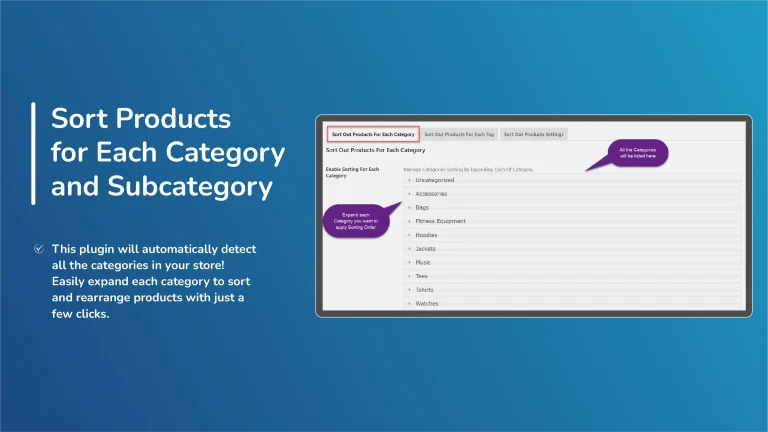
With the help of Sort Products for WooCommerce plugin, you can sort out products display order by Name, ID, Sales, Price, Products in Stock, Date etc. in ascending and descending order with just a few clicks.

Rearranging Products for WooCommerce is an effective plugin for store-owners to set sorting orders for the products in each category and subcategory, and tag from the back-office to enhance customer’s shopping experience that will ultimately boost sales.

Sort Products for WooCommerce is also available on WooCommerce Official Marketplace. You can also check its Documentation

Key Features

  • Customizable product sorting for categories, subcategories, and tags.
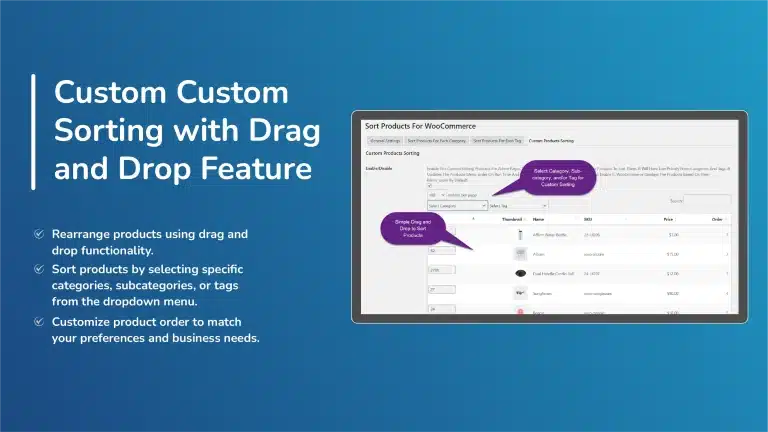
  • Custom Sorting option with Drag & Drop.
  • Custom Sorting for each category, subcategory, and tag.
  • Boosted conversions with organized product displays.
  • Various sorting options like Product ID, Name, Date, Price, etc.
  • Sorting criteria include Rating, Reviews, Sales, and Stock Quantity.
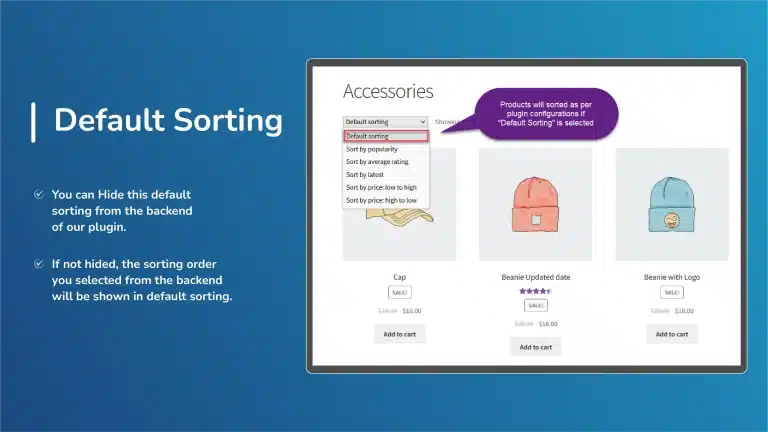
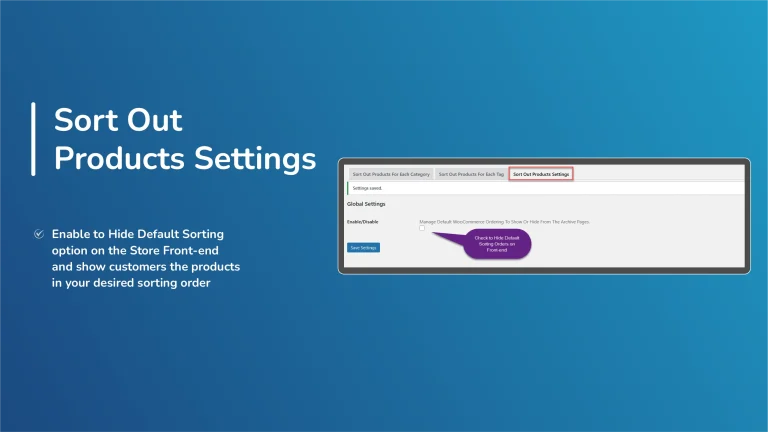
  • Hide WooCommerce Sorting dropdown from the frontend.
  • Highlight desired products for better visibility.
  • Compatible with High-Performance Order Storage (HPOS)

Detailed Features

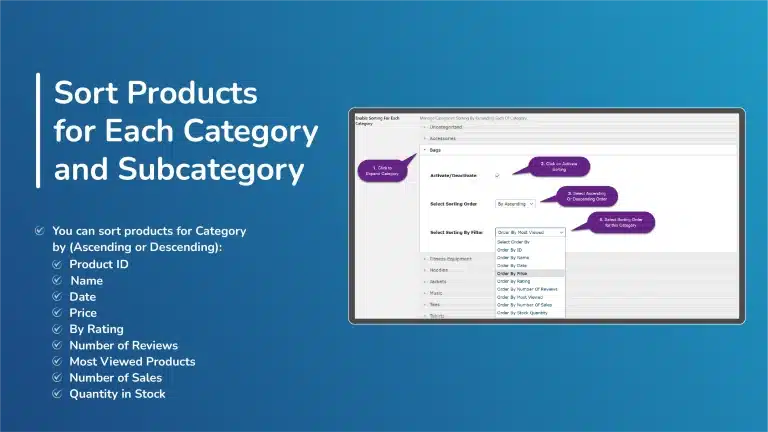
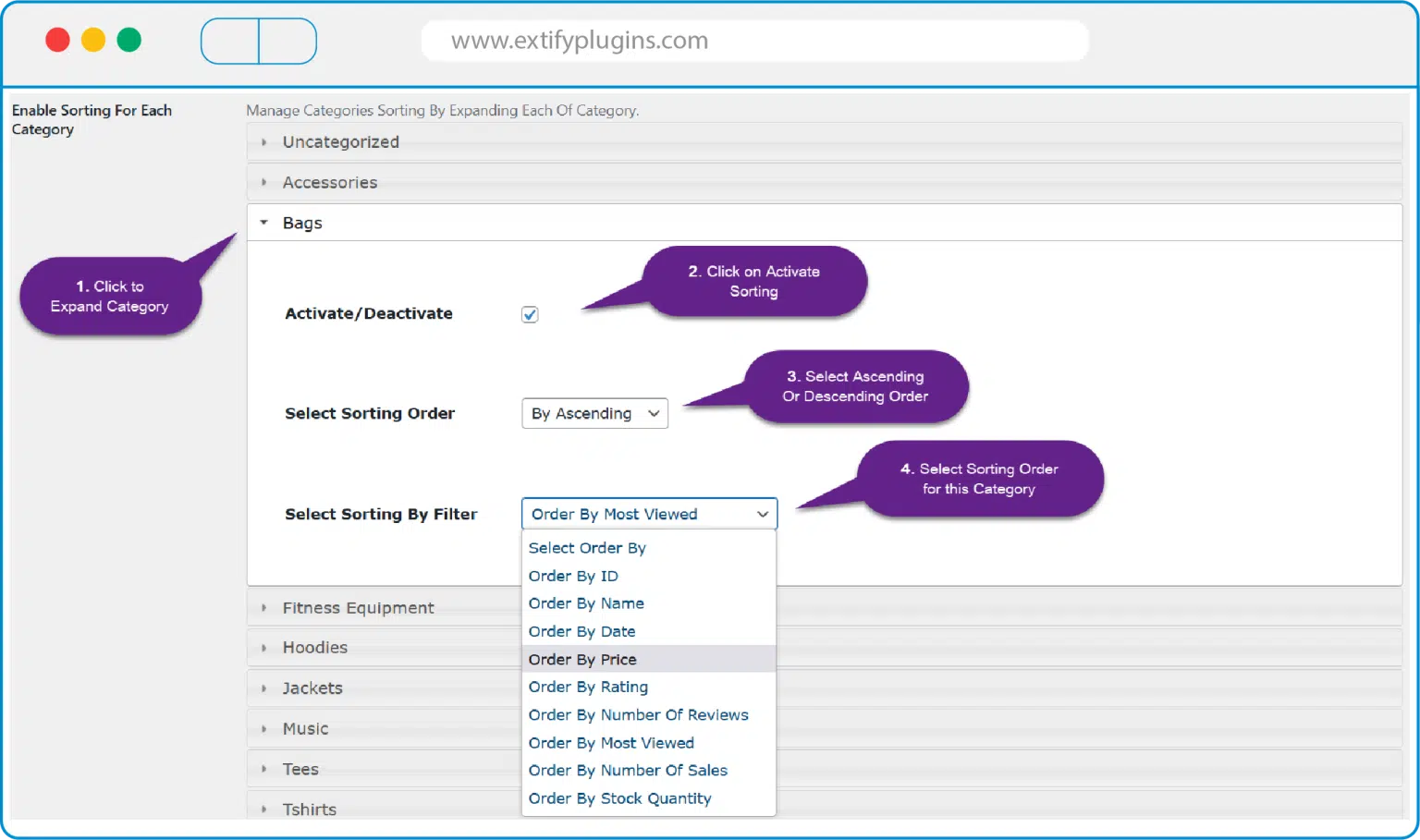
Sort Products for Each Category and Subcategory

  • Product ID – Ascending Or Descending
  • Name – Ascending (A->Z) Or Descending (Z->A)
  • Date – Ascending Or Descending
  • Price – Ascending Or Descending
  • By Rating – – Ascending Or Descending
  • Number of Reviews – Ascending Or Descending
  • Most Viewed Products – Ascending Or Descending
  • Number of Sales – Ascending Or Descending
  • Quantity in Stock – Ascending Or Descending
Sort Products for Each Tag

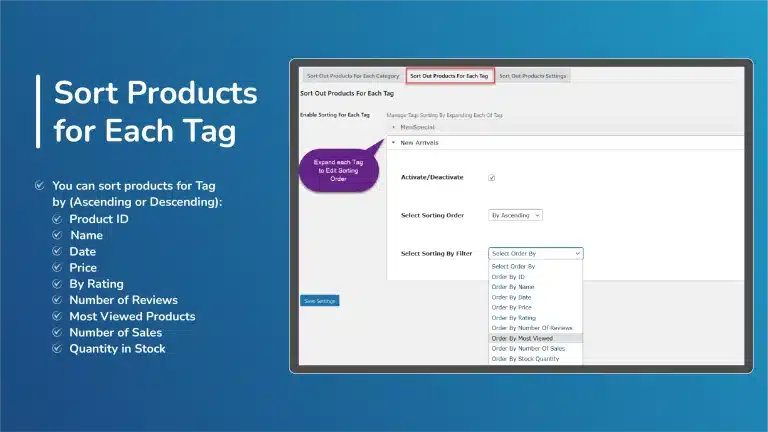
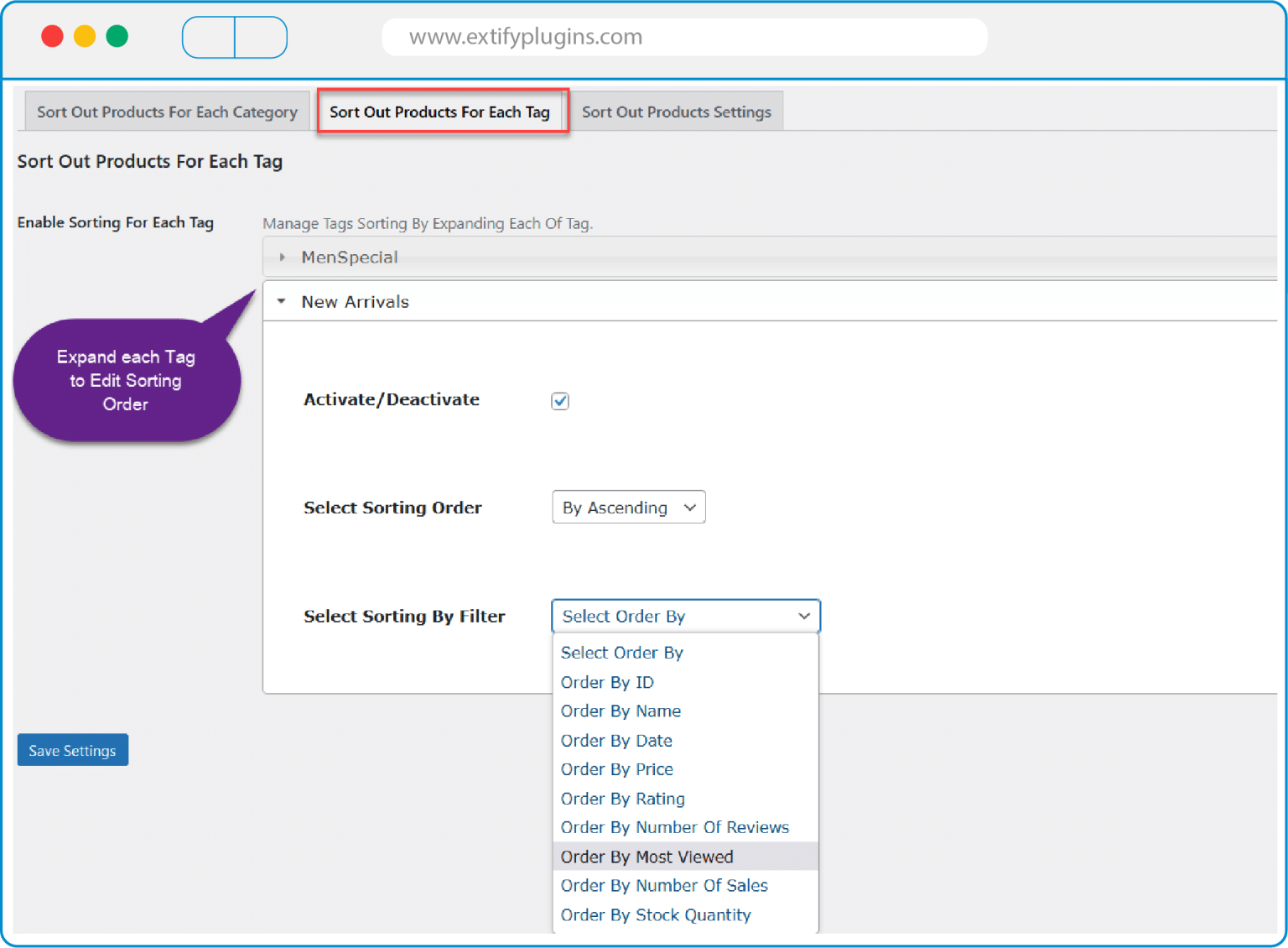
Our Rearranging Products for WooCommerce plugin lets you sort products in Tags pages as well. All the Tags in your store are displayed in the plugin backend dashboard that lets you configure sorting options for each tag and products will be displayed accordingly on the frontend. Rearranging WooCommerce products in Tags pages is one of the effective ways to improve the conversion rate by showcasing the best-sellers or new collections on top of the tag page.
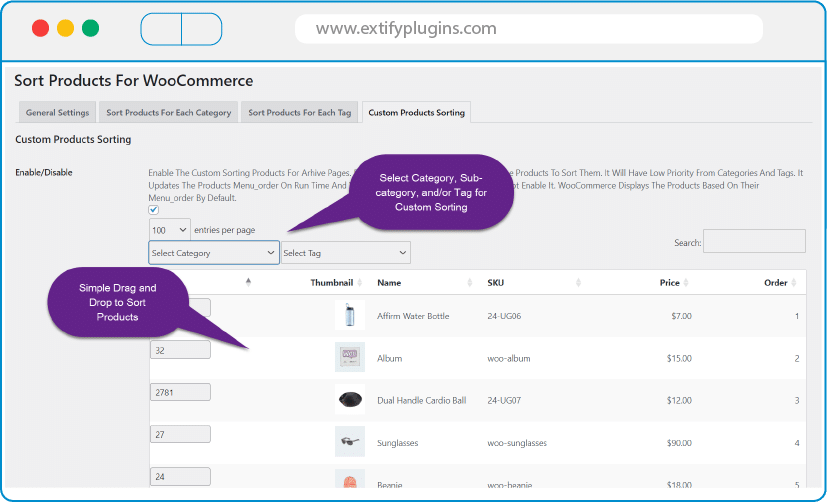
Custom Sorting with Drag & Drop Functionality

This feature allows you to easily sort products by using a simple drag-and-drop interface to arrange your WooCommerce Products on the shop page and category pages. To manage your products, select the appropriate category, sub-category, or tag. All products will be displayed for you here, where you can easily rearrange them by dragging and dropping to control their front-end display order.
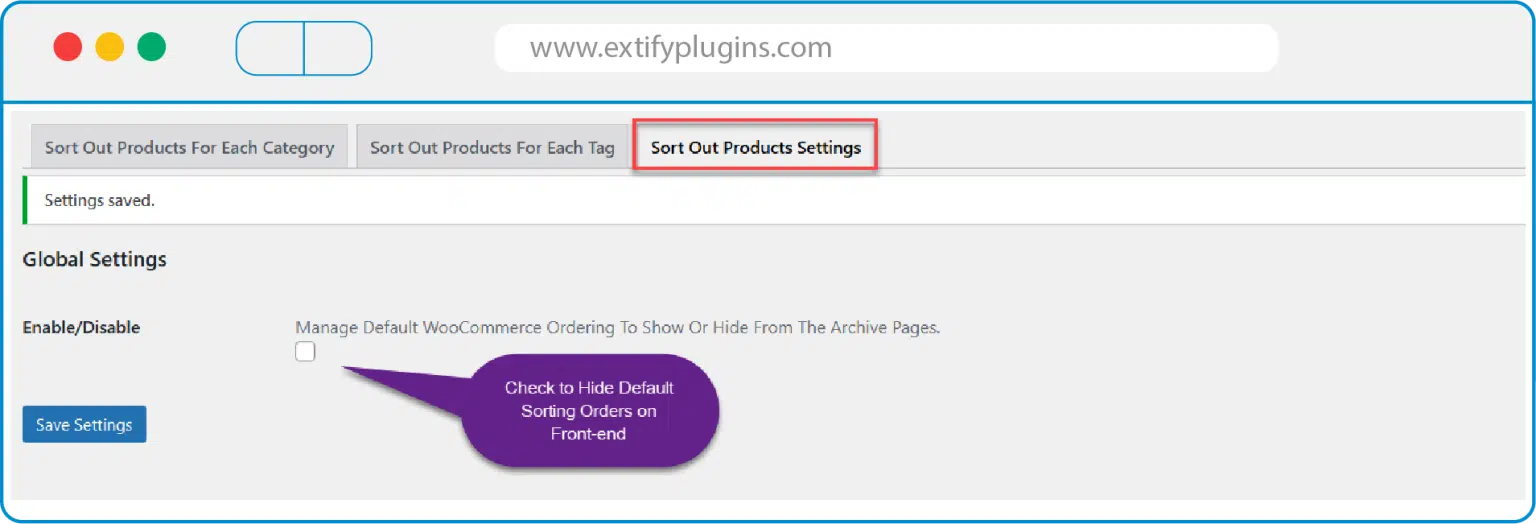
Hide WooCommerce Sorting Dropdown from Frontend

Sorting Products for WooCommerce Plugin has unique settings that lets you hide the WooCommerce Sorting dropdown from frontend. This unique feature emperors the store-owners to have full-control on their store and set the products sorting as per their business requirements. Store owners can define their own product sorting criteria and present products to customers in a way that makes the most sense for their business model. For example, they might want to prioritize certain products, highlight new arrivals, or emphasize best sellers.

Customer Reviews

5.0
Based on 8 reviews
5 star
100
100%
4 star
0%
3 star
0%
2 star
0%
1 star
0%
1-5 of 8 reviews
  1. JU

    Their customer service is always ready to assist with any questions or issues. It’s rare to find a company that offers both reliable products and dependable support. Thank you

  2. SC

    This plugin helped me a lot specially the custom sorting for each tag that is not available in default WooCommerce settings.

  3. A

    Customer support is super fast! And the plugin is really nice, its work perfectly.

  4. AK

    Superb plugin! The “sort by products in stock” feature has made stock management so much easier for me, and the custom sorting feature for each category, subcategory, and tags has greatly improved product management. Highly recommended

  5. MN

    Good plugin. Recommended

30 Day Money Back Guarantee

Trusted by 5000+ Users

We Customize As You Need

Frequently Asked Questions?

Get started with Extify Plugin

Version: 3.0.1

Last Updated: November 20, 2024

Published On: May 24, 2023

Can I manually reorder products?

Yes, you can drag and drop products to create your own order.

Does this affect all categories?

You can reorder globally or within specific categories.

Will sorting work on search results too?

Yes, it applies to shop, category, and search pages.

Can I still use WooCommerce default sorting?

Yes, you can switch between custom and default sorting anytime.

Does it work with variable products?

Yes, the plugin supports simple, variable, and grouped products.

Related Products

Scroll to Top
Welcome to Extify Plugins — your trusted partner in building powerful, scalable, and user-focused plugins for WordPress and WooCommerce.
Copyright © 2025 Extifyplugins. All rights reserved.

Write Your Reviews

Write a Review

Your email address will not be published. Required fields are marked *