- OFFICIAL WOOCOMERCE MARKETPLACE PARTNER
Product Size Chart for WooCommerce
50+
VERIFIED PLUGINS
1M+
INSTALLATIONS
4.9/5
200+ REVIEWS
30 DAY GUARANTEE
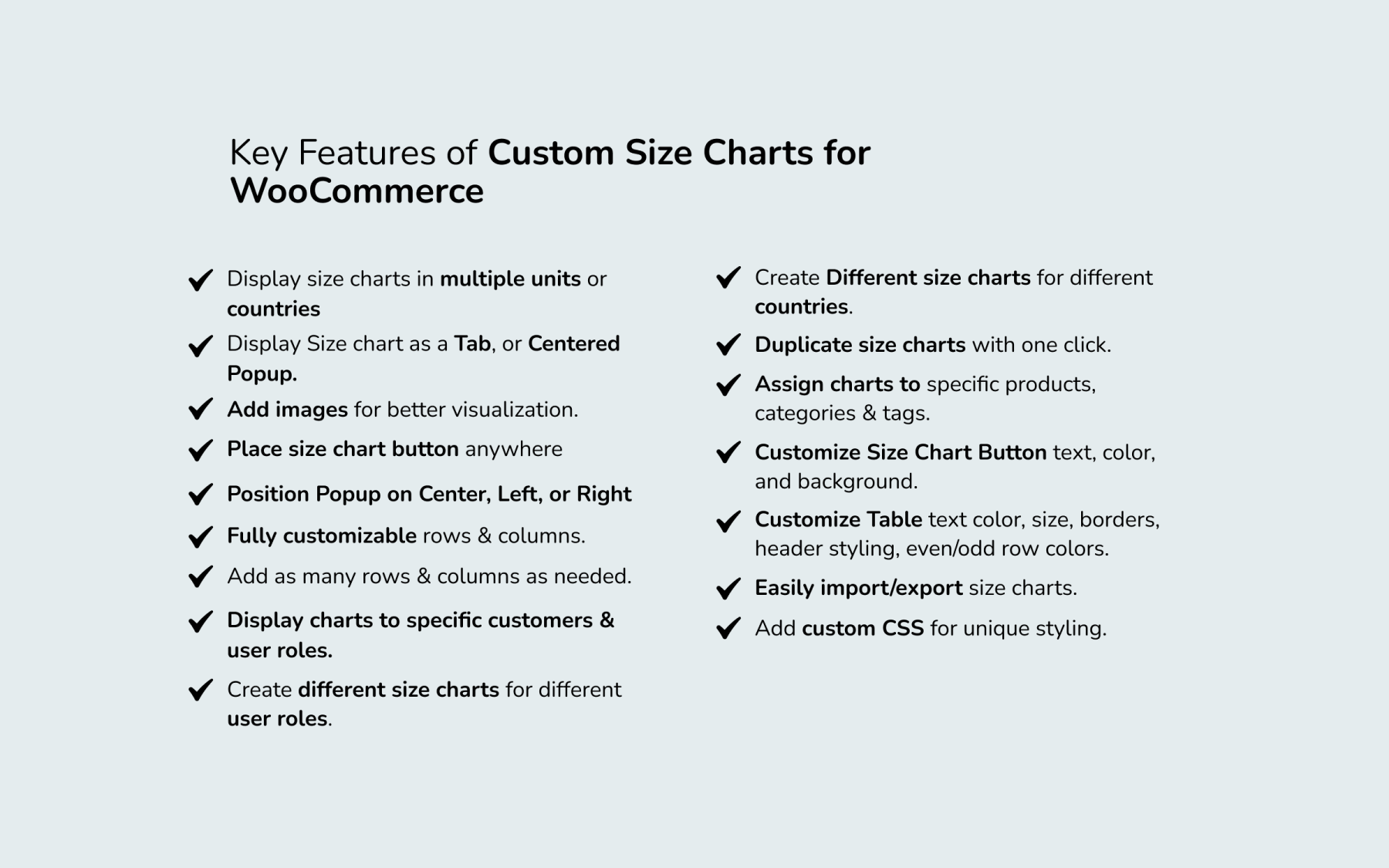
Key Features
-
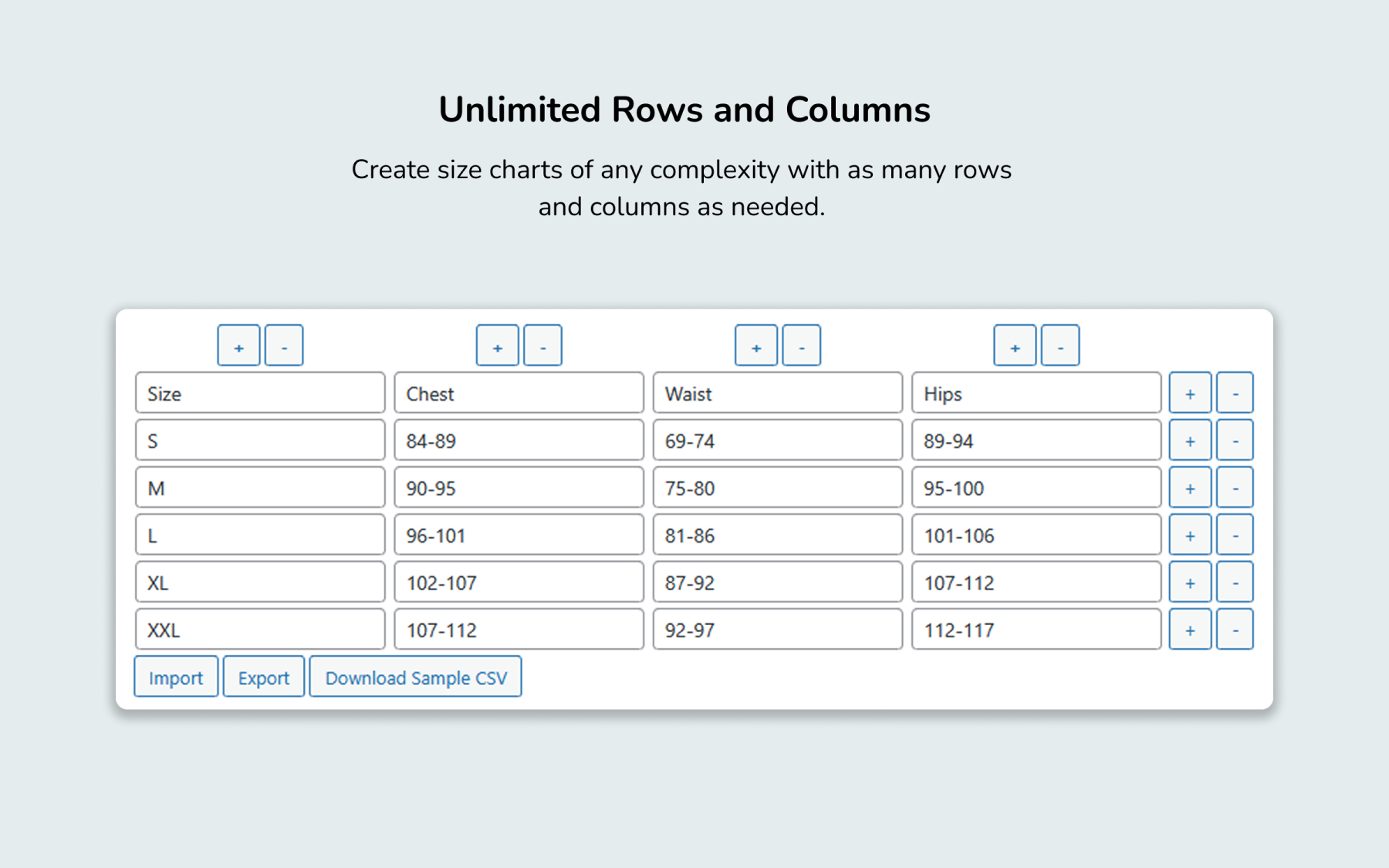
Unlimited Rows & Columns
Build size charts of any size or complexity without layout limits. -
Custom Size Charts
Create fully customizable sizing tables tailored to specific products or departments. -
Flexible Display Modes
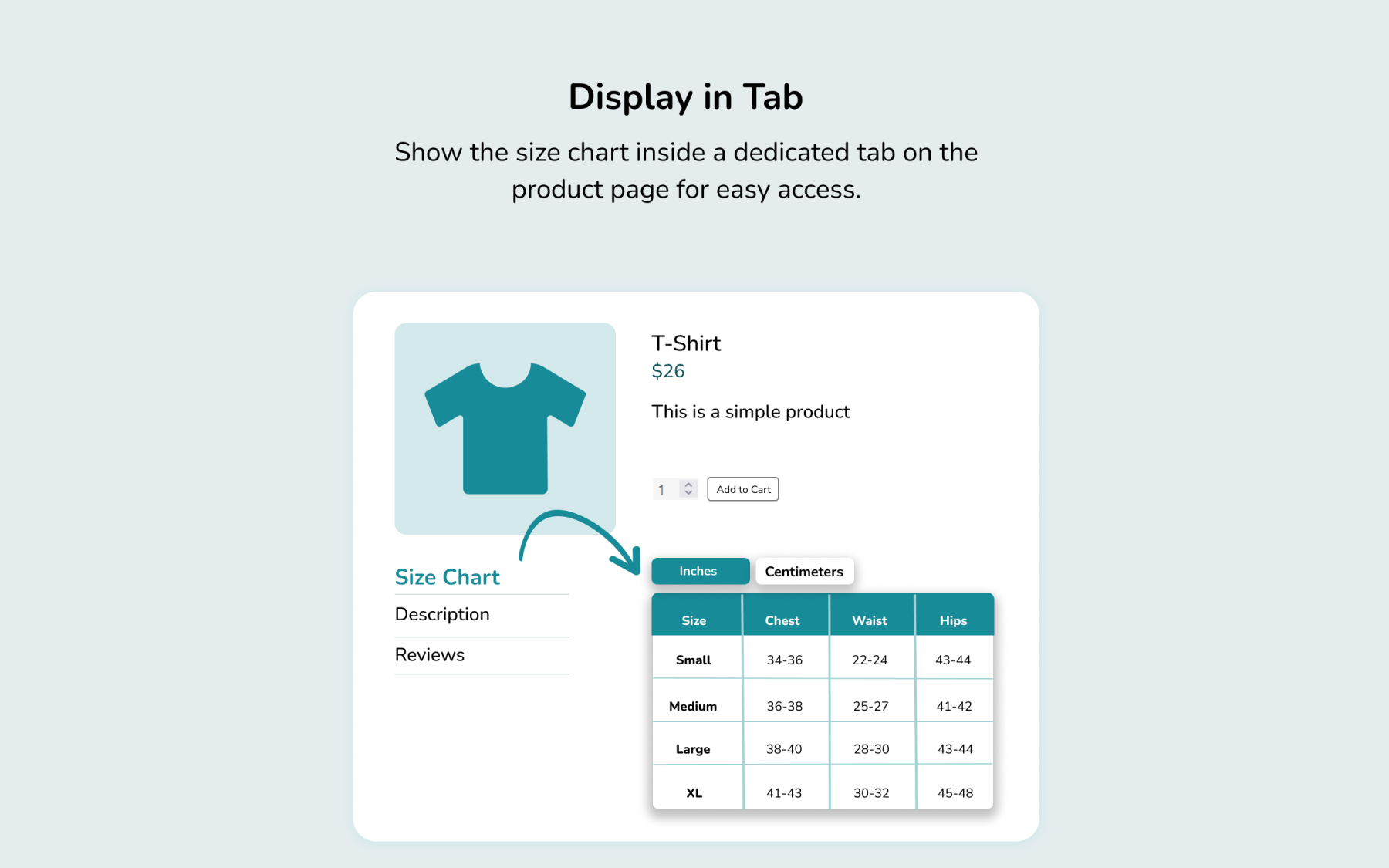
Display charts as a dedicated product page tab or in a customizable popup modal. -
Targeted Assignment Rules
Automatically assign charts based on specific products, categories, or attributes. -
Mobile-Friendly Design
Auto-format tables to render cleanly across desktop, tablet, and mobile devices. -
Pre-designed Chart Templates
Jumpstart setup using ready-to-use templates for common apparel and footwear sizes. -
Custom Styling & Colors
Match chart colors, borders, and fonts directly to your store’s brand theme. -
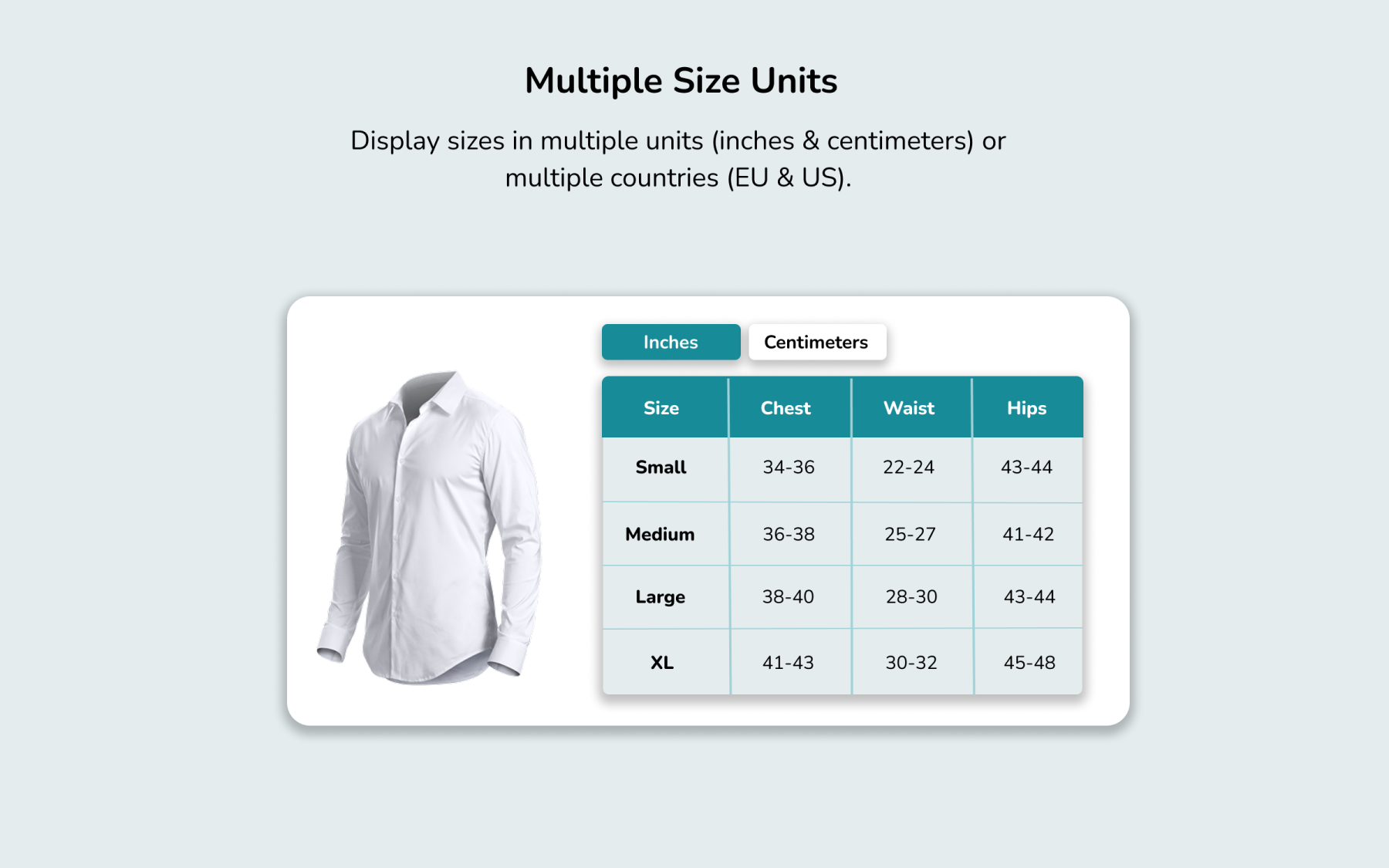
Multi-Unit Unit Support
Allow shoppers to seamlessly toggle between measurements like inches and centimeters. -
Global & Category Guides
Apply single size guides across entire product categories or the full store in seconds.

Create Unlimited Rows & Columns
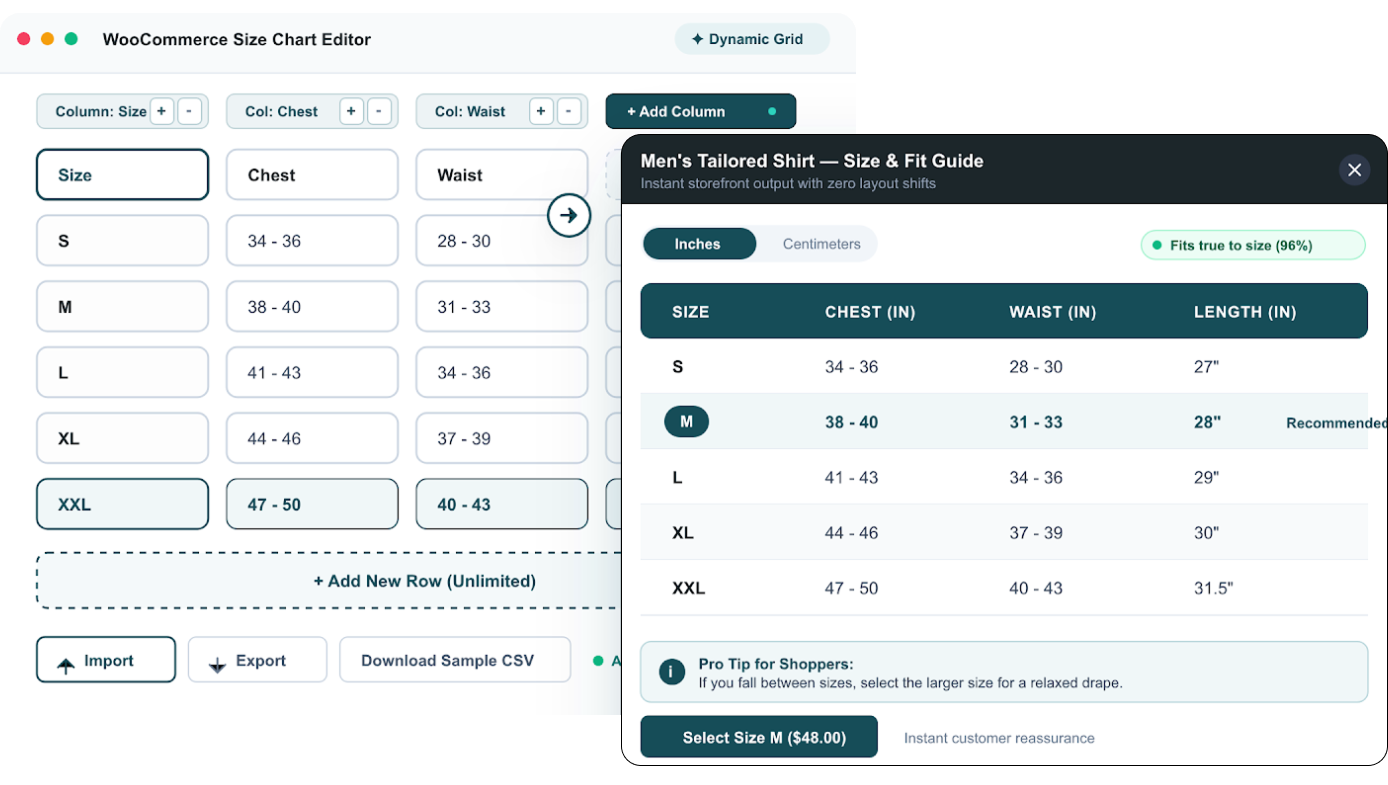
Build detailed size charts with as many rows and columns as your products require. Add multiple sizes, measurements, and specifications without being limited by a fixed table layout.
- Add unlimited rows and columns
- Create simple or detailed size charts
- Include multiple measurements for each size
- Customize charts for different products
- Give customers all the sizing information they need
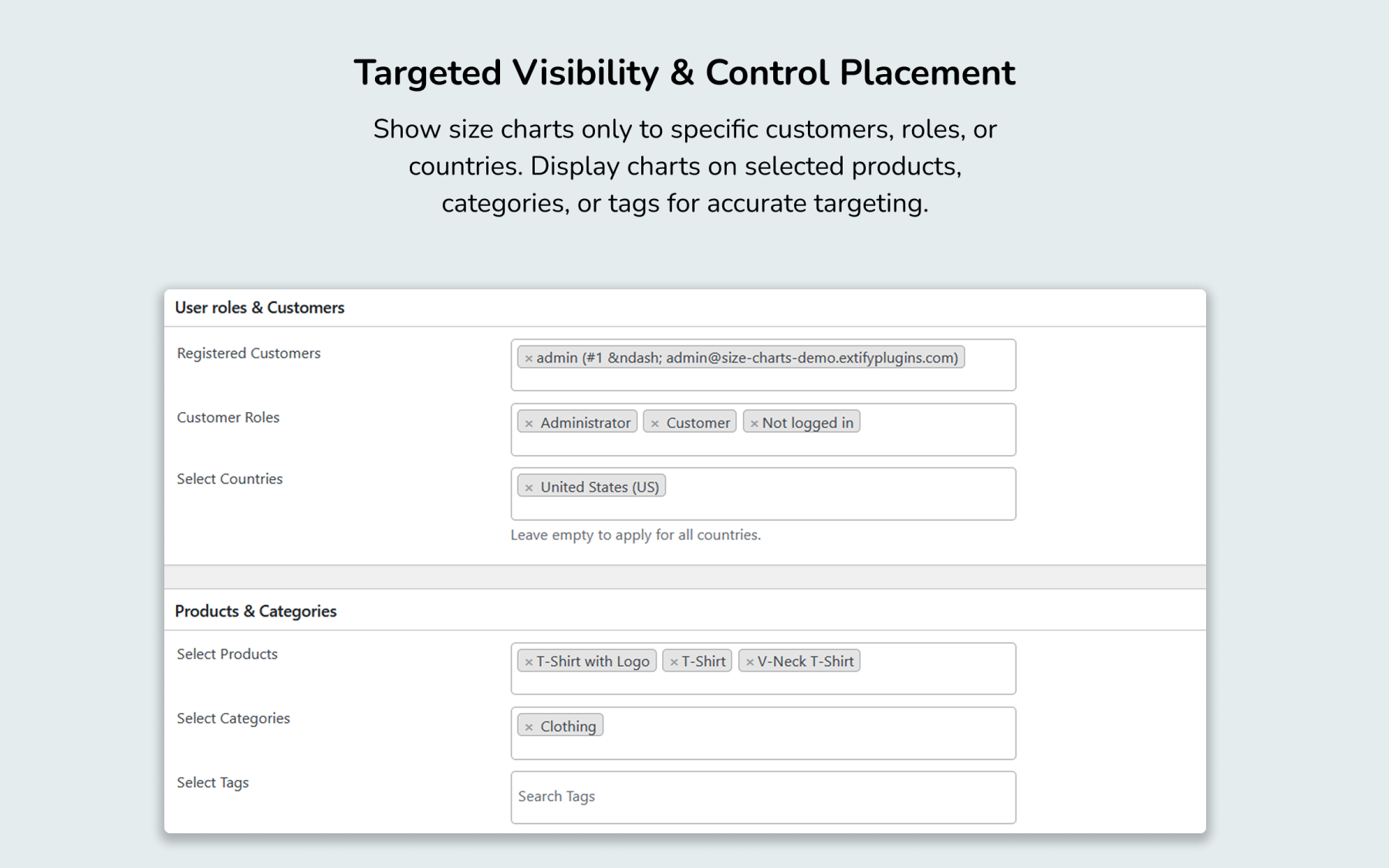
Display the Right Size Chart to the Right Customers
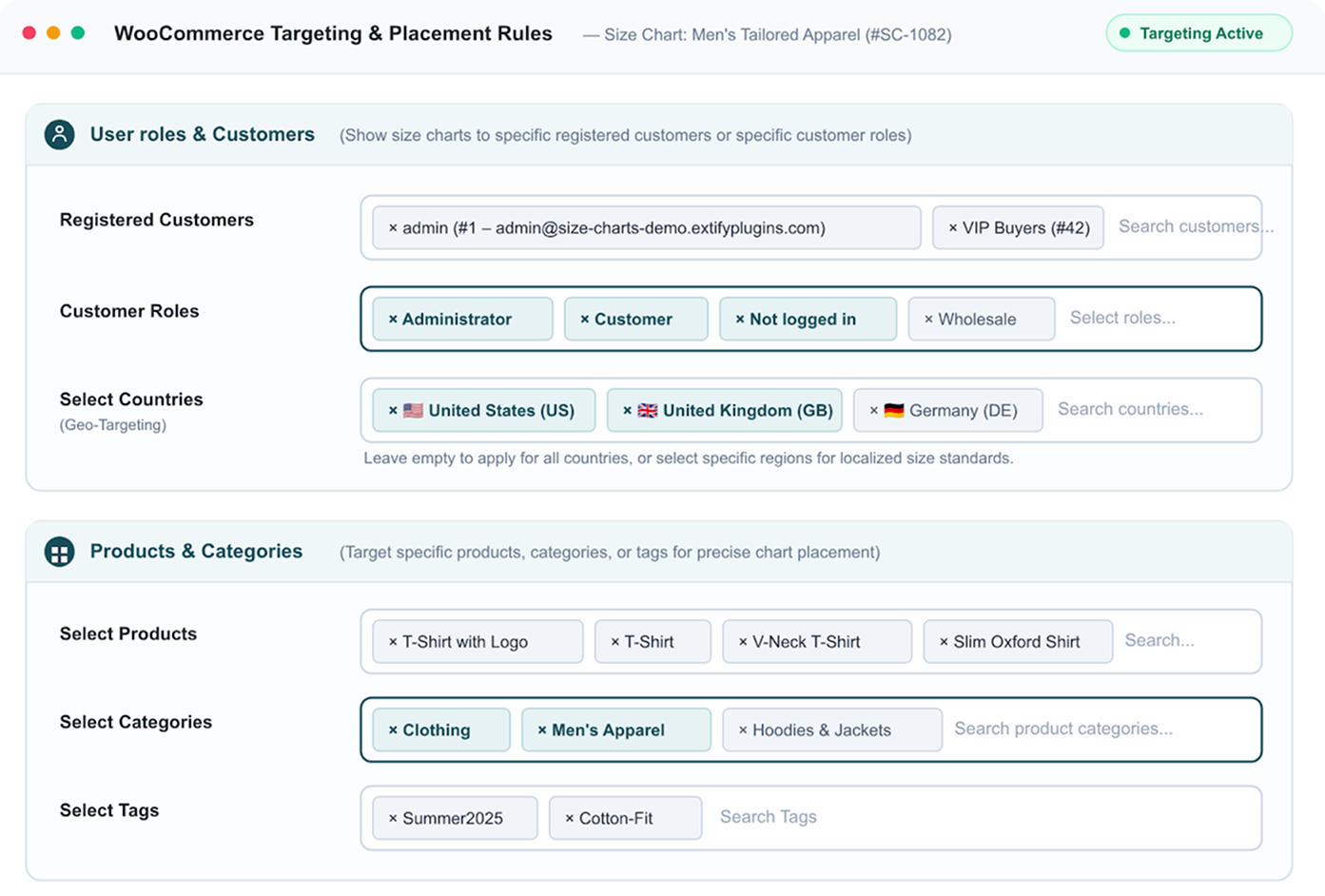
Control exactly where and for whom your size charts appear. Target specific customers, roles, products, categories, tags, or countries for a more relevant shopping experience.
- Show charts to specific registered customers or customer roles
- Assign charts to specific products, categories, or tags
- Display charts for selected countries
- Create different charts for different countries
- Support different international sizing requirements
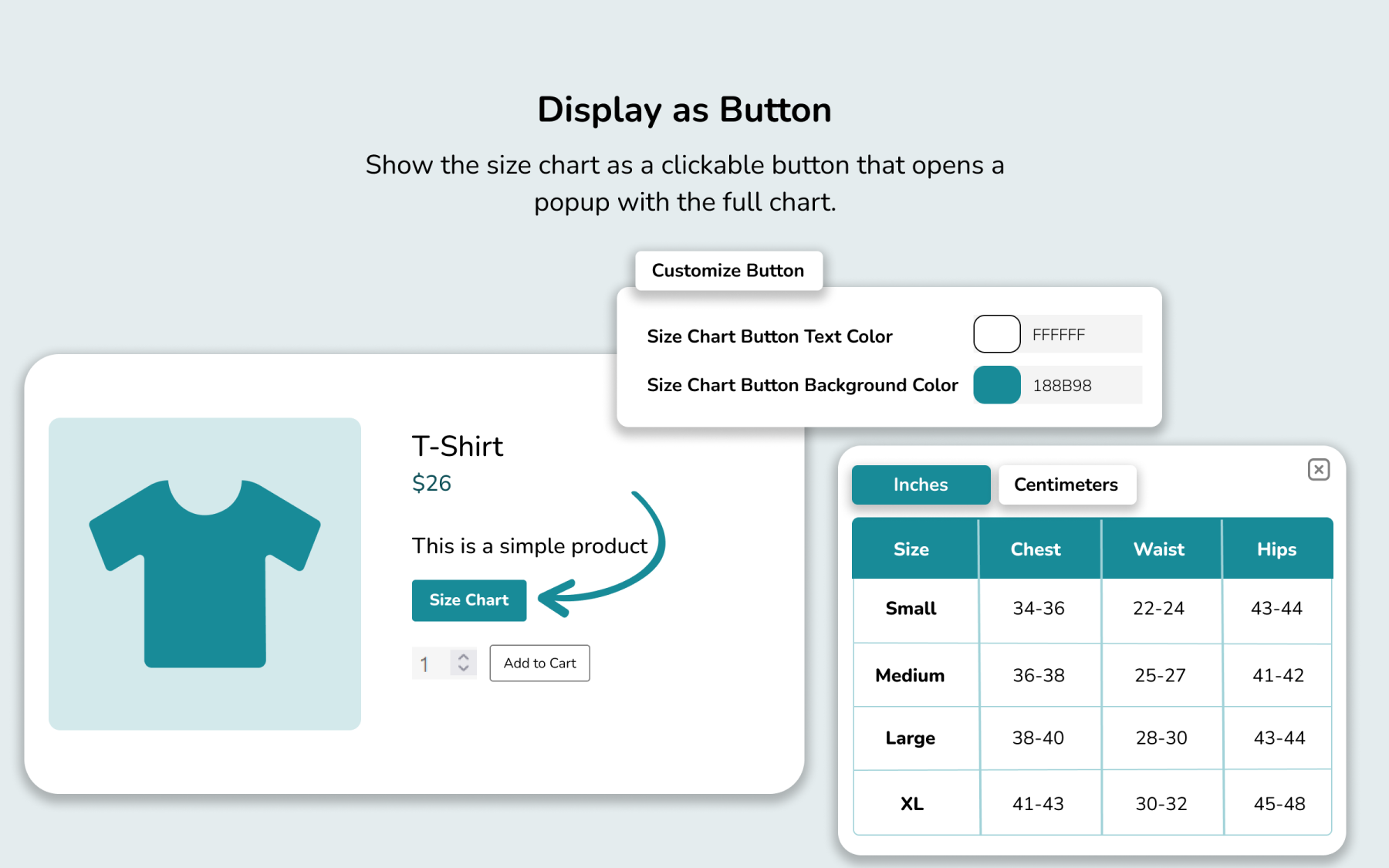
Customize Your Size Chart Button
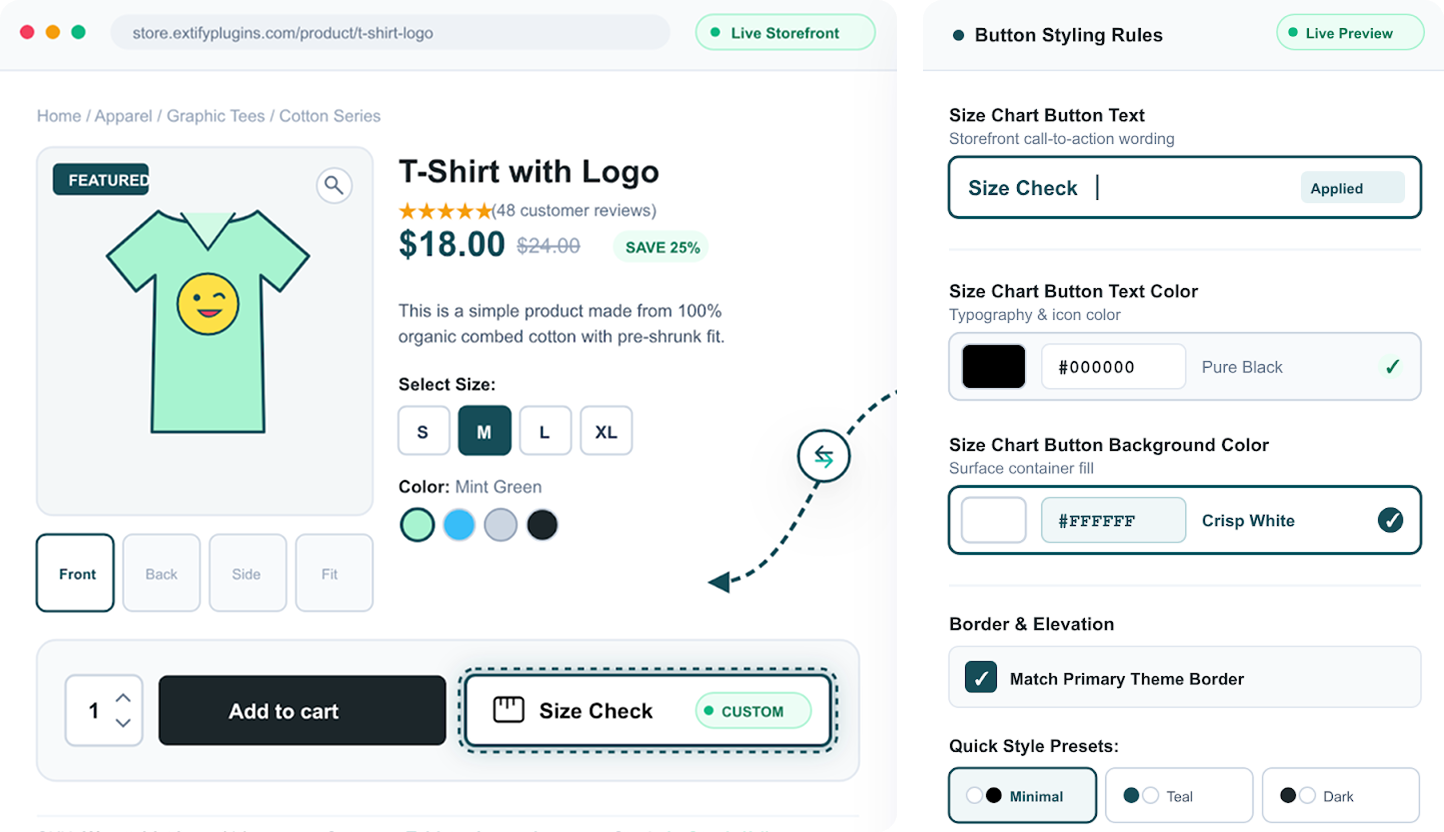
Make your size chart button fit seamlessly into your store’s design and branding. Customize the button text, text color, and background color to create a consistent look across your product pages.
- Customize the button text
- Change the text color
- Set your preferred background color
- Match the button with your store’s branding
- Create a consistent product-page experience
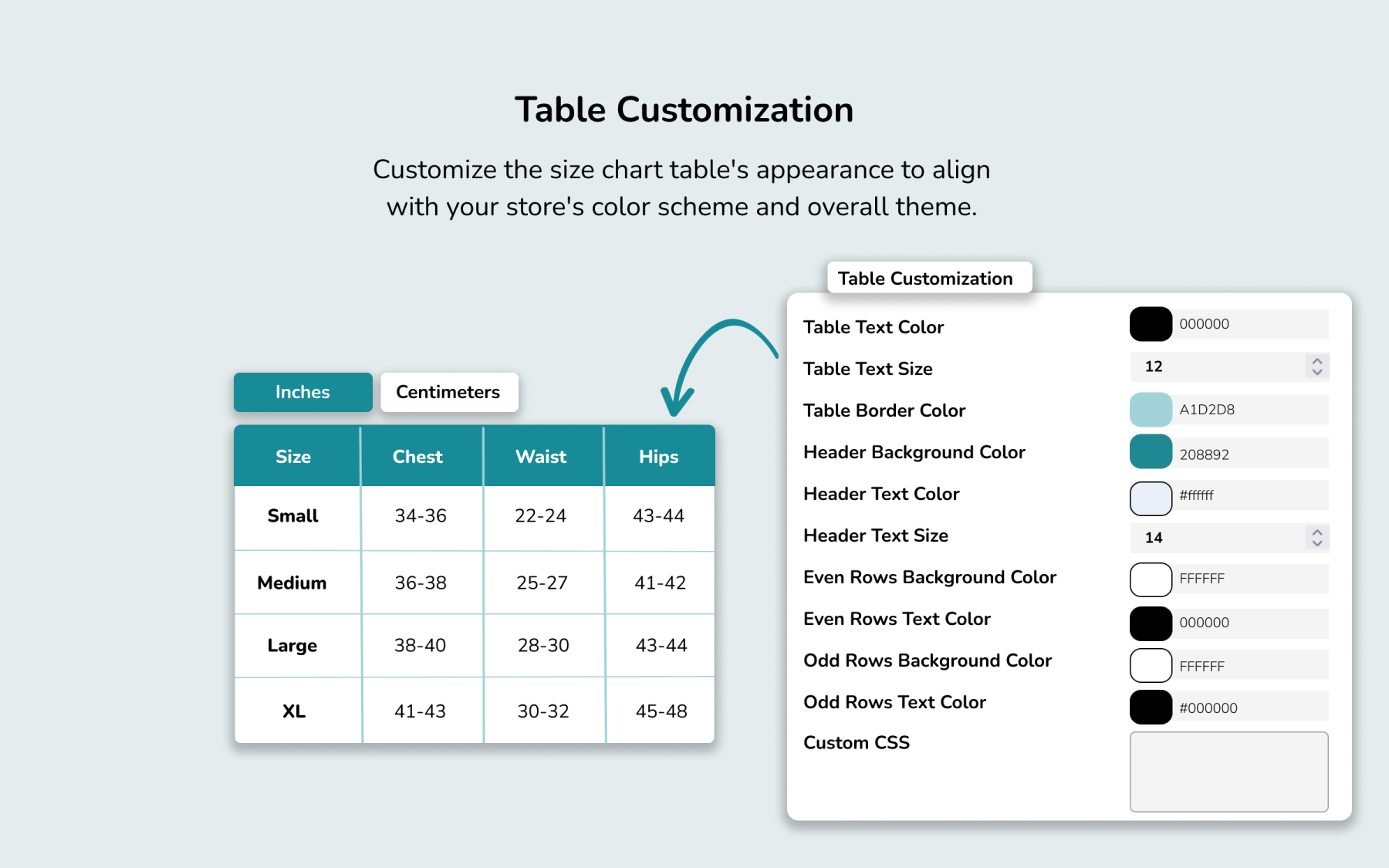
Customize Your Size Chart Table
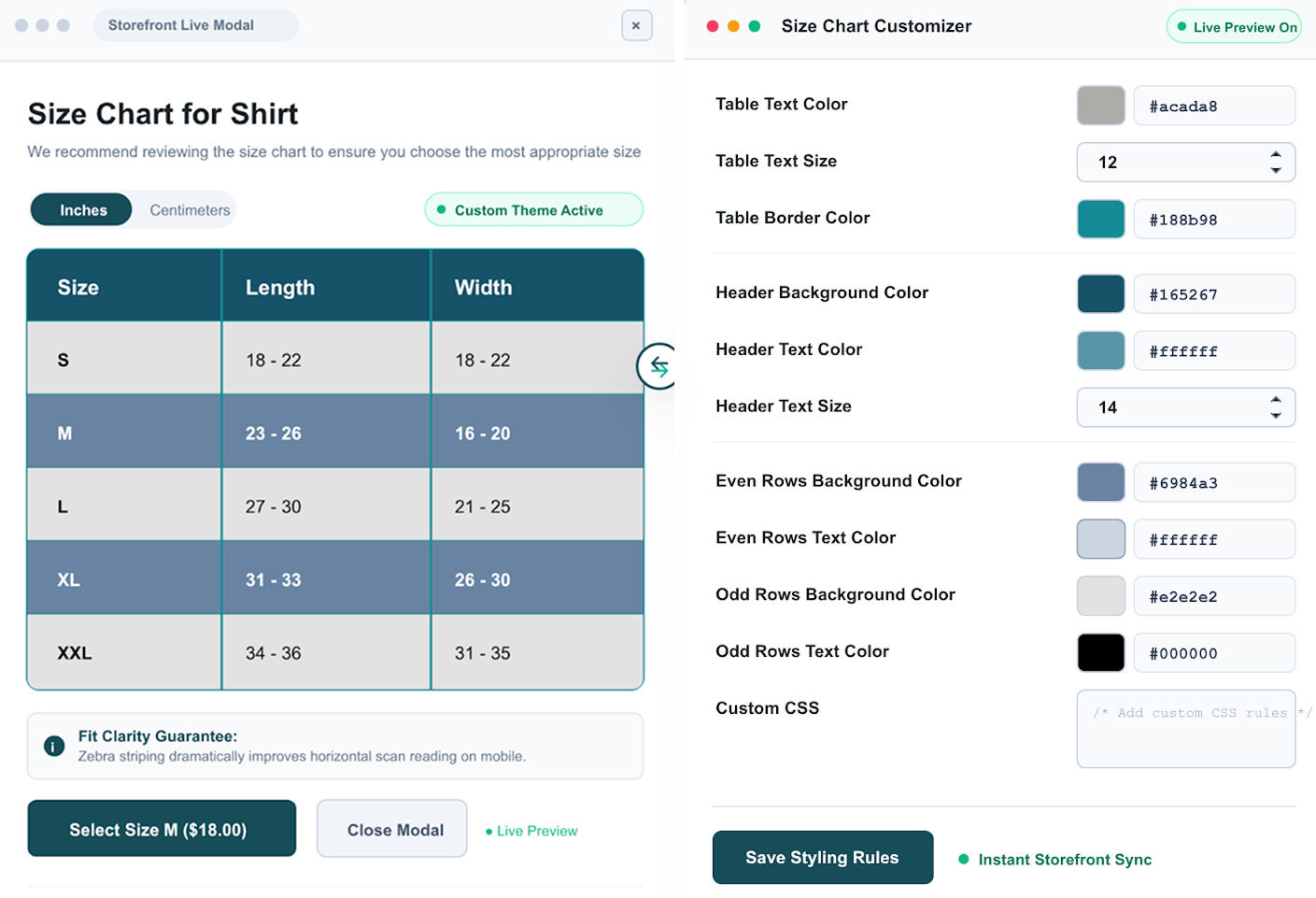
Design your size chart to match your store’s branding while keeping measurements clear and easy to read. Customize colors, text, borders, headers, and alternating rows for a polished shopping experience.
- Customize table text size and color
- Change border colors
- Style header backgrounds, text, and size
- Customize even and odd row colors
- Improve readability with clear row and header styling
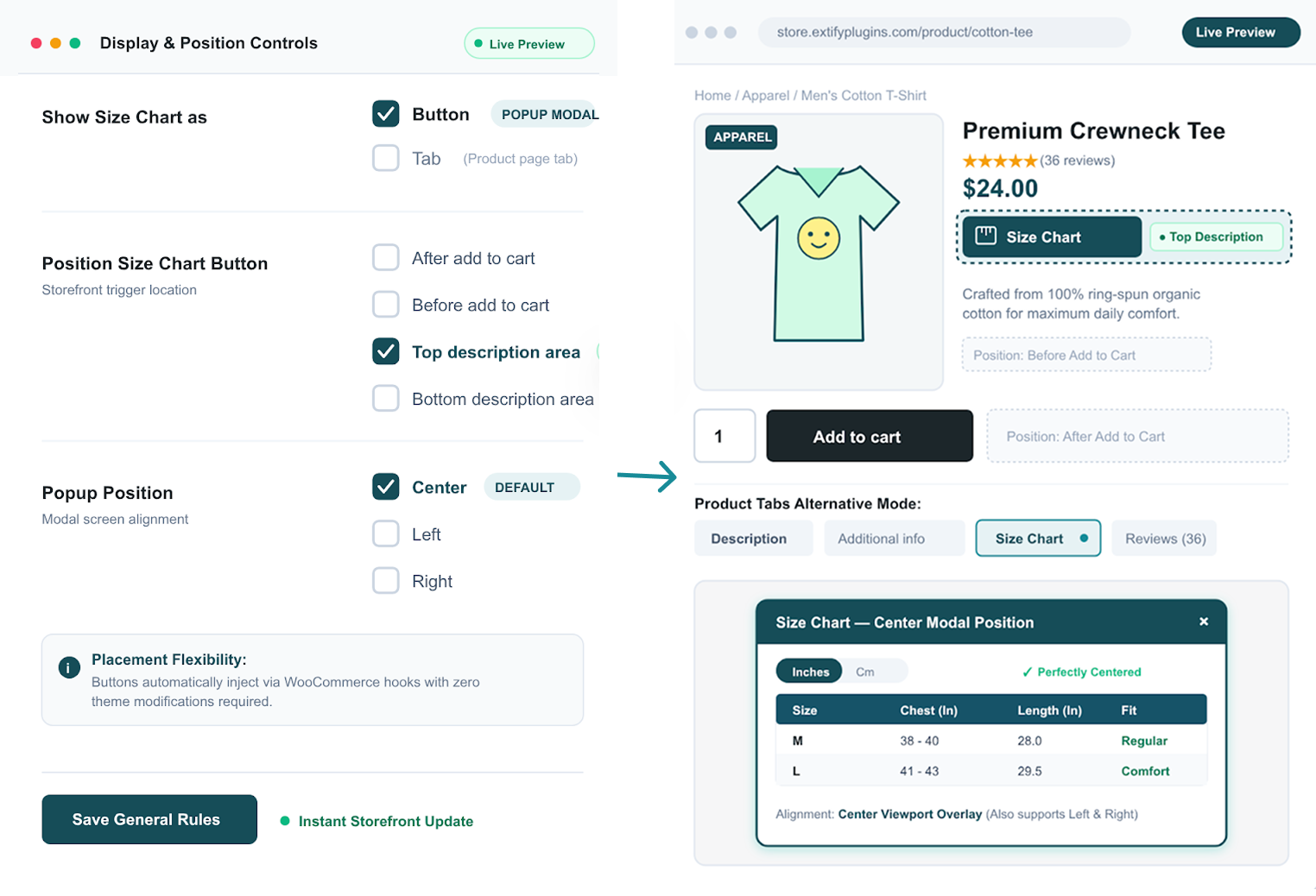
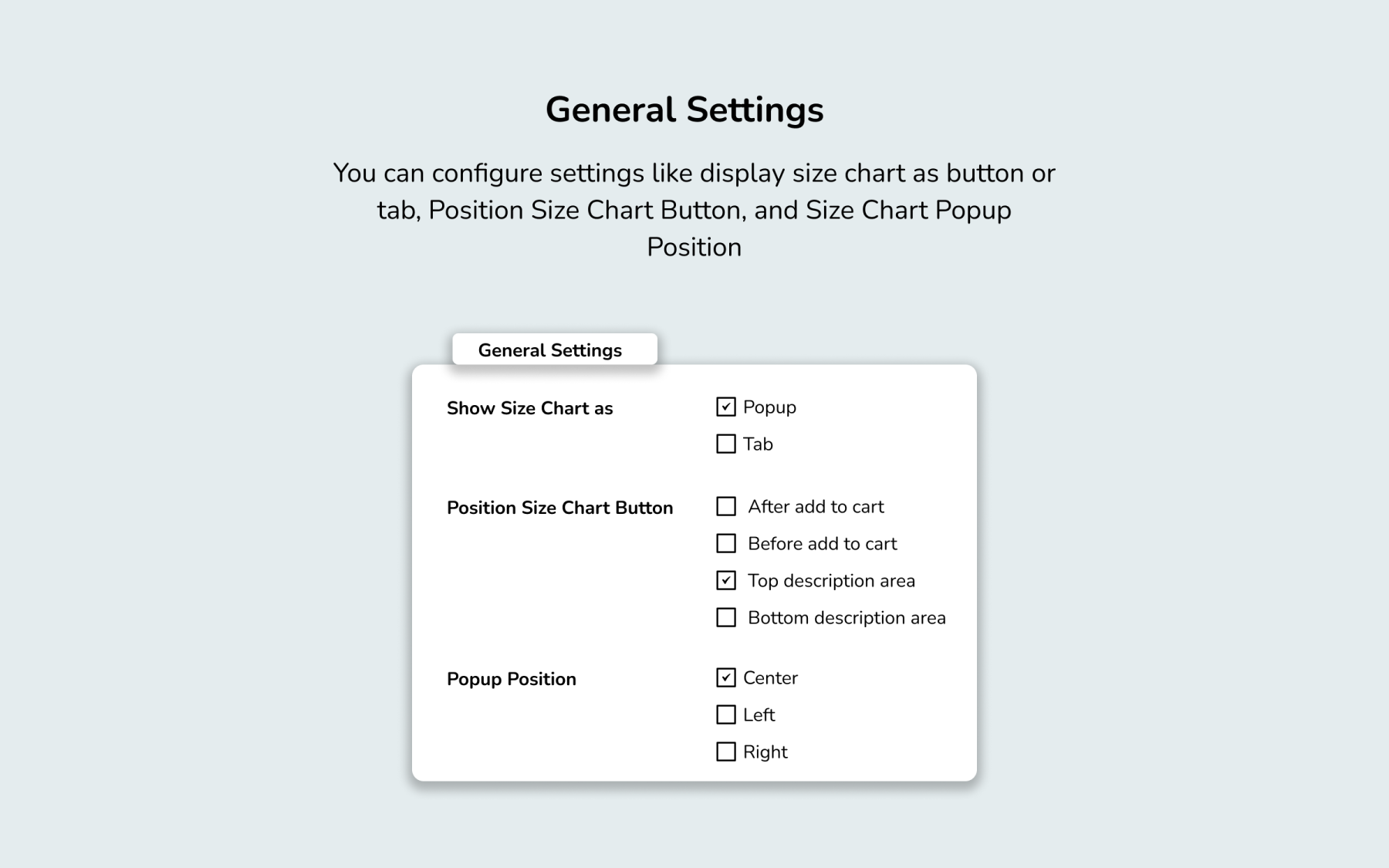
Flexible Size Chart Display & Positioning
Choose how your size chart appears on your product pages and position it exactly where you want. Display the chart as a dedicated tab or button with a popup, and control the placement for a seamless shopping experience.
- Display the size chart in a separate tab
- Open the size chart in a popup from a button
- Position the size chart button where needed
- Set the preferred popup position
- Create a cleaner, more user-friendly product page
No reviews for this product yet.
| 5 star | 0% | |
| 4 star | 0% | |
| 3 star | 0% | |
| 2 star | 0% | |
| 1 star | 0% |
Sorry, no reviews match your current selections

30 Day Money Back Guarantee

Trusted by 5000+ Users

We Customize As You Need
Frequently Asked Questions?
Get started with Extify Plugin
Version: 1.0.2
Last Updated: March 11, 2025
Published On: January 28, 2025
Can I create multiple size charts?
Yes, you can add unlimited charts for different product types.
Where will the size chart appear?
You can display it as a tab, button, or popup on product pages.
Can I assign one chart to many products?
Yes, charts can be linked to single or multiple products and categories.
Is it responsive on mobile devices?
Absolutely, the charts are optimized for all screen sizes.
Can I customize the chart style?
Yes, you can adjust the layout, content, and design to match your store.
Related Products
Google Sheets Sync for WooCommerce
Connect WooCommerce with Google Sheets to automatically sync orders, products, prices, and inventory with real-time, scheduled, and two-way synchronization.
Also Available on WooCommerce Marketplace
$49.00
Currency Switcher for WooCommerce
Automatically show local currencies based on shopper IP or browser language, run live or manual exchange rates, and customize every price format—complete with floating switchers, shortcodes, and payment gateway controls.
$89.00
Migrate Shopify to WooCommerce
Migrate your entire Shopify store to WooCommerce in 3 simple steps—with zero data loss, advanced filtering, automated WebP image optimization, and real-time tracking.
Shopify to WooCommerce Migrator is also available on Official Marketplace.
$59.00
External Links Button for WooCommerce
Add unlimited external or affiliate link buttons to WooCommerce products—with full control over placement, visibility, and design.
This product is also available on WooCommerce Official Marketplace.
$29.00
File Upload for WooCommerce
Let customers upload files on Product, Cart, Checkout, and Order pages in your WooCommerce store. Customize upload rules, charge fees, set deadlines, and manage files from a dedicated admin dashboard.
WooCommerce File Upload is also available on WooCommerce Official Marketplace.
$39.00
Product Gallery Slider
Enhance your WooCommerce product pages with a feature-rich gallery slider offering custom layouts, smooth transitions, zoom options, and social sharing. Tailor every element—from thumbnails to navigation.
$49.00
Write a Review